

Superinbox
Superinbox · Writing · Productivity
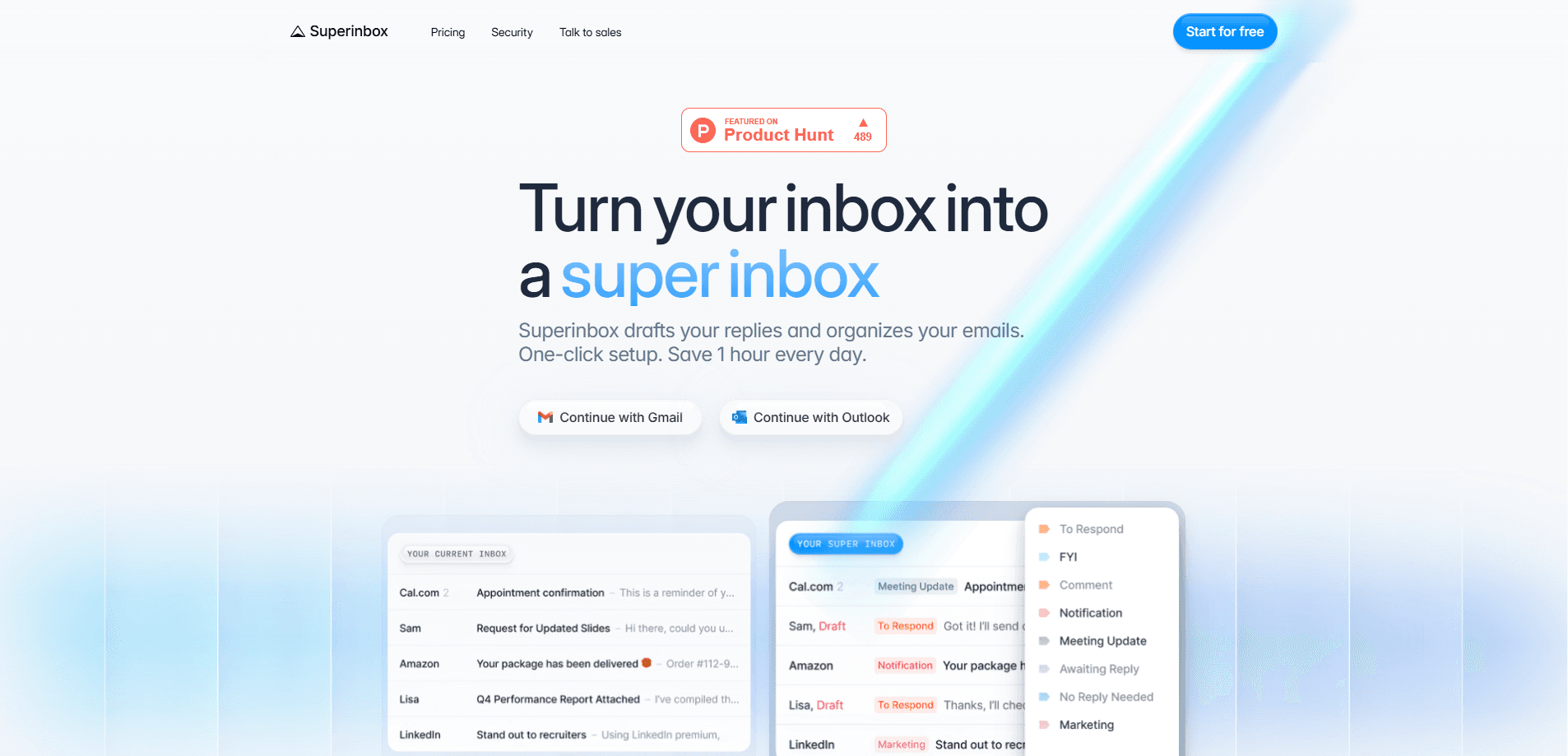
Superinbox is an AI email assistant that lives inside Gmail and Outlook, so you never have to open a new app to use it. It sorts incoming mail into categories automatically and drafts replies in your own styling voice, based on your past emails. The pitch is simple: spend less time triaging and typing, and more time on the messages that actually need you. Think of it as an inbox organizer that also writes your first draft.
About Superinbox
What Is Superinbox
Superinbox is an email reply drafting tool built for people who drown in their inbox. Instead of adding another dashboard, it plugs straight into the mail client you already use and works from your existing email history. It reads context, picks up your tone, and pre-writes answers you can send with small edits.
The main problem it solves is the daily grind of sorting and replying. Every new message gets categorized on arrival, and when a reply makes sense, a draft is waiting for you. This is email categorization that runs without you touching a folder. According to the company, that adds up to roughly an hour saved per day for the average user.
If you only get ten emails a day, you won't notice much difference. High-volume inboxes feel it the most.
The most important limit is scope. Superinbox only works with Gmail and Outlook accounts, so if you run mail on a different provider or a self-hosted server, it won't help you. It's also an assistant, not an autopilot. You still review and send everything yourself. That last point trips people up.
Getting Started
- Go to superinbox.com and continue with your Gmail or Outlook account.
- Approve the OAuth request so Superinbox can access your mailbox. You control when it processes mail, and it doesn't read anything without your action.
- Let it scan your sent history so it can pick up your AI writing style and tone.
- Set up your categories and rules, or keep the default sorting if you'd rather not fiddle with settings.
- Open your inbox, review the drafts Superinbox has prepared, and send the ones you like.
Product Information
A quick look at Superinbox's pricing, supported platforms, and performance.
Best for
The users, tasks, and scenarios where this tool fits best.
Users
- Busy professionals
- Founders and small teams
- Support and sales staff
Tasks
- Drafting email replies
- Sorting incoming mail
- Scheduling meetings
Scenarios
- Clearing a backlog after a week off
- Handling repetitive outreach
- Keeping a shared team inbox tidy
Key features
Reply drafts in your own voice
Superinbox studies your past emails and learns how you write, then produces drafts that match the tone you'd use with each recipient. The company says drafts are context-aware and pull from both email history and documents you upload, which means the assistant can reference details from an earlier thread or a spec sheet without you pasting anything into the message yourself. You review each one and send with light edits. Why does that matter? Because a draft that sounds like a stranger is just more work to fix.
Sorting that runs on its own
Every incoming email gets sorted into a category as it arrives, so your inbox stays ordered without manual filing. In practice it works like a Gmail AI email sorter that never sleeps. You can use the default categories or write simple prompts to define your own, and the tool applies them to new mail automatically.
It works inside Gmail and Outlook
There's no separate dashboard or browser tab to learn. None. Superinbox operates inside the mail clients you already use, which keeps your workflow unchanged. It supports Gmail and Outlook accounts only.
Calendar-aware drafts
When a reply involves scheduling, Superinbox pulls your available slots from the calendar and puts them into the draft, which saves you from the tedious exchange of proposing times, waiting for a response, and then proposing again when the first option doesn't land. That removes most of the back-and-forth that usually follows a "when works for you?" message.
Noise and cold email blocking
The sorter keeps low-value messages, like cold pitches and newsletters you never read, out of your main view. That means the messages that matter stay visible instead of getting buried under promotional mail, which is the exact thing that makes an overflowing inbox feel impossible to clear even when most of the pile is junk you'd never open anyway.
Privacy-first processing
The service analyzes email in real time and says it stores no full copies of your messages, keeping only encrypted vector representations for AI processing. That design matters if you handle sensitive client mail, because nothing readable is left sitting on a third-party server after a message is processed. Third-party model providers aren't allowed to train on your data, and you can delete your data at any time.
Tiered plans for growing workloads
Starter handles up to 2,500 emails a month, while Business raises that to 6,000 and adds a second inbox, custom labels, and PDF context. Enterprise adds advanced security, single sign-on, and shared org-wide knowledge. No tiers are cheap. Pricing starts at $25 a month.
Pros and cons
Pros
- Works inside Gmail and Outlook, so there's nothing new to learn or install as a separate app.
- Drafts match your own tone rather than a generic AI voice, which cuts editing time.
- Automatic categorization keeps the inbox tidy without manual filing.
- Calendar integration removes the usual scheduling ping-pong inside reply drafts.
- No data stored and no third-party model training on your email, which matters for privacy-minded users.
Cons
- Gmail and Outlook only, so users on other mail providers are left out entirely.
- It's an assistant rather than an autopilot, so you still review and send every draft yourself.
- The free start is a 7-day trial, and ongoing use runs $25 to $40 a month, which may be steep for light users.
- There's no public API, so teams can't wire it into their own tools or automations.
Frequently asked questions
It's an AI email assistant that sorts incoming mail into categories and writes reply drafts in your voice, all inside Gmail and Outlook. You review each draft before sending.
Related content
Explore related tools, skills, and articles for Superinbox.
Superinbox Alternatives

Google EmbeddingGemma 2
Google DeepMind · Writing · Image · CodingGoogle EmbeddingGemma 2 is a 740M-parameter open model that turns text, code, images, audio, and video frames into vectors in one 768-dimension space, running on phones and laptops.

MePersona
MePersona, Inc. · Writing · Productivity · MarketingMePersona is an AI unified inbox for creators. It learns your voice, drafts replies to fan messages from 12 platforms, and sends only what you approve.

Fluence
Yay Software (Yannick Huchard) · Writing · Voice & Language · ProductivityFluence is an Android app that reads PDFs, EPUBs, Word files and web articles aloud, follows each sentence as it speaks, and answers questions about the text on the phone itself.