

Supermaven
Supermaven · Coding
Supermaven is a fast AI code completion tool for developers, offering a free tier and a 1 million token context window on Pro.
About Supermaven
What Is Supermaven
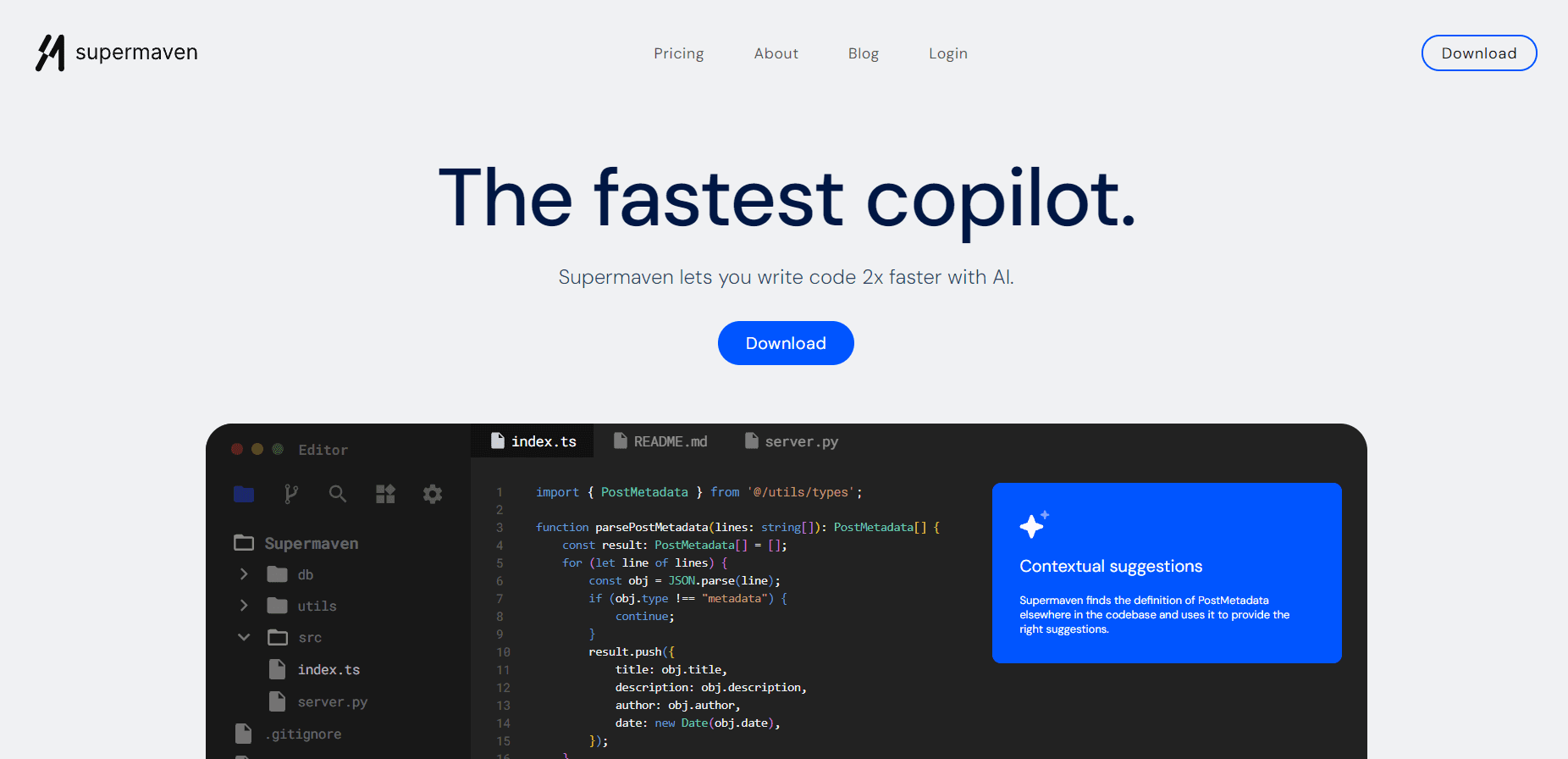
Supermaven is an AI coding assistant that suggests the next chunk of code as you type. It plugs into your editor and watches the whole project, so its suggestions match the names, types, and patterns that already exist in your repository. Have you ever typed a function name and then scrolled up to check its signature? That's the gap it tries to close.
The tool started as a speed play. Its own benchmarks put its response latency at around 250ms, well under the 780ms it reports for a leading competitor. Latency matters. A suggestion that arrives after you've already typed the line is worthless.
The main limit is context. The free tier sees a narrower window of your code. Only paid plans get the full 1 million token window and the largest model. All plans also cap data retention at 7 days. What does that mean? Your code isn't kept on the servers forever.
Getting Started
- Create a free account on the Supermaven site and pick your plan.
- Install the plugin for your editor: VS Code, JetBrains IDEs, or Neovim.
- Sign in inside the editor so the plugin can index your project.
- Start typing as usual and accept suggestions with the standard completion key.
- For chat, open the Supermaven panel and attach recently edited files to give the model more context.
Product Information
A quick look at Supermaven's pricing, supported platforms, and performance.
Best for
The users, tasks, and scenarios where this tool fits best.
Users
- Solo developers
- Engineering teams
- Developers on large codebases
Tasks
- Writing boilerplate and repetitive functions
- Referencing types across a project
- Debugging with chat
Scenarios
- Daily editing in VS Code, JetBrains, or Neovim
- Working inside a large monorepo
- Trying an AI coding assistant before paying
Key features
1 Million Token Context Window
The Pro plan raises the context window to 1 million tokens, which lets the model weigh a much larger slice of your repository. The point isn't a bigger number for its own sake, since what it really fixes is the common annoyance of a suggestion that misses a type or helper defined three files away from where you're typing. Free users get a smaller window. That's the main reason to upgrade.
Fast Suggestion Latency
Speed is the whole pitch here. Supermaven was built around response latency, and the company reports around 250ms against 780ms for a leading competitor. In practice, this is the difference between a ghost-text suggestion that lands while you're still mid-word and one that shows up a beat after you've already moved on to the next line. Speed is the whole pitch here, and it's backed by measurable numbers.
Multi-Editor Support
The plugin runs in VS Code, JetBrains IDEs, and Neovim. That's a narrower list than some rivals, which also cover Xcode and Visual Studio, but it covers the three editors that most working developers already use day to day. Setup is short. Install it, sign in, and the project gets indexed.
Integrated Chat Panel
Supermaven Chat puts GPT-4o, Claude 3.5 Sonnet, and GPT-4 behind one interface. Hotkeys let you switch models, view diffs, and apply changes without leaving the editor. Pro users get $5 a month in chat credits. That's real money off the chat side, not a token discount.
Apply Diffs to Your Code
When chat returns a code block, Supermaven links it back to the exact spot in your file and shows a diff you can accept. This matters more than it sounds. Copy-pasting a block and hunting for where it belongs is where these tools usually waste your time.
One-Click Error Fixes
You can send your code together with compiler diagnostic messages in a single action, then ask the assistant to resolve the error. It turns a multi-step copy-and-paste into one hotkey. That's handy when a build fails for a reason you don't want to dig into by hand.
Pros and cons
Pros
- Free tier is usable, not a countdown trial.
- Latency is a real strength, and the company publishes the numbers behind it.
- Long context window helps on big codebases where small windows miss definitions.
- Chat panel bundles several leading models behind one editor interface.
- Setup takes minutes in every supported editor.
Cons
- No public API, so you can't wire suggestions into your own tooling.
- All plans carry a 7-day data retention limit, which will bother teams with strict code compliance needs.
- 1 million token context and the largest model are Pro-only, so the free tier is a fair step behind.
- Editor support stops at VS Code, JetBrains, and Neovim, leaving Xcode and Visual Studio users out.
Frequently asked questions
Supermaven is an AI code completion tool that suggests code as you type and offers a chat panel for questions and fixes. It runs inside your editor and reads your project for context.
Related content
Explore related tools, skills, and articles for Supermaven.
Supermaven Alternatives

Base Code
Base44 (Wix) · Coding · ProductivityBase Code is a shared cloud development environment from Base44. Teammates describe changes to an existing GitHub codebase in chat, preview them live and send them back as pull requests.

Google EmbeddingGemma 2
Google DeepMind · Writing · Image · CodingGoogle EmbeddingGemma 2 is a 740M-parameter open model that turns text, code, images, audio, and video frames into vectors in one 768-dimension space, running on phones and laptops.

GitGlow
GitGlow · Coding · ProductivityGitGlow is a local-first desktop Git client that lets independent developers review their own code and their AI agents' changes in one place before shipping.