

SuperWhisper
SuperUltra, Inc. · Voice & Language
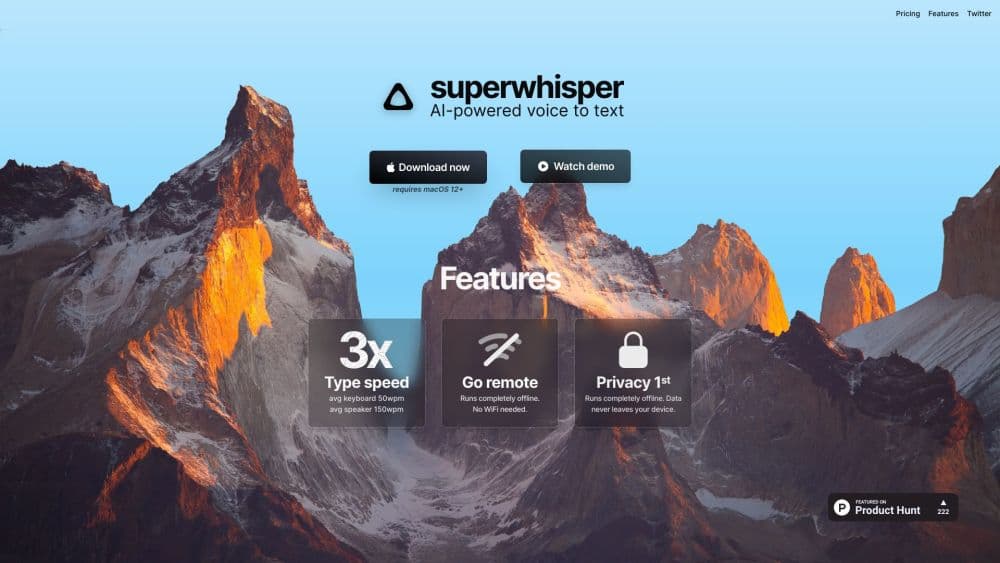
Superwhisper is an AI dictation app for Mac, Windows, iOS, and Android that turns speech into formatted text in any app. Local Whisper models are free; Pro starts at $8.49/mo.
About SuperWhisper
What Is Superwhisper
Superwhisper is a dictation software package for Mac and Windows, made by SuperUltra, Inc. You press a shortcut, talk, and the words appear in whatever app has your cursor: Gmail, Slack, Notion, Cursor, a ticket system. The part people notice first is that the text arrives cleaned up. Filler words go away, punctuation lands in the right place, and the paragraph reads like something you typed. On top of plain speech to text, it adds AI modes that reshape what you said into an email, meeting minutes, or a note.
The free tier runs local Whisper models on your own machine, so dictation works offline and your audio never leaves the computer. Pro opens the cloud models, AI processing, file transcription, and speaker separation, and the same license covers every device you own.
Two limits shape the experience. Everything depends on the voice model you pick, and the small local ones trade accuracy for speed. AI formatting also needs more than a microphone: the app has to read the screen context or talk to a cloud model, which means permissions on desktop and an internet connection for anything beyond offline transcription. People who want a single toggle with zero setup may find the mode system heavier than they expected.
Getting Started
- Download the app from superwhisper.com for macOS 14 or Windows 10 and 11, or install the mobile build from the App Store or Google Play.
- Grant microphone access. On desktop, also enable accessibility permissions so Superwhisper can read context and paste text into the active window.
- Create a mode and choose its voice model. Message mode is a good first pick; Voice to Text mode skips AI processing entirely when you just want raw transcription.
- Set a keyboard shortcut or the push to talk key, then dictate into any app. Press once to start and once to stop, or hold the key while you speak.
- Review the result in History, where you can replay the audio, compare the raw transcription with the processed text, and copy either version.
Product Information
A quick look at SuperWhisper's pricing, supported platforms, and performance.
Best for
The users, tasks, and scenarios where this tool fits best.
Users
- Writers and knowledge workers
- Developers
- Students and researchers
- People with privacy constraints
Tasks
- Drafting emails and messages
- Capturing meeting notes
- Transcribing interviews and lectures
- Writing prompts for AI tools
- Filling repetitive forms
Scenarios
- Working away from a desk
- Using a Mac without a GPU-heavy setup
- Regulated workplaces
Key features
Modes That Rewrite Your Words
A mode bundles a voice model with AI instructions. Voice to Text returns a straight transcript. Message, Mail, Note, and Meeting each restructure what you said for their own format, and a tone slider shifts the register from casual to formal. Custom modes take your own prompt, so a support reply and a technical spec can have different rules and different AI models behind them.
On-Device and Cloud Voice Models
The app ships with Whisper models that run locally, from a 75 MB Tiny build up to Large v3, and every Whisper model is free on every plan. Pro adds Cohere Transcribe and Parakeet locally, plus hosted models such as S1-Voice and Deepgram Nova through the cloud. The multilingual options cover more than 100 languages, and picking a model per mode lets you keep a fast one for quick notes and an accurate one for interviews.
Super Mode and Context Awareness
Super mode reads the app you are in, the text you highlighted, and anything you copied in the last few seconds, then formats your dictation to match. Say a file path or an email address and it comes out in the right shape. It works best for formatting commands on selected text; asking it to summarize a paragraph is not what this mode does.
File Transcription
Pro lets you feed in audio and video files and get a transcript without sitting through the recording. It uses whichever mode is active, so a file run through Meeting mode comes back as minutes with action items. This is the feature that pushes people from free to paid, since the free plan only covers live dictation.
Meeting Recording and Speaker Labels
Superwhisper can capture system audio, which means the other side of a call gets recorded too. Meeting mode arranges the result into attendees, decisions, and next steps. Speaker separation adds labels to the segments view. Those labels stay in History and don't flow into the AI summary on their own.
Coding Agent Integration
The app connects to Claude Code, Codex, Cursor, OpenCode, and similar tools. When an agent asks for input, Superwhisper pops up and you answer by voice instead of switching windows and typing. For long agent sessions the time saved adds up quickly, and the same hook works with a CLI and an MCP server on macOS.
Pros and cons
Pros
- The free plan is unusually generous: unlimited dictation with local Whisper models that run offline and stay on the device.
- One Pro license covers every Mac, Windows PC, iPhone, and Android phone you own, with no device cap on desktops.
- Modes do real work, turning rough speech into emails, notes, and meeting minutes instead of pasting a transcript.
- Meeting capture records system audio and separates speakers, so a call transcribes both sides.
- Enterprise controls include SAML, SCIM, central model policies, and SOC 2 Type II certification.
Cons
- The free plan caps modes at two and blocks every AI feature, so the polished output people see in demos needs Pro.
- Local model accuracy depends on your hardware, and smaller builds mishear names and technical terms until you add vocabulary.
- Super mode needs accessibility permissions on desktop, and some people will be uncomfortable granting screen context to an app.
- There is no Linux build yet, which rules out a sizeable group of developers.
Frequently asked questions
Superwhisper is a voice to text app that types for you in any program. You speak into a shortcut, and formatted text lands wherever your cursor is, with punctuation, filler removal, and optional AI reshaping for emails, notes, or meeting minutes.
Related content
Explore related tools, skills, and articles for SuperWhisper.
SuperWhisper Alternatives

Foley
Hanamori Labs, LLC · Voice & Language · Productivity · AI AssistantFoley is a voice to-do list that turns a spoken sentence into a filed task, complete with project, date and time, then helps you plan the day around what is already there.

HireKey
HireKey · Voice & Language · Productivity · LeaningHireKey is an AI job search copilot built by a former tech recruiter. It checks role fit, tailors resumes, runs interview practice and tracks every application.

Fluence
Yay Software (Yannick Huchard) · Writing · Voice & Language · ProductivityFluence is an Android app that reads PDFs, EPUBs, Word files and web articles aloud, follows each sentence as it speaks, and answers questions about the text on the phone itself.