

Sweep AI
Sweep AI · Coding
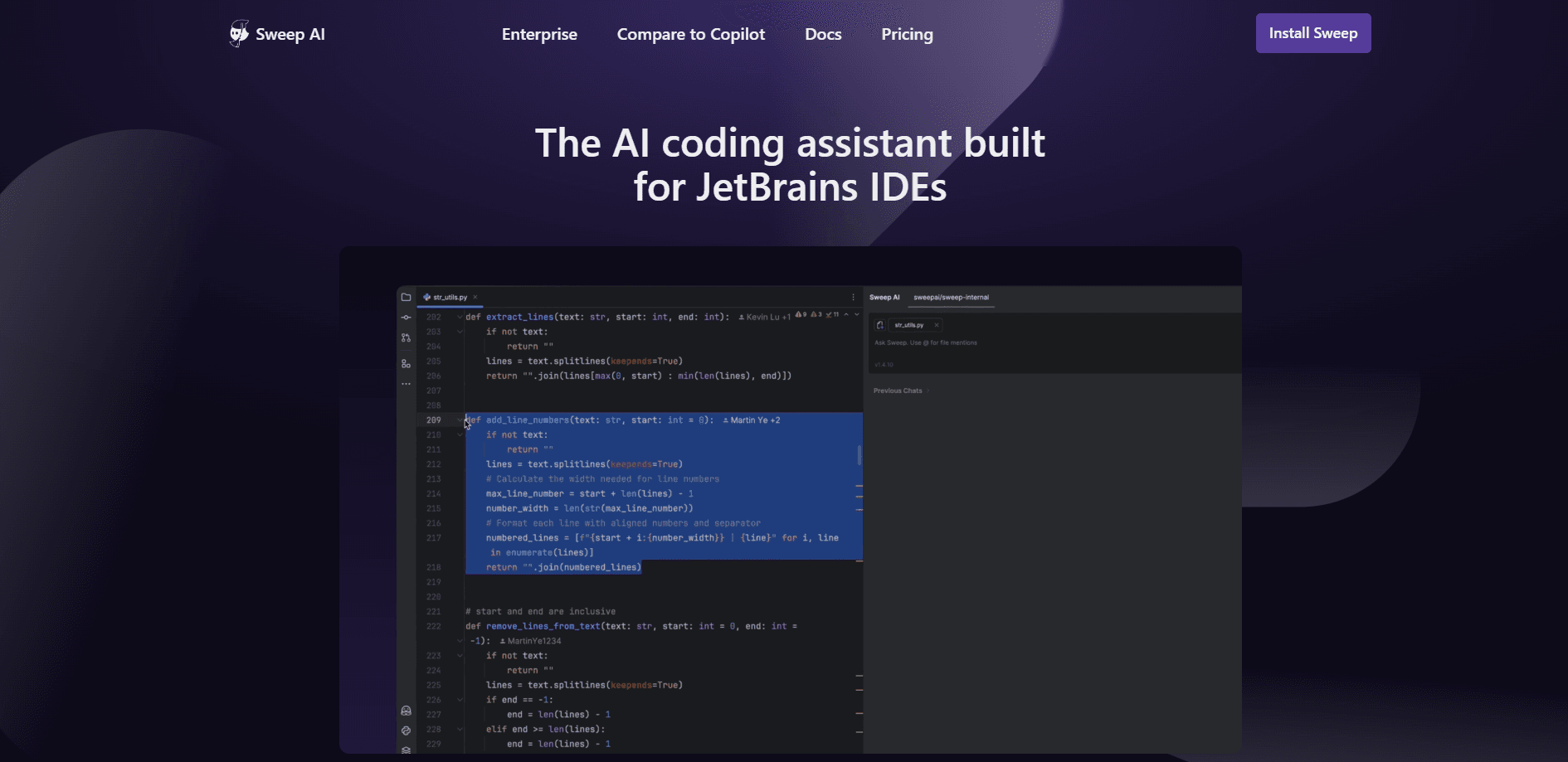
Sweep AI is an AI coding assistant for JetBrains IDEs, pairing next-edit autocomplete with an agent that edits code, reviews changes, and writes commit messages.
About Sweep AI
What Is Sweep AI
Sweep AI is a coding assistant plugin made specifically for JetBrains IDEs. Instead of spreading itself across every editor, it focuses on IntelliJ IDEA, PyCharm, WebStorm, GoLand, PhpStorm, Rider, CLion, and the rest of the JetBrains lineup. The pitch is simple: give JetBrains users the same fast AI help that Cursor and Copilot users get elsewhere, without leaving the IDE they already know.
The plugin centers on two things. One is autocomplete, where a custom model predicts your next edit rather than just the next line. The other is an agent, a chat-driven tool that searches your codebase, edits files, runs tests, and checks for linter errors on its own. Around those, Sweep adds inline editing, AI code review, and automatic commit messages so the whole edit-to-commit loop stays in one window.
The main limitation is scope. Sweep only runs inside JetBrains IDEs, so it's the wrong pick if you live in VS Code or want a standalone web app. It also leans on a credit system for its AI features, which means heavy agent use can burn through your monthly allocation. The company is small and based in San Francisco, and it started as a GitHub issue bot before pivoting to the JetBrains plugin it ships today.
Getting Started
- Install the Sweep AI plugin from the JetBrains Marketplace inside your IDE, then restart it.
- Create a Sweep account from the plugin sidebar and pick a plan or start the free trial.
- Open a file and start typing, then press Tab to accept a next-edit suggestion.
- Press Ctrl+J (Cmd+J on Mac) to open the chat and ask the agent to change code, fix a bug, or explain a function.
- Review the diff, let Sweep draft a commit message, and use the built-in code review before you push.
Product Information
A quick look at Sweep AI's pricing, supported platforms, and performance.
Best for
The users, tasks, and scenarios where this tool fits best.
Users
- JetBrains developers
- Solo coders and small teams
- Developers on large codebases
Tasks
- Multi-line edits
- Bug fixes and small features
- Pre-commit review
- Commit messages
Scenarios
- Daily coding in a JetBrains IDE
- Refactoring across several files
- Onboarding into unfamiliar code
Key features
Next-Edit Autocomplete
Most completion tools guess the next token. Sweep predicts your next edit, so after you change a line it suggests the follow-up changes elsewhere in the file. The plugin ships its own custom Tab model tuned for millisecond responses, and Sweep says it's the only assistant that supports next-edit autocomplete.
Coding Agent
The agent is a chat-driven tool that searches your codebase, edits code, and then runs tests or checks for linter errors. It plugs into JetBrains' internal static analysis tools for context, which Sweep argues makes it more accurate than agents that treat the IDE as a plain text editor. You describe the task in plain language and review the diff it produces.
Inline Editing
You can select a block of code, describe a change, and see it rewritten in place without a full back-and-forth in chat. It's the middle ground between accepting a tab suggestion and handing a whole task to the agent, and it's handy when you know exactly what you want changed.
AI Code Review
Before you commit, Sweep reviews your staged changes and points out likely bugs or weak spots. Think of it as a code review tool that runs before the pull request, not after it. The goal is catching problems while they're still local, so review happens in the editor rather than in a pull request comment thread.
AI Commit Messages
When your staged changes have no message yet, the plugin analyzes the diff and fills in a descriptive commit message on its own. It only writes when the field is empty, so it never overwrites something you typed.
MCP Server Support
Sweep connects to external tools through the Model Context Protocol. It handles both local MCP installations and remote MCP servers using Server-Sent Events with OAuth 2.0 and 2.1 support, which lets you wire the agent into outside data sources and services.
Pros and cons
Pros
- Built only for JetBrains IDEs, so it fits the editor's keybindings, static analysis, and run configurations instead of feeling bolted on.
- Next-edit autocomplete goes beyond next-token prediction, cutting typing during refactors.
- Unlimited autocomplete on every paid plan, which is rare at the $10 tier.
- The agent runs tests and checks for linter errors, so you review a checked result rather than raw output.
- Code review and commit messages are included, keeping the edit-to-commit loop in one place.
Cons
- JetBrains only. If you use VS Code, Neovim, or a browser editor, Sweep can't help you.
- AI features run on credits, so heavy agent use can exhaust your monthly allocation faster than the plan suggests.
- The company is small, so support and the pace of new features depend on a very lean team.
Frequently asked questions
Sweep AI is a coding assistant for JetBrains IDEs. It autocompletes your next edits, runs a chat agent that edits code and tests, reviews changes, and writes commit messages.
Related content
Explore related tools, skills, and articles for Sweep AI.
Sweep AI Alternatives

Base Code
Base44 (Wix) · Coding · ProductivityBase Code is a shared cloud development environment from Base44. Teammates describe changes to an existing GitHub codebase in chat, preview them live and send them back as pull requests.

Google EmbeddingGemma 2
Google DeepMind · Writing · Image · CodingGoogle EmbeddingGemma 2 is a 740M-parameter open model that turns text, code, images, audio, and video frames into vectors in one 768-dimension space, running on phones and laptops.

GitGlow
GitGlow · Coding · ProductivityGitGlow is a local-first desktop Git client that lets independent developers review their own code and their AI agents' changes in one place before shipping.