

Synapt
Synapt · Marketing
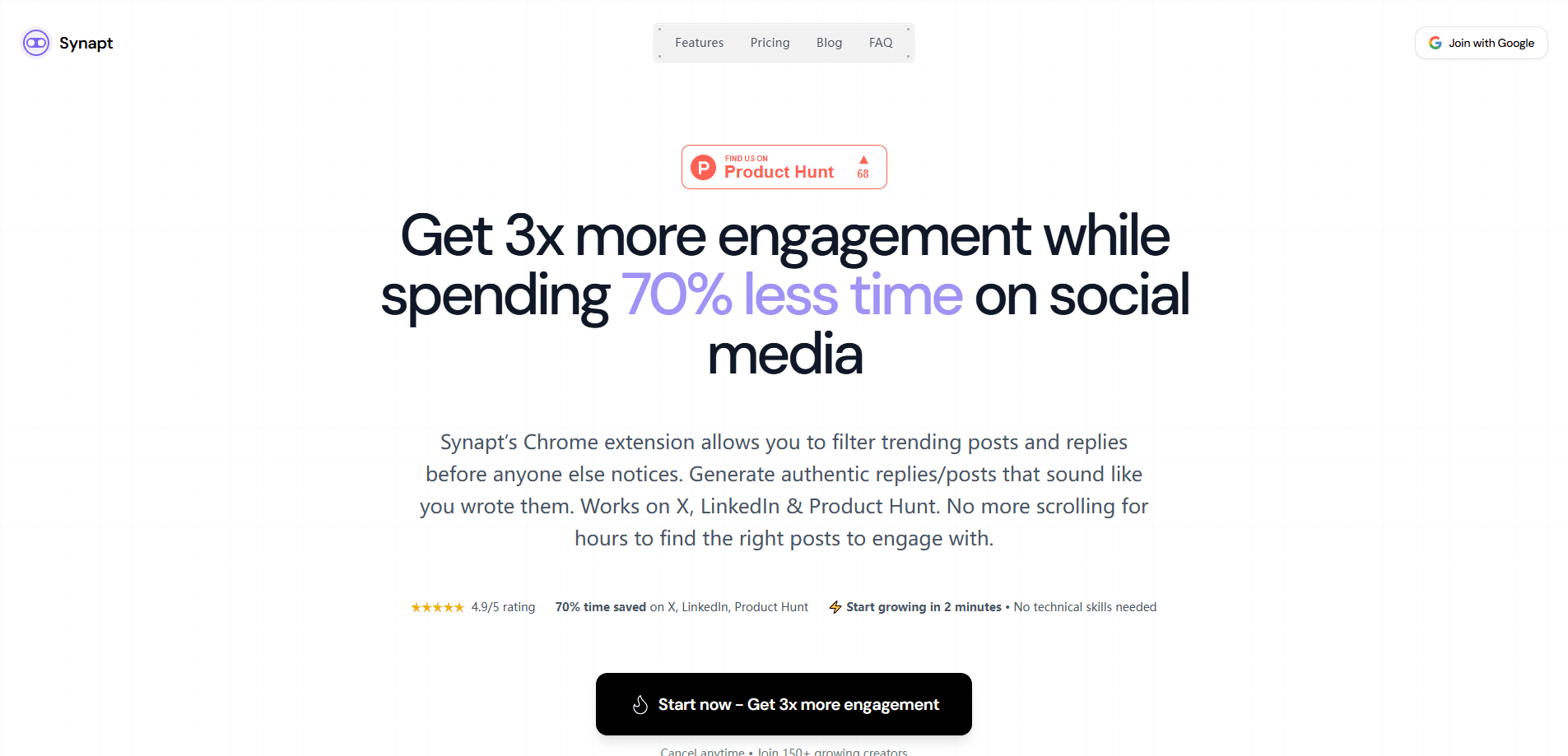
Synapt is an AI reply assistant that lives inside your X, LinkedIn, and Product Hunt feeds as a Chrome extension. It flags posts that are still gaining traction and drafts replies that sound like you instead of a template. The goal is simple. Catch a conversation while it's hot, then add something worth reading before the thread cools off. If your X engagement has ever felt like shouting into a room after everyone left, this tool is aimed squarely at you.
About Synapt
What Is Synapt
Synapt is a browser extension built for people who grow in public by engaging instead of just posting, and it works inside the feed you already scroll every day. It sits where you already are and surfaces posts that are still climbing, ranked by view velocity, so you spend your attention where it can still make a difference.
The problem it targets is time. You open X to reply to a few people, look up an hour later, and realize most of what you replied to already peaked. Synapt tries to fix that by telling you which threads are still moving and helping you draft a reply before they stall.
The main limitation is scope. Synapt handles the reply loop, not your publishing calendar. So what happens if your job is outbound posts on a schedule? A scheduler still does that better, and the company says so itself. Treat Synapt as a second tool for the engagement side of the work, not a replacement for everything else.
Getting Started
- Install the Synapt extension from the Chrome Web Store and sign in to your account.
- Connect the platform you want to work in, then pick X, LinkedIn, or Product Hunt as your starting feed.
- Set up your Knowledge Base so the drafts reflect your tone, topics, and the way you normally talk.
- Scroll your feed and watch for the velocity signals that mark posts still gaining views per minute.
- Open a draft, tighten the line until it sounds right, and send it before the thread cools.
Product Information
A quick look at Synapt's pricing, supported platforms, and performance.
Best for
The users, tasks, and scenarios where this tool fits best.
Users
- Founders who build an audience by replying in public
- Creators and indie builders on X
- LinkedIn and Product Hunt regulars
- Social media managers handling a personal brand account
Tasks
- Writing replies that don't read like a bot
- Spotting rising posts early
- Responding on Product Hunt launch days
- Keeping a consistent posting voice
- Wiring reply automation into a daily routine
Scenarios
- Morning feed scan before work
- A launch day on Product Hunt
- Networking on LinkedIn
- Growing an audience without a content calendar
Key features
View Velocity Signals on X
Synapt ranks posts by view velocity, which shows how fast a post is still gaining views. Instead of guessing whether a thread is alive, you get a signal that tells you which ones still have oxygen. That signal matters a lot. A good reply to a dead thread is wasted effort, and most people burn an hour under posts that already cooled off without noticing it.
Reply Drafts in Your Voice
Generic assistants flatten everyone into the same voice, and readers notice when a reply sounds like it came from a machine instead of a person. Synapt starts from your tone and your Knowledge Base, then hands you a draft you can tighten before it goes live. The editing step matters, because the tool expects you to add the final human touch.
One Extension Across Three Feeds
It works on X, LinkedIn, and Product Hunt from a single Chrome extension that you install once and then use wherever you already spend your time online. Reply in the same way on every platform instead of switching between tools. For people active on more than one platform, that saves setup time and keeps your voice consistent.
Knowledge Base for Tone Control
The Knowledge Base is where you teach Synapt how you write and what you care about, so the drafts reflect the topics and phrasing you actually use. Set it up once and the drafts start landing closer to something you'd actually type. Skip it and the output drifts back toward generic. It's the difference between a reply that sounds like you and one that sounds like everyone.
Edit Before You Send
Every draft passes through your hands before it posts. Synapt doesn't auto-publish replies on your behalf, so you stay in control of what carries your name. That's a deliberate limit, and it keeps the output honest.
Pros and cons
Pros
- Velocity signals cut the guesswork of finding posts that still have life.
- Drafts start from your own tone, so replies don't read like a template.
- Covers X, LinkedIn, and Product Hunt from one extension.
- Nothing posts without your review. You stay in control.
- The company is upfront that it isn't a scheduler, so expectations stay realistic.
Cons
- Only handles the reply loop, so you still need a separate tool for scheduled outbound posts.
- No free tier. There's a 7-day trial before you're charged, but the tool stays paid after that.
- Runs only as a Chrome extension, so it needs a desktop browser rather than a mobile app.
- The drafts still need editing. It speeds you up rather than replacing the work.
Frequently asked questions
It's a Chrome extension that finds posts still gaining traction in your X, LinkedIn, and Product Hunt feeds and drafts replies in your voice. You pick one, edit it, and send.
Related content
Explore related tools, skills, and articles for Synapt.
Synapt Alternatives

Emailwritr
Emailwritr · Writing · MarketingEmailwritr is an AI email copywriting tool built for affiliates, course creators, and online businesses that want more revenue from the list they already own. Instead of blank pages or generic chatbot prompts, this AI email writer generates welcome sequences, launch campaigns, cart recovery emails, and promo series from frameworks modeled on well-known direct-response copywriters. You connect your autoresponder, answer a few questions about your offer, and it writes the copy for you.

Prosp
Prosp · Writing · Voice & Language · MarketingProsp is an AI LinkedIn outreach tool built for agencies and sales teams, and it writes the message and the voice note in your own voice for each prospect so they actually reply. You connect your accounts, find leads, and let the AI draft and send personalized messages at scale, all from one inbox. It's built for people running outbound at volume. That's the whole pitch. Every touchpoint still has to feel human.

On Model
On Model · Image · MarketingOn Model is an AI fashion model tool that places your clothing on virtual models so online stores can get on-model product photos without booking a photoshoot. It runs as a Shopify app, letting you swap the model in an existing image, change backgrounds, and generate faces for cropped or headless shots. The goal is simple: match your product photos to your customers and stand out from competitors using the same supplier images.