
SynthLife
SynthLife Inc. · Marketing · Chatbot
SynthLife is an AI influencer generator that builds photorealistic virtual personas and turns trending posts into TikTok and Instagram content, no camera or editing skills needed.
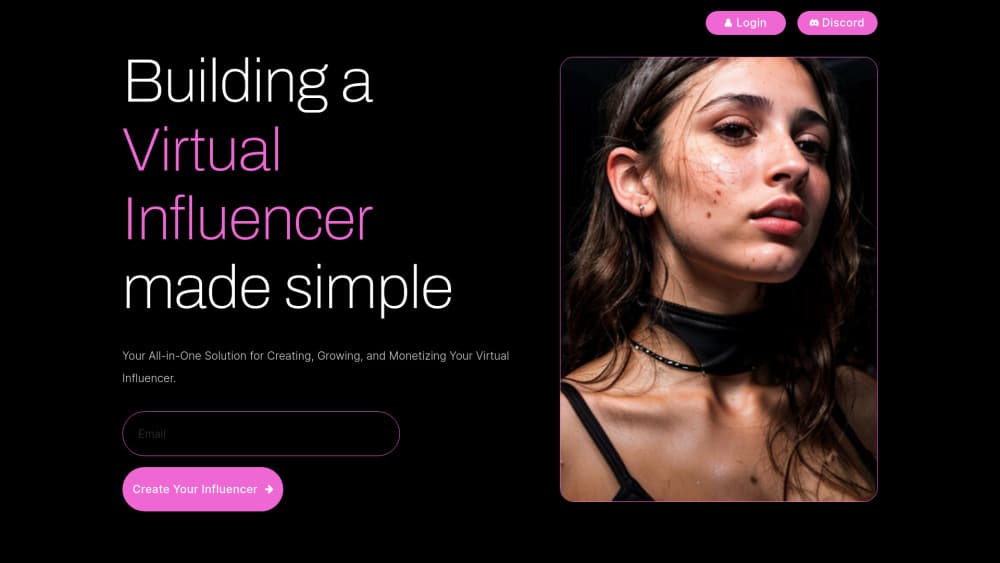
About SynthLife
What Is SynthLife
SynthLife is a web app for people who want a social media presence without showing their face. You create an AI persona in a design console, then feed that character into a content engine that copies the structure of posts already performing well on TikTok and Instagram. The output is a set of images and short videos that look like they came from the same person.
The product sits between an AI character generator and a posting workflow. Most AI avatar tools stop at a portrait, so you still have to figure out lighting, framing, and what to post. The AI model generator keeps the same face across scenes, then hands you templates and export sizes that match the platforms. That gap is where the tool earns its subscription: consistency is the hard part of running a fake account, and one-click cloning is the fast part.
The limits are worth knowing before you pay. Everything runs in a browser, there's no mobile app, and the free tier is small enough to test the workflow rather than run an account. Video length and motion complexity decide how long a render takes, so a busy queue can slow you down. The site also asks users to disclose that an account is a digital creation, which matters if you plan to build an audience on trust.
Getting Started
- Sign up with an email on synthlife.co. The free tier includes credits and one AI persona, and no card is required.
- Pick a route in the design console: clone yourself from photos, build an original AI influencer, or start from the 3D and anime persona option when it's available on your account.
- Adjust age, ethnicity, hair, and eye color, then hit Generate Face until the preview looks right.
- Open the content engine. Pick a trending post in InstaFeed or a viral template, apply your persona, and render images or a short video.
- Export at the size you need for TikTok, Reels, or a feed post, then publish from your own account.
Product Information
A quick look at SynthLife's pricing, supported platforms, and performance.
Best for
The users, tasks, and scenarios where this tool fits best.
Users
- Faceless creators
- Small brands with a content budget under $100/mo
- Social media managers testing a concept
- Hobbyists learning AI image tools
Tasks
- Cloning a trending TikTok
- Producing a week of feed posts
- Restyling an existing shot
- Keeping a character consistent across scenes
- Making product shots without a model
Scenarios
- Launching a themed account
- Running a brand campaign in several markets
- Testing whether an audience exists before hiring
- Filling a content calendar during a busy week
Key features
Persona Design Console
The console is where the character gets built. You choose age, ethnicity, hair color, eye color, and body traits, then generate faces until one fits the concept. Cloning yourself from uploaded photos takes a different path but lands in the same place: a fixed identity the rest of the app can reuse. Getting this step right saves hours later, because every image and video inherits the face.
InstaFeed
InstaFeed shows posts that are already getting traction, and a Create Similar button rebuilds the composition with your persona in place. It's the fastest route from "this format works" to "here's my version of it". You still pick the caption and the angle, so the output isn't a copy of someone else's post. For anyone running a faceless account, this solves the blank page problem that kills most schedules in week two.
Magic Edit
Magic Edit changes one attribute at a time through a text prompt: swap a jacket for a hoodie, move the scene to a street, change the light. The face stays the same, which is the point. Instead of generating a new image and hoping the identity survives, you edit the one you already approved. That makes it practical to turn a single shoot into a week of Instagram content without the character drifting between posts.
Image Clone and Reface
Image clone drops your AI model into any photo, and reface swaps a face onto an existing shot while keeping the styling intact. This is the feature that makes a virtual influencer look like a real account rather than a gallery of studio portraits. It also handles the awkward part of the workflow: a location shot that needs your character in it, or a group scene where the persona has to sit naturally. Paid plans remove the watermark, which matters if the images go public.
Video Clone
Video Clone takes an existing TikTok and rebuilds it with your persona doing the motion. Lip sync, gestures, and body movement come from the source clip, so you don't need to animate anything by hand. Render time runs from a few seconds to about a minute depending on clip length and how much movement is involved. This is the core of the TikTok AI video workflow: catch a trend while it's hot instead of shooting your own version two weeks later.
Upscaler and Export Presets
The upscaler sharpens and resizes output to 2K or 4K, and the presets cover 9:16, 1:1, 4:5, and 16:9. Small detail, big difference in practice: a 512px render that looks fine in the editor falls apart on a phone feed. Project history, one-click variations, and batch render sit in the same panel, so a month of content can be produced in a few sessions instead of a few weeks.
Pros and cons
Pros
- The persona stays consistent across images and videos, which is the failure point of most AI character tools.
- Cloning a trending TikTok takes one click plus a render, so trend response time is measured in minutes.
- Entry pricing is low for the category, with the Lite plan at $14/mo during the current sale and a free tier to test the workflow.
- Export presets and the upscaler remove the guesswork around platform sizes and image quality.
- No camera, no studio, and no editing skills required, which opens the tool to people outside production roles.
Cons
- Video output is limited by clip length and motion complexity, and long or busy renders can take minutes rather than seconds.
- There's no mobile app, so everything happens in a desktop browser, which is awkward for creators who post from a phone.
- The free tier is a trial rather than a working plan, and watermark-free exports sit behind a paid subscription.
- Character quality depends on the face generation step, and a persona that looks off at the start will keep looking off in every post.
Frequently asked questions
SynthLife creates and runs virtual influencers. You build an AI persona, generate images and short videos from trending formats, and publish them to TikTok, Instagram, or YouTube. It's aimed at faceless creators, small brands, and social teams that want consistent content without a shoot.
Related content
Explore related tools, skills, and articles for SynthLife.
SynthLife Alternatives

ngram 2.0
ngram · Video · Marketingngram 2.0 is an AI video generator for teams. It turns a prompt, a screen recording, or a product URL into a narrated explainer, product demo, or AI avatar video, and every scene stays editable.

shippedit.me
Krawlup · Marketing · Businessshippedit.me now redirects to Krawlup, a web platform that audits SEO, AEO and page speed every week, then hands the fixes to AI coding agents over MCP.

MePersona
MePersona, Inc. · Writing · Productivity · MarketingMePersona is an AI unified inbox for creators. It learns your voice, drafts replies to fan messages from 12 platforms, and sends only what you approve.