

Tad AI
Tad AI · Writing · Voice & Language
Tad AI is an AI music generator that turns text prompts into songs, vocals, covers, and speech, with a lyric writer, a vocal remover, and a stem splitter built into one studio.
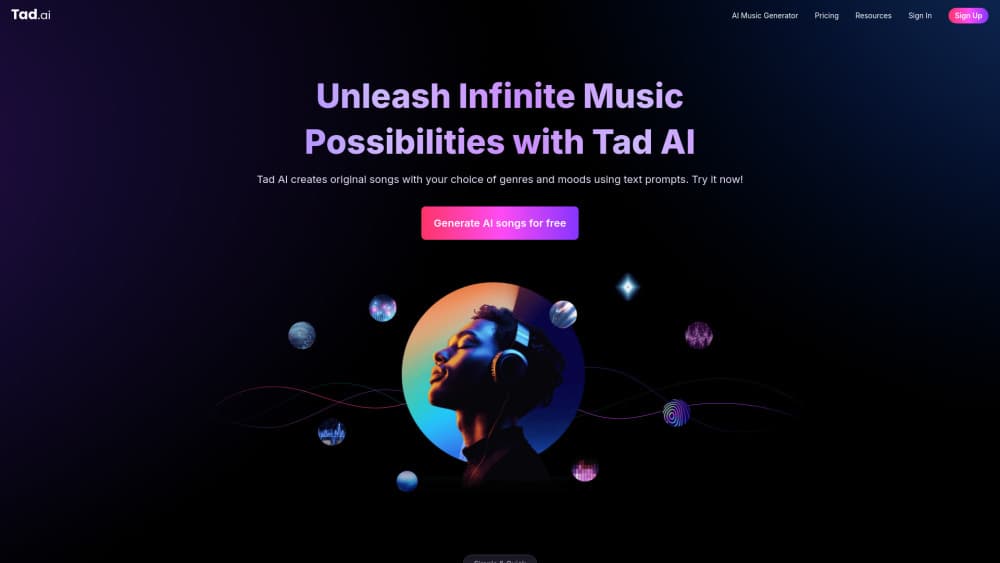
About Tad AI
What Is Tad AI
Tad AI is a music studio for people who want a finished track without booking a session. You describe what you have in mind, pick a genre and a mood, and the tool hands back an original song or an instrumental in seconds. It also covers the work around a song, so you can rewrite the lyrics, strip the vocals from a file you already have, or break a mix into separate stems.
As an AI song maker and AI cover generator, it sits between a plain text-to-audio model and a full digital audio workstation. You need no mixing background to get something usable, and you never leave the browser or the app to do it. The team markets the output as royalty-free on paid plans, which matters once you plan to publish or monetize.
Know the limits before you start. The free tier caps you at a small credit pool and two songs, so treat it as a test rather than a workflow. Commercial use is cleared only once you pay. And as with any generative audio tool, a prompt gives you a strong starting point, not a final master.
Getting Started
- Create an account at tad.ai, or install the Tad AI mobile app.
- Enter a song title and either write your own lyrics or let the AI lyric writer draft verses and a chorus.
- Pick a genre and mood, then adjust the settings if you want more control over length and style.
- Hit Create and wait a few seconds for your track, then download it, remix it, or split it into stems for further edits.
Product Information
A quick look at Tad AI's pricing, supported platforms, and performance.
Best for
The users, tasks, and scenarios where this tool fits best.
Users
- Content creators
- Songwriters and hobbyists
- Producers hunting quick edits
Tasks
- Generating a song from a prompt
- Text to speech
- Making AI rap
- Creating an AI cover
Scenarios
- Social and short-form video
- Podcast and channel intros
- Remixing an existing track
Key features
Text to song generation
Tad AI turns a written prompt into a complete song or instrumental. You supply the title, the lyrics, and the style, and the tool produces vocals and backing. It's the core of the product, and it's the fastest route from an idea to something you can actually listen to.
AI lyric writer
When you don't have words yet, the lyric writer drafts verses, choruses, and bridges that follow your prompt. It reasons through the structure to keep the result coherent, so you get something that holds together as a song instead of a pile of unrelated lines. You can still edit anything it writes before you generate the audio.
AI cover generator
The cover tool takes a reference audio file and a description of the sound you want, then produces a new version in that style. It's aimed at creators who want a recognizable melody with a different treatment, and it sits alongside the main generator rather than replacing it.
Text to speech
The text to speech tool reads written text aloud in more than 50 languages with a choice of voice. It's separate from the music side and covers narration, voiceovers, and spoken clips where you need clear delivery rather than a sung performance.
AI vocal remover and stem splitter
The vocal remover strips vocals and instruments from an audio file, while the stem splitter detects and isolates parts like vocals, bass, drums, and guitar. Both outputs are meant for mixing or sampling, so you can pull one element out of a finished track and reuse it.
Style prompts and music controls
If you don't know where to start, the tool offers ready-made prompts that already include genre, instruments, BPM, style, and mood. You pick one or regenerate until something fits. For finer control, you can set style options and adjust music settings before generating.
Mobile app
Tad AI runs in the browser and as an iOS and Android app, so you can generate tracks on a phone and keep working away from a desktop. The feature set mirrors the web studio rather than being a cut-down viewer.
Pros and cons
Pros
- A free plan lets you test the generator with a small credit pool before paying.
- The studio covers lyrics, generation, covers, speech, and stem work in one place, so you rarely need another tool.
- Paid plans grant a commercial license and remove the copyright worry for published tracks.
- The AI prompt helper removes the blank-page problem for people new to music tools.
Cons
- The free tier caps you at 21 credits and two songs, which runs out quickly.
- Royalty-free commercial use only starts on paid plans, so free output isn't cleared for client work.
- Credit limits scale with price, and heavier projects on lower plans hit the cap fast.
- It's built for fast, prompt-driven output rather than fine manual production, so serious mixing still happens elsewhere.
Frequently asked questions
Tad AI generates original music from text prompts and handles the surrounding tasks, including lyrics, covers, speech, vocal removal, and stem splitting. It's built for people who want a usable track without studio equipment.
Related content
Explore related tools, skills, and articles for Tad AI.
Tad AI Alternatives

Google EmbeddingGemma 2
Google DeepMind · Writing · Image · CodingGoogle EmbeddingGemma 2 is a 740M-parameter open model that turns text, code, images, audio, and video frames into vectors in one 768-dimension space, running on phones and laptops.

MePersona
MePersona, Inc. · Writing · Productivity · MarketingMePersona is an AI unified inbox for creators. It learns your voice, drafts replies to fan messages from 12 platforms, and sends only what you approve.

Fluence
Yay Software (Yannick Huchard) · Writing · Voice & Language · ProductivityFluence is an Android app that reads PDFs, EPUBs, Word files and web articles aloud, follows each sentence as it speaks, and answers questions about the text on the phone itself.