
Talking Translator: AI Earbuds
Vanita Chovatiya · Writing · Voice & Language
Talking Translator: AI Earbuds is a voice translator app that turns Bluetooth or wired earbuds into a real-time interpreter. It covers 110+ languages, with offline packs, photo translation, and text support.
About Talking Translator: AI Earbuds
What Is Talking Translator: AI Earbuds
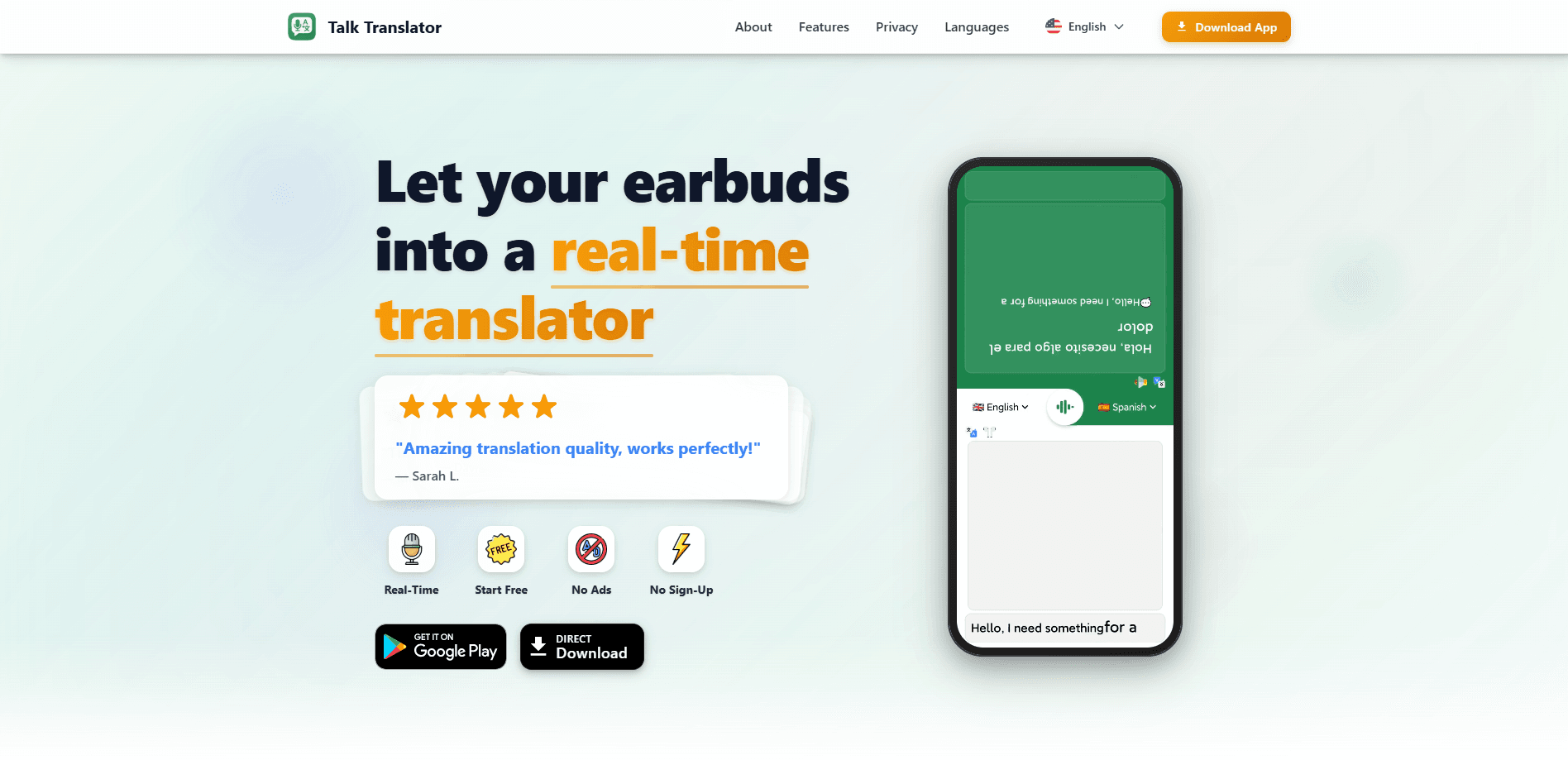
Talking Translator: AI Earbuds is a voice translator app built by developer Vanita Chovatiya. You connect a pair of earbuds, speak into the mic, and the app plays the original audio in one ear and the translated speech in the other. That split-channel setup is the core idea: you keep both the source and the translation in your head at once, which is how a live interpreter normally works.
The app packs the usual translator modes too. You can speak and hear the reply, type text and hear it read aloud, run a two-way conversation, or point your camera at a menu and get a translated image. It runs on iOS 17 and newer, including iPad, and on Android through Google Play. The Google Play version lists 100,000+ downloads.
The limits matter more than the feature list. Earbud translation only works in a subset of the 110+ languages, and voice output covers fewer languages than text. The app is free to download but leans on in-app purchases priced from $0.99 to $79.99, and its App Store rating sits at 3 out of 5 stars from a small sample, so polish is still catching up to the ambition.
Getting Started
- Install Talking Translator: AI Earbuds from the App Store or Google Play. No account is required to start.
- Pair your Bluetooth, wired, or bone conduction earbuds with your phone.
- Pick your source and target languages, then choose a mode such as voice-to-voice, text-to-voice, camera-to-text, or earbud translation.
- Download the offline packs for the languages you use most, so the app keeps working without a data connection.
- Start a conversation and review, bookmark, or share the saved history afterward.
Product Information
A quick look at Talking Translator: AI Earbuds's pricing, supported platforms, and performance.
Best for
The users, tasks, and scenarios where this tool fits best.
Users
- Travelers abroad
- Business travelers and meeting hosts
- Language learners
Tasks
- Face-to-face conversation
- Reading signs and menus
- Typing when speaking isn't an option
Scenarios
- A trip with unreliable data
- A meeting that runs long
- Quick one-off phrases at a counter
Key features
Split-Channel Earbud Translation
This is the feature the app is named after. With compatible earbuds, Talking Translator sends the original audio to one ear and the translation to the other, so you hear both at once instead of waiting for a full round trip. It works with Bluetooth, wired, and bone conduction earbuds, which covers most setups people already own.
Real-Time Voice Translation in 110+ Languages
Speak in your language and the app returns the translation as speech. The Google Play listing puts coverage at 110+ languages, and the App Store listing counts 103 languages including regional dialects, with more than 10,000 language pairings for text. Voice and image modes support fewer languages than text, so check your pair before you rely on it.
Offline Translation Packs
You can download language databases ahead of time and translate without a connection. This targets the obvious travel headache of expensive roaming charges and dead zones, and it keeps the core translator usable on a plane or in a subway.
Camera and Photo Translation
Point the camera at a menu, a road sign, or a document and translate the text in the image. You can also pull from your gallery, which helps when you photograph something first and translate it later. Image translation covers a smaller set of languages than typed text.
Talk Keyboard for Anywhere Translation
The bundled Talk Keyboard lets you translate as you type inside other apps, so you don't have to copy text into the translator and back. Once it's added under Settings, General, Keyboard, it becomes a system keyboard you can pick in messages, email, or a browser.
History, Bookmarks, and Chat Q&A
Every translation is saved automatically, and you can bookmark the conversations you reuse. The app also answers questions about your history in plain language, so you can dig up an earlier phrase or summarize what was said instead of scrolling.
Pros and cons
Pros
- Split-channel earbud mode plays the original and the translation in different ears
- Works with Bluetooth, wired, and bone conduction earbuds
- 110+ languages with more than 10,000 text pairings
- Offline packs keep translation working without a connection
- No account required, with data stored locally
Cons
- Voice and image modes cover fewer languages than typed text, so not every pair works everywhere
- The most useful unlocks sit behind in-app purchases that reach $79.99
- App Store rating is only 3 out of 5 from a small number of reviews, so quality is uneven
Frequently asked questions
It's a translator app that turns your earbuds into a real-time interpreter. You speak into the mic, the app translates, and with compatible earbuds it plays the original in one ear and the translation in the other. It also handles typed text, photos, and full conversations.
Related content
Explore related tools, skills, and articles for Talking Translator: AI Earbuds.
Talking Translator: AI Earbuds Alternatives

Emailwritr
Emailwritr · Writing · MarketingEmailwritr is an AI email copywriting tool built for affiliates, course creators, and online businesses that want more revenue from the list they already own. Instead of blank pages or generic chatbot prompts, this AI email writer generates welcome sequences, launch campaigns, cart recovery emails, and promo series from frameworks modeled on well-known direct-response copywriters. You connect your autoresponder, answer a few questions about your offer, and it writes the copy for you.

Swms
Swms AI · Writing · Productivity · BusinessSwms is an AI safety compliance tool that turns a plain description of a job into ready-to-use safety documents. Describe your project, trade, and known hazards, and it writes a safe work method statement, job hazard analysis, safe work procedure, RAMS, or safety data sheet in seconds. It also ships with Oscar, a chat assistant that answers workplace safety questions in any language. Teams in construction, mining, transport, and warehousing use it to cut the paperwork that usually eats into a workday.

Prosp
Prosp · Writing · Voice & Language · MarketingProsp is an AI LinkedIn outreach tool built for agencies and sales teams, and it writes the message and the voice note in your own voice for each prospect so they actually reply. You connect your accounts, find leads, and let the AI draft and send personalized messages at scale, all from one inbox. It's built for people running outbound at volume. That's the whole pitch. Every touchpoint still has to feel human.