

Talknotes - AI Voice Notes
Talknotes (Nicolae Gherasim) · Voice & Language · Productivity
Talknotes is an AI voice notes app that records speech, transcribes it in more than 50 languages, and rewrites it as a summary, a blog post, an email, or another format you choose.
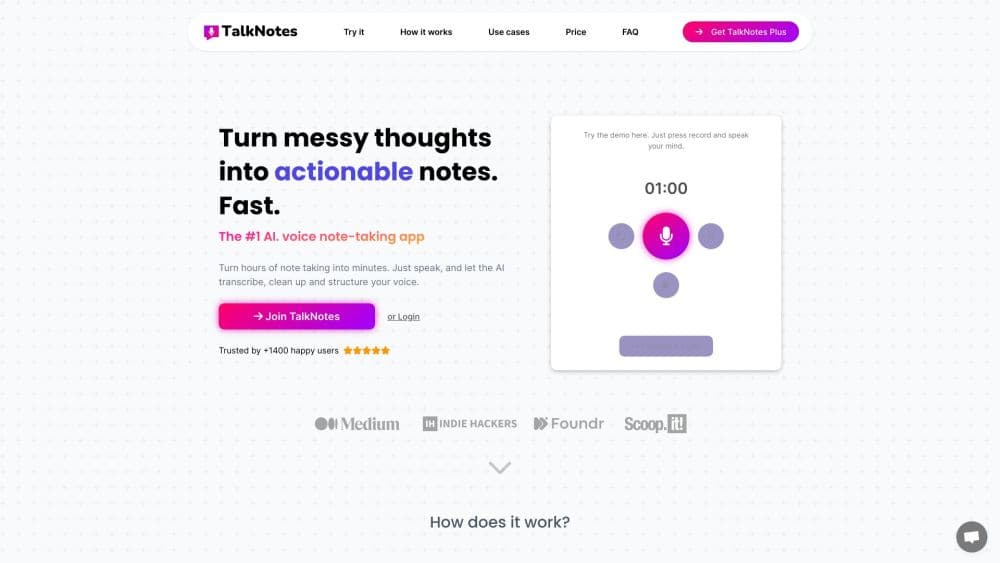
About Talknotes - AI Voice Notes
What Is Talknotes
Talknotes is an audio transcription app built for people who think out loud, and it doubles as an AI note taker once the rewriting starts. You speak, it writes, and the output arrives as a note you can keep, edit, and export. The part that separates it from a plain recorder is the style picker: the recording is rewritten into a summary, a blog post, an email, a to do list, or a transcript, so you get something usable instead of a wall of raw text.
The product started as a solo build around OpenAI's Whisper speech model, and it grew from a simple voice memo to text tool into a small note workspace. Notes are stored in the app, tagged, and searchable. Webhooks and a Zapier connection push finished notes into Slack, Google Sheets, Todoist, or your own server.
The catch is that everything runs in the cloud. Talknotes deletes audio after transcription and says it doesn't train its models on your notes, but there's no offline mode. Long recordings also sit behind a credit system, so a two hour call costs more than an ordinary voice note.
Getting Started
- Create an account at talknotes.io or install the iOS or Android app, then start the 7 day trial.
- Tap record in the app or browser recorder and speak, or upload an existing audio file on the paid plan.
- Pick the language pair and the output style before the note is processed.
- Review the transcript, edit the rewritten text, then export it or share the note link.
Product Information
A quick look at Talknotes - AI Voice Notes's pricing, supported platforms, and performance.
Best for
The users, tasks, and scenarios where this tool fits best.
Users
- Solo founders and freelancers
- Students and researchers
- Writers and content creators
Tasks
- Drafting an email or a blog post
- Transcribing a phone or Zoom call
- Collecting feedback from clients
- Capturing ideas on the move
Scenarios
- A commute or a walk where typing is impractical
- Weekly team syncs
- Multilingual work
Key features
Record to Text in One Pass
The core loop is short: hit record, stop, and wait for the note. Talknotes transcribes the audio and rewrites it, so you skip the step where you copy a transcript into a document and shape it by hand. Most notes come back in well under a minute for typical voice memo lengths.
Style Picker for Finished Output
This is the feature that decides whether Talknotes fits your workflow. Notes can come out as a summary, a blog post, an email, a to do list, an outline, or a raw transcript, which makes speech to notes feel closer to a drafting tool than a recorder. Custom styles are available on the paid plan, which covers formats the presets miss.
More Than 50 Languages, Including Cross Language Output
The app takes input in dozens of languages and can write the result in a different one. Talknotes reports a 6.4% word error rate for English on its own pages, and it recognizes regional accents within a language. That matters for anyone who records interviews with non native speakers.
Upload Your Own Audio Files
Recordings made elsewhere can be uploaded and processed, which is how most people handle a phone call or a Zoom session. The paid plan covers files of up to 2 hours, charged against credits: 2 for a one hour file and 4 for a two hour one.
Guest Notes Through a Shareable Recorder Link
You get a link you can send to clients, testers, or subjects. Anyone who opens it can leave a message, and the resulting note lands in your account. Each guest note costs one credit, so a lot of inbound feedback adds up.
Zapier and Webhooks for Handoff
A Zapier key in the settings connects Talknotes to thousands of apps, with sample flows for Slack messages, Todoist tasks, and Google Sheets rows. For anything more custom, webhooks post a JSON payload to your endpoint after each note finishes, signed with HMAC SHA256 so you can verify it.
Editing and Note Library
Both the rewritten note and the original transcript stay editable. Tags, search, and export options to text, email, or a URL turn the app into a small library rather than a folder of recordings you never reopen.
Pros and cons
Pros
- Output arrives in a chosen format, so the note is usable without a second editing pass.
- Voice to text covers 50+ languages with handling for regional accents and two way language output.
- Audio is deleted after transcription and the company states notes aren't used for model training.
- Webhooks and Zapier cover the handoff to Slack, task managers, and spreadsheets without extra setup work.
- iOS and Android apps share the same account as the web recorder.
Cons
- There's no free tier. You get a 7 day trial and then pay monthly or yearly, so testing without a card isn't an option.
- Long recordings burn credits on top of the subscription: a two hour file costs 4 credits, which limits users who record calls all day.
- An internet connection is required for every step, so recording on a plane or in a dead zone won't get you a finished note.
- API access isn't documented publicly, which rules out embedding transcription in your own product for now.
- Accuracy on fast speech and heavy background noise drops, and you'll need to edit names and numbers by hand.
Frequently asked questions
Talknotes records or accepts audio, transcribes it, and rewrites the result into a format you pick, such as a summary, blog post, email, to do list, or transcript. The note, the transcript, and the original audio settings stay together in one entry.
Related content
Explore related tools, skills, and articles for Talknotes - AI Voice Notes.
Talknotes - AI Voice Notes Alternatives

Foley
Hanamori Labs, LLC · Voice & Language · Productivity · AI AssistantFoley is a voice to-do list that turns a spoken sentence into a filed task, complete with project, date and time, then helps you plan the day around what is already there.

HireKey
HireKey · Voice & Language · Productivity · LeaningHireKey is an AI job search copilot built by a former tech recruiter. It checks role fit, tailors resumes, runs interview practice and tracks every application.

Fluence
Yay Software (Yannick Huchard) · Writing · Voice & Language · ProductivityFluence is an Android app that reads PDFs, EPUBs, Word files and web articles aloud, follows each sentence as it speaks, and answers questions about the text on the phone itself.