

TanyaPDF
Daffa Farras Fauzan · Writing · Productivity · Chatbot
TanyaPDF is an AI PDF chat tool that turns an uploaded document into a question and answer session, so students and researchers can summarize papers and find details without rereading every page.
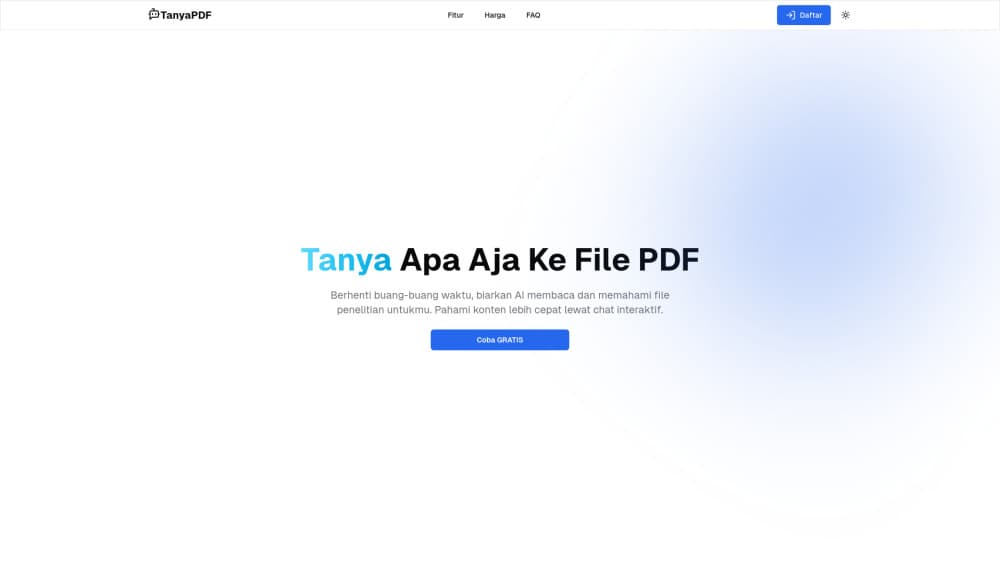
About TanyaPDF
What Is TanyaPDF
TanyaPDF is a browser-based AI document reader. You upload a PDF, wait a moment while the file is processed, then type questions about the content and read the answers in the same window. It handles the kind of documents people skim rather than read: research papers, market reports, lecture notes, long contracts.
The product comes from a small independent team, and the site still labels it as a beta. That matters for expectations. The feature set is narrow and aimed at one job, which is getting answers out of a document you already have.
TanyaPDF answers in English and in Bahasa Indonesia. For readers in Indonesia who work through English-language papers all day, that alone saves a step. The rest of the workflow is deliberately plain: upload, ask, follow up.
The main limit is scope. There's no team workspace, no annotation layer, no comparison of two documents side by side. Credits drive usage, and the site hands out 2 free credits after sign up. Prices for more credits aren't published on the site, so budget planning has to wait until you're inside the app.
Getting Started
- Sign up for an account at the official site. Two free credits land in your account right away.
- Upload a PDF from your device and let the tool process it.
- Type your first question in plain language, in English or Bahasa Indonesia.
- Read the answer, then keep asking. Ask for a summary, a definition, or the part of the document that covers a specific claim.
Product Information
A quick look at TanyaPDF's pricing, supported platforms, and performance.
Best for
The users, tasks, and scenarios where this tool fits best.
Users
- Students and graduate researchers
- Market and competitive analysts
- Indonesian readers working through English sources
Tasks
- Literature triage
- Detail extraction
- Meeting preparation
Scenarios
- The night before a seminar, when you need the argument of three papers and not the footnotes.
- Due diligence on a 100 page vendor report with a deadline on the same afternoon.
- A first pass through a contract or policy document to find the clauses that need a lawyer's eye.
Key features
Chat With a PDF in Plain Language
You type a question the way you'd ask a colleague, and the answer comes back in the chat window. No query syntax, no keyword tricks. You can ask questions about PDF files in the same tone you'd use in a chat app, and follow-up questions keep the thread going. That's where most of the value sits: the second and third question usually get to the point the first one missed.
Answers Tied to Your Own File
TanyaPDF works on the document you uploaded, not on general web knowledge. That keeps answers inside the four corners of the file, which is what you want when the question is about a specific report rather than about the topic in general.
English and Bahasa Indonesia
The tool accepts questions in both languages. Mixed reading habits are common in Southeast Asia, and switching languages mid-session costs nothing here. It's also a practical PDF summarizer for readers who understand a subject better in Indonesian than in English.
Free Credits at Sign Up
Two credits arrive with a new account and no card is required. That's enough to run one document through a real test. Whether it's enough for a week of coursework depends on how chatty you are with the tool.
Nothing to Install
TanyaPDF runs in the browser, so the same account works on a laptop, a lab machine, or a borrowed computer. No desktop client, no extension, no sync step.
Pros and cons
Pros
- The core loop is fast to learn: upload, ask, read. Most people are productive in the first minute.
- Two free credits at signup let you judge the answer quality before spending anything.
- Bahasa Indonesia support is rare in this category of AI PDF chat tools.
- No install and no account setup beyond email, so trying it on a work machine is painless.
Cons
- The product is still in beta, and the feature set is thin. There's no team workspace, no annotations, and no side by side comparison of two files, so heavy document review still needs another tool.
- Credit pricing isn't published. You can't compare cost per document before you sign up.
- There's no mobile app and no documented API, which rules it out for anyone who wants PDF Q&A inside an existing pipeline.
Frequently asked questions
It answers questions about a PDF you upload. It doubles as a research paper summarizer, a way to locate a figure inside a long report, and a check on what a document actually says before you cite it.
Related content
Explore related tools, skills, and articles for TanyaPDF.
TanyaPDF Alternatives

Claude for Google Workspace
Anthropic · Writing · Productivity · BusinessClaude for Google Workspace puts Claude in a sidebar inside Google Docs, Sheets, and Slides, where it reads the file you have open and edits it in place.

Claude Haiku 5.5
Anthropic · Writing · Coding · ChatbotClaude Haiku 5.5 is Anthropic's fastest and cheapest small model, built for high volume tasks at $0.10 per million input tokens with a 1M token context window.

NoteWorthy
Suman Hansada · Writing · Productivity · AI AssistantNoteWorthy is a notes app for iPhone, iPad and Mac that writes titles, tidies formatting, summarizes long notes and files each one with on-device AI. No account, no upload, no network requests.