
Tapfree: Voice-first keyboard
Tapfree · Voice & Language
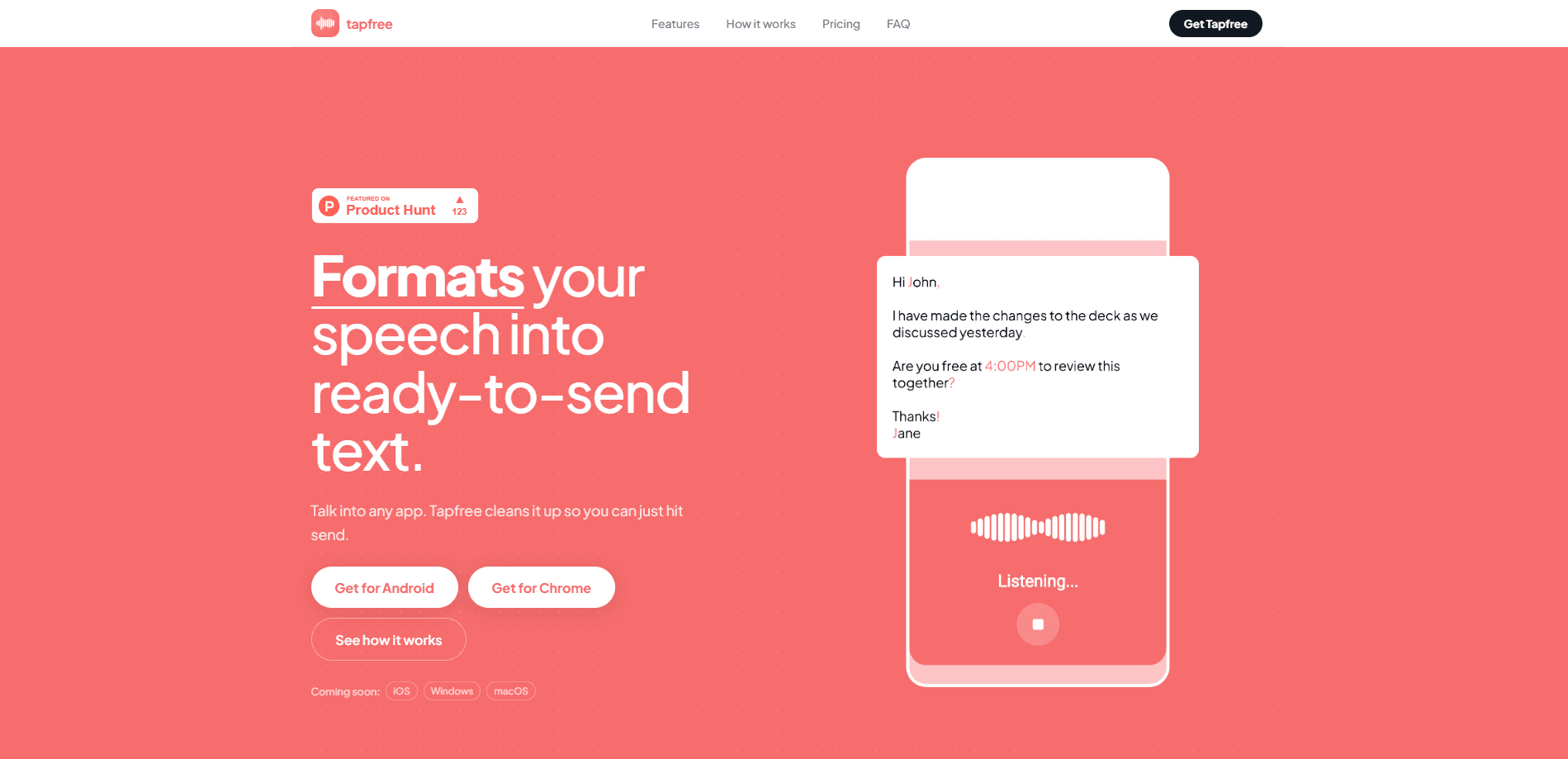
Tapfree: Voice-first keyboard is an Android keyboard that swaps thumb-typing for talking. You speak the way you'd say it out loud, and the app cleans the result into ready-to-send text, adding punctuation, cutting filler words like "um" and "you know," and handling corrections you make mid-sentence. It suits people who write a lot on their phone and would rather talk than tap. It installs as a regular keyboard alongside the one you already use. Think of it as a speech to text keyboard that lives where you already type.
About Tapfree: Voice-first keyboard
What Is Tapfree: Voice-first keyboard
Tapfree is a voice-first keyboard for Android. Instead of treating dictation as a side button, it puts speech at the center of how you write. The aim is text you can send without a second pass for cleanup.
Most phone keyboards treat voice input as a rough draft. You speak, get a wall of unpunctuated words, then fix it by hand. Tapfree targets that gap. It formats what you say, drops the verbal clutter, and keeps going when you change your mind halfway through a sentence, which is the moment most dictation tools collapse into a jumble of half-finished thoughts and repeated phrases.
So how does it hold up next to the keyboard already on your phone? The main limit is platform. This is Android-only, so iPhone users can't install it. It also leans on speech recognition quality, which means a quiet room beats a noisy street, and accents can still trip up any dictation tool. According to the developer, it works across apps once set as your keyboard.
Getting Started
- Install Tapfree from the Google Play listing on your Android phone.
- Open your phone's Settings, go to Languages & input, and enable Tapfree as an input method.
- Switch to Tapfree from the keyboard picker when you want to dictate.
- Tap the mic and speak naturally, including pauses and self-corrections.
- Send the cleaned text from whatever app you're in, like Messages or email.
Product Information
A quick look at Tapfree: Voice-first keyboard's pricing, supported platforms, and performance.
Best for
The users, tasks, and scenarios where this tool fits best.
Users
- People who write long messages on their phone
- Anyone with thumb strain or wrist pain
- Fast note-takers and commuters
Tasks
- Replying to messages and emails
- Drafting social posts and captions
- Capturing a quick note
- Jotting reminders and to-dos
Scenarios
- Walking between meetings
- Long-form messaging in bed or on the couch
- Multitasking with your hands full
Key features
Context-aware dictation
Tapfree doesn't just transcribe word by word. It reads the sentence you're building and formats the result so it lands as clean text rather than a raw transcript. That matters most in longer messages, where a straight transcript turns into an unreadable block. The cleaner the output, the less editing you do after you stop talking.
Automatic punctuation and formatting
The keyboard adds punctuation as you speak, so commas, periods, and sentence breaks show up without you saying them out loud. Formatting comes along for the ride, which means lists and paragraph breaks don't need manual work. For anyone who has fought a dictation tool that spits out one endless sentence with no breaks and no capital letters, this is the part that saves the most time.
Filler removal
Spoken language is full of "um," "uh," "like," and "you know." Tapfree strips those out so the text reads the way you'd write it, not the way you'd ramble it out loud when you're thinking on your feet. The result is a message you can send without sounding like a rough draft. It's a small thing that changes how usable the output feels.
Mid-sentence correction handling
People change their minds while talking. You start one sentence, back up, and start again. Tapfree is built to handle those pivots instead of stitching both versions together into a sentence that never quite says what you meant. That's the difference between dictation you have to repair and dictation you can trust. If you've ever had a speech tool merge two half-sentences into nonsense, you'll notice the gap.
Works as your everyday keyboard
Tapfree installs as a standard Android keyboard. It sits next to your regular one instead of living in a separate app. So you dictate when it makes sense and tap-type when it doesn't. You never leave the app you're writing in. That flexibility keeps it from being a one-trick tool you forget about.
Pros and cons
Pros
- Speech-first design puts voice input at the center of how you write instead of hiding it behind a button you forget to use.
- Auto punctuation and filler removal cut the cleanup work that usually follows dictation, so the text is closer to sendable the moment you stop talking.
- Handles mid-sentence corrections, which keeps longer spoken messages usable.
- Installs as a normal Android keyboard, so it works across your apps.
- Free to try through the Google Play listing.
Cons
- Android only, so iPhone users are left out entirely.
- Accuracy depends on your mic and surroundings, and noisy places or heavy accents can still trip it up.
- Pricing details for any paid tier aren't clearly published on the official site, so you may need to check inside the app.
Frequently asked questions
It's a voice dictation keyboard for Android that turns your speech into cleaned-up, ready-to-send text. You talk. It adds punctuation, removes filler words, and handles corrections, so you don't have to fix the output by hand.
Related content
Explore related tools, skills, and articles for Tapfree: Voice-first keyboard.
Tapfree: Voice-first keyboard Alternatives

Foley
Hanamori Labs, LLC · Voice & Language · Productivity · AI AssistantFoley is a voice to-do list that turns a spoken sentence into a filed task, complete with project, date and time, then helps you plan the day around what is already there.

HireKey
HireKey · Voice & Language · Productivity · LeaningHireKey is an AI job search copilot built by a former tech recruiter. It checks role fit, tailors resumes, runs interview practice and tracks every application.

Fluence
Yay Software (Yannick Huchard) · Writing · Voice & Language · ProductivityFluence is an Android app that reads PDFs, EPUBs, Word files and web articles aloud, follows each sentence as it speaks, and answers questions about the text on the phone itself.