

Tars
Tars · Marketing · Chatbot
Tars is a no-code conversational AI platform for building chatbots and AI agents. Businesses use it to answer customer questions, qualify leads, and hand chats to live agents from a visual builder.
About Tars
What Is Tars
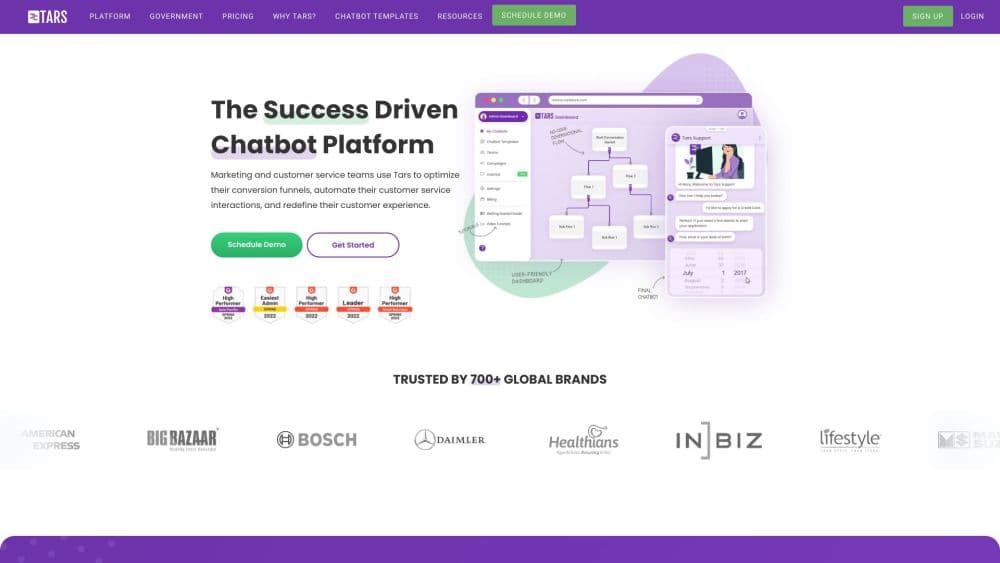
Tars is a platform for building AI agents that talk to your customers. Everything happens in a visual builder, so you drag building blocks around instead of writing code. Those blocks, which Tars calls Gambits, cover the pieces most support and sales chatbots need: an AI agent that reasons through a request, a knowledge base it can search, tools it can call, and rules that sort incoming messages by intent.
The product targets teams that handle a lot of repeated questions. A support agent trained on your help center can answer common tickets on its own, and a sales agent can ask a few qualifying questions before it collects contact details. The company says more than 800 brands run agents on the platform, and a State of Indiana IT office reports saving over 4,000 calls a month after switching to it.
The catch is pricing. The free plan caps you at 50 conversations a month, which is fine for testing and thin for real traffic. Meaningful volume starts at $499 a month, so Tars is built for businesses, not hobbyists. If you want conversation-based answers for a small personal site, the paid jump will likely price you out.
Getting Started
- Sign up for a free account at the Tars dashboard with your email or a Google login.
- Create an agent and give it a name, then open the visual builder to lay out its flow.
- Add a knowledge base by pointing Tars at your website, PDFs, or help articles, then pick an LLM model for the agent.
- Connect any tools the agent needs, such as a calendar, CRM, or email, and set the branches that decide where a conversation goes.
- Test the agent in the preview panel, then publish it to a website widget, WhatsApp, or an embed link.
Product Information
A quick look at Tars's pricing, supported platforms, and performance.
Best for
The users, tasks, and scenarios where this tool fits best.
Users
- Customer support teams
- Sales and marketing teams
- Small businesses on a budget
Tasks
- Answering high-volume support questions
- Qualifying and capturing leads
- Routing conversations by intent
Scenarios
- A government office fielding thousands of citizen calls
- A university handling admissions questions
- A telecom site explaining plans and pricing
Key features
No-Code Visual Agent Builder
The builder is a drag-and-drop canvas where you assemble an agent from blocks rather than code. Each block handles one job, so you can add a knowledge search, a tool call, or a branch without touching an API. It keeps the learning curve low for teams without developers on hand.
Knowledge Base Training
You point Tars at your own content, such as websites, PDFs, and help center articles, and the agent answers from that material. This keeps responses tied to your docs instead of whatever the underlying model happens to know. The free plan trains on up to five knowledge bases, and paid tiers lift that to 20 or more.
Intent Categorization
A categorizer reads each incoming message and works out what the user wants. It then sends the conversation down the matching branch, which is how a banking agent splits account questions from loan applications and fraud reports. You get one entry point that still behaves differently for each type of request.
Multi-Step Tool Use
Agents can call outside tools in sequence to finish a task. A lead-qualification agent can enrich a contact through LinkedIn, score it in a CRM, book a meeting on a calendar, and send a follow-up email. This turns a chatbot that only talks into one that actually gets work done.
Live Chat Handoff
When a conversation needs a person, a human agent can step in without the visitor restarting. The handoff is sold as a paid add-on at $600 per seat per year, so it fits teams that want automation first and a human fallback second.
AI Analytics
The analytics view shows how conversations play out, including where agents get stuck and which questions come up most. Teams use it to spot gaps in the knowledge base and refine the flow over time.
Pros and cons
Pros
- The visual builder lets non-developers assemble a working agent without writing code.
- Knowledge base training keeps answers grounded in your own documents.
- Multi-step tool use connects the agent to calendars, CRMs, and email so it can act, not just reply.
- A free tier with 50 monthly conversations makes it easy to test the platform first.
- Compliance support reaches HIPAA, ISO, and SOC 2 on higher plans, which matters for regulated industries.
Cons
- The free plan's 50-conversation limit runs out fast, so most real businesses pay from the start.
- Premium starts at $499 per month, a steep step up from free for small teams.
- Live chat human handoff is a separate add-on at $600 per seat per year, so the true cost of hybrid support is higher than the headline price.
- The platform leans toward business use cases, so individual creators or hobby projects get little value from the paid tiers.
Frequently asked questions
Tars builds AI chatbots and agents that handle customer conversations. Teams use it for support deflection, lead qualification, and routing messages to the right place without writing code.
Related content
Explore related tools, skills, and articles for Tars.
Tars Alternatives

ngram 2.0
ngram · Video · Marketingngram 2.0 is an AI video generator for teams. It turns a prompt, a screen recording, or a product URL into a narrated explainer, product demo, or AI avatar video, and every scene stays editable.

shippedit.me
Krawlup · Marketing · Businessshippedit.me now redirects to Krawlup, a web platform that audits SEO, AEO and page speed every week, then hands the fixes to AI coding agents over MCP.

MePersona
MePersona, Inc. · Writing · Productivity · MarketingMePersona is an AI unified inbox for creators. It learns your voice, drafts replies to fan messages from 12 platforms, and sends only what you approve.