

Technical SEO MCP
Findable · Coding · Marketing
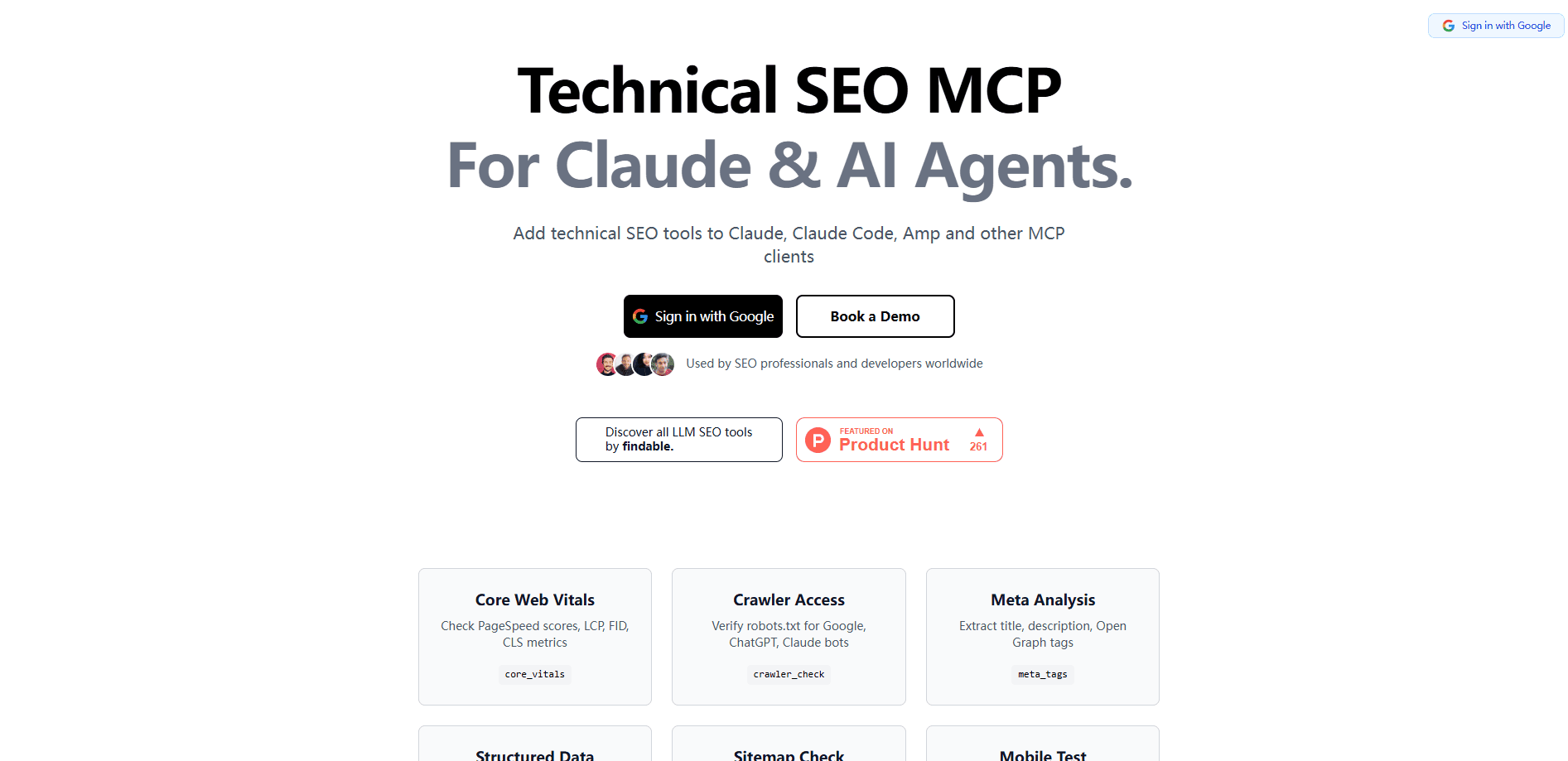
Technical SEO MCP is an open-source server that puts SEO checks, like Core Web Vitals and crawler access, inside Claude and other AI agents, so you run audits by chatting instead of switching tools.
About Technical SEO MCP
What Is Technical SEO MCP
Technical SEO MCP is a Model Context Protocol server that adds SEO tools for AI agents. It comes from Findable, an SEO data company, and its pitch is simple: instead of copying data between browser tabs and a chat window, you ask your AI to check a site's SEO health directly.
The server exposes a set of focused tools. One, core_vitals, pulls PageSpeed scores and the core metrics of LCP, FID, and CLS. Another, crawler_check, looks at a site's robots.txt to see whether bots from Google, ChatGPT, and Claude are allowed in. These are the checks that usually live in separate audit tools, now available in the AI client you already use.
It is built for Claude, Claude Code, Amp, and other MCP clients. Because it follows the open MCP standard, you add it to a client config once and the tools show up as part of the conversation. The project is open source, so the code is inspectable and anyone can self-host or extend it.
Getting Started
- Open your MCP client's config file, such as Claude Desktop's
claude_desktop_config.json. - Add the Technical SEO MCP server to the
mcpServersblock using the setup from the official site. - Restart the client so it can connect to the server.
- Ask your AI to run a check, for example to run Core Web Vitals on a page URL.
- Read the results and act on the fixes the agent suggests.
Product Information
A quick look at Technical SEO MCP's pricing, supported platforms, and performance.
Best for
The users, tasks, and scenarios where this tool fits best.
Users
- SEO specialists
- Developers
- Content teams
- Site owners
Tasks
- Core Web Vitals checks
- Crawler access checks
- AI-assisted audits
- Self-hosting
Scenarios
- Pre-launch review
- AI visibility work
- Routine maintenance
Key features
Core Web Vitals checks
The core_vitals tool returns PageSpeed scores along with the three core metrics: LCP, FID, and CLS. These numbers decide a chunk of how a page ranks and how it feels to load. Pulling them through an AI agent means you get the raw data and a plain explanation in one step. It saves the round trip of running a separate speed test and then interpreting the report yourself.
Crawler access checks
The crawler_check tool reads a site's robots.txt and reports whether major bots are allowed in, covering Google, ChatGPT, and Claude. That matters more each year, because being blocked from AI crawlers can quietly cut a site out of AI answers. Checking it from inside your AI client keeps the fix close to the finding.
Runs inside Claude and other MCP clients
Technical SEO MCP works with Claude, Claude Code, Amp, and any client that speaks MCP. You add it to a config file once, and the tools appear automatically. There is no separate dashboard to learn, since the agent is the interface. That fits teams already living in an AI coding or chat tool.
Open-source and self-hostable
The project is open source, which means you can read the code, run it yourself, and adapt it. For teams that care about where their data goes, self-hosting keeps SEO checks on infrastructure they control. It also lets developers add tools that fit their own workflow.
Built on the open MCP standard
It follows the Model Context Protocol, the standard Anthropic released for connecting AI models to tools. Any client that supports MCP can use it, so the same setup carries across tools. That is the main reason a small server like this is worth adding: one config, reusable everywhere the standard is supported.
Pros and cons
Pros
- Puts Core Web Vitals and crawler checks into the AI client you already use.
- Open source, so you can inspect the code and self-host it.
- Works across Claude, Claude Code, Amp, and other MCP clients.
- Free to start, with no paid gate on the listed tools.
- Covers AI crawler access, a check that is easy to forget and costly to miss.
Cons
- It is a focused toolset, not a full SEO suite, so it will not replace a crawler or rank tracker.
- You need an MCP-ready client and some comfort editing a config file.
- Setup details live on the vendor's site, and pricing for any paid tiers is not disclosed.
- Output quality still depends on the AI client you pair it with.
Frequently asked questions
Technical SEO MCP adds technical SEO tools to AI agents. It lets an agent run checks such as Core Web Vitals and crawler access for a page or a site, so you can audit SEO health through chat instead of a separate platform.
Related content
Explore related tools, skills, and articles for Technical SEO MCP.
Technical SEO MCP Alternatives

Base Code
Base44 (Wix) · Coding · ProductivityBase Code is a shared cloud development environment from Base44. Teammates describe changes to an existing GitHub codebase in chat, preview them live and send them back as pull requests.

Google EmbeddingGemma 2
Google DeepMind · Writing · Image · CodingGoogle EmbeddingGemma 2 is a 740M-parameter open model that turns text, code, images, audio, and video frames into vectors in one 768-dimension space, running on phones and laptops.

GitGlow
GitGlow · Coding · ProductivityGitGlow is a local-first desktop Git client that lets independent developers review their own code and their AI agents' changes in one place before shipping.