

TeleportHQ
TeleportHQ · Coding
TeleportHQ is a low-code website builder that turns AI prompts and Figma designs into responsive, publishable sites and exports clean code in five JS frameworks.
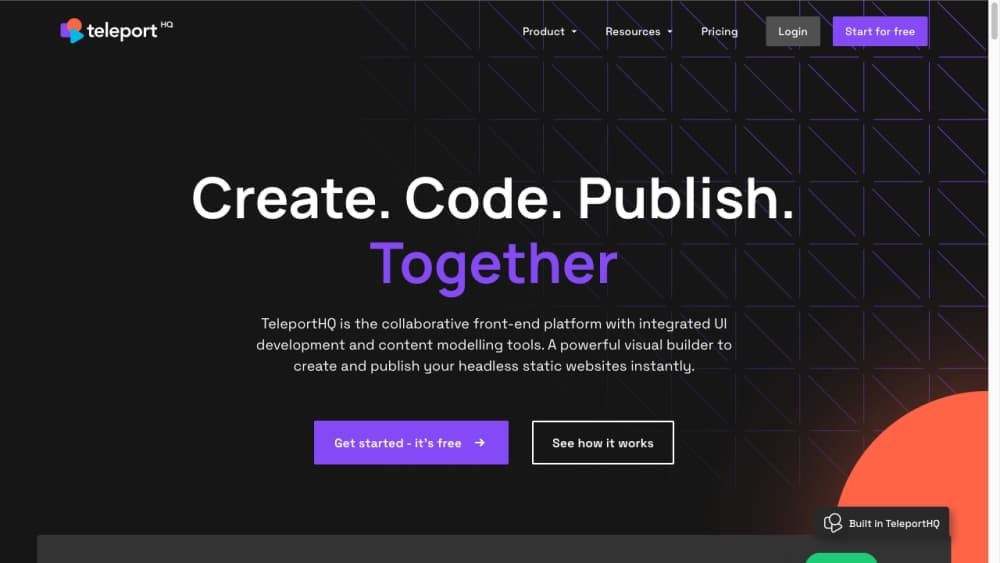
About TeleportHQ
What Is TeleportHQ
TeleportHQ is a browser-based low-code builder for websites, web apps, and online stores. You design visually, then ship the result as production-ready code instead of a locked-in template.
The pitch is straightforward: non-developers get drag-and-drop editing, and developers keep the HTML, CSS, and framework code at the end. That combination is rare. Most site builders hand you a hosted page and nothing else.
The limits are worth knowing up front. Web app projects, extra locales, and extra editor seats sit behind paid slots, and the free 7-day trial runs on 30,000 AI tokens once rather than a monthly refill.
Getting Started
- Sign up at play.teleporthq.io and start the 7-day free trial with no credit card.
- Describe your site to the AI builder or import a Figma file to generate a first layout.
- Refine the design with drag-and-drop, adjust components, and swap fonts or colors.
- Connect a custom domain or deploy to Vercel, then export the code if you want to host it yourself.
Product Information
A quick look at TeleportHQ's pricing, supported platforms, and performance.
Best for
The users, tasks, and scenarios where this tool fits best.
Users
- Non-developers
- Front-end developers
- Marketing teams
- Agencies
Tasks
- Converting Figma files to code
- Launching a landing page
- Building a headless CMS front end
- Shipping a small store
Scenarios
- Handing a finished site to a dev team that wants the source
- Localizing a site for several markets
- Prototyping a web app before committing budget
Key features
AI Website and Web App Builder
Describe your goals, style, and content, and TeleportHQ generates a full layout or an interactive web app. You get several design variations in seconds, then refine them by hand. Each project starts with trial tokens for the AI features.
Visual Editing with Drag and Drop
The editor lets you change colors, fonts, sections, and UI elements without writing code. You can build reusable components and manage colors and type in a global styleguide. It gives non-technical editors a way to work inside the same project as developers.
Code Export in Five Frameworks
You can export production-ready HTML, CSS, React, Next.js, Vue, or Angular code. That means the site you build can move into your own repo and hosting setup rather than staying on TeleportHQ. Code export is limited to static projects.
Figma to Code Plugin
Import a website design from Figma or copy selected layers as editable HTML and CSS. This skips the usual rebuild step between design and code, and keeps the exported markup friendly to developers.
Headless CMS and Data Integrations
Connect projects to Strapi, Contentful, WordPress, Caisy, or Flotiq, and pull in external data sources. Content stays separate from the interface, so marketers can update a blog or catalog without opening the editor.
Forms and Lead Capture
Build and style forms inside the editor with no code, then collect and manage submissions from the dashboard. Plans include a set number of forms and monthly submissions, with more available through add-on packs.
Hosting and One-Click Deploy
Publish to TeleportHQ-hosted subdomains for free, connect a custom domain, or deploy straight to Vercel. SSL and a global CDN come standard, and every plan includes 1 GB of asset storage.
Pros and cons
Pros
- Code export in HTML, CSS, React, Next.js, Vue, or Angular keeps the site portable.
- Visual editing sits alongside a global styleguide and reusable components, so teams stay consistent.
- Figma import cuts the rebuild work between design and code.
- Built-in hosting, custom domains, SSL, and a CDN cover the whole path from idea to launch.
- The 7-day trial needs no credit card, which makes evaluation low-risk.
Cons
- Code export applies only to static projects, so interactive web apps can't leave the platform the same way.
- Web app projects, extra locales, and extra editor seats each carry a separate monthly fee.
- The trial's AI tokens arrive once at 30,000, not as a monthly allowance, so heavy prompt use can run them down fast.
- Free projects carry TeleportHQ branding and can't be set private.
Frequently asked questions
No. You can build and publish a site with drag-and-drop tools and the AI builder. Coding helps if you plan to customize the exported project further.
Related content
Explore related tools, skills, and articles for TeleportHQ.
TeleportHQ Alternatives

Base Code
Base44 (Wix) · Coding · ProductivityBase Code is a shared cloud development environment from Base44. Teammates describe changes to an existing GitHub codebase in chat, preview them live and send them back as pull requests.

Google EmbeddingGemma 2
Google DeepMind · Writing · Image · CodingGoogle EmbeddingGemma 2 is a 740M-parameter open model that turns text, code, images, audio, and video frames into vectors in one 768-dimension space, running on phones and laptops.

GitGlow
GitGlow · Coding · ProductivityGitGlow is a local-first desktop Git client that lets independent developers review their own code and their AI agents' changes in one place before shipping.