

Teleprompter & Captions AI
OpticalVPN, LLC · Writing · Video
Teleprompter & Captions AI is an iPhone and iPad app that turns your device into a recording studio for scripted video. You load a script, hit record, and read as the text scrolls near the camera lens, so your eyes stay on the lens instead of the page. It also generates captions and subtitles for the clip you just shot, which saves the separate step of transcribing footage later.
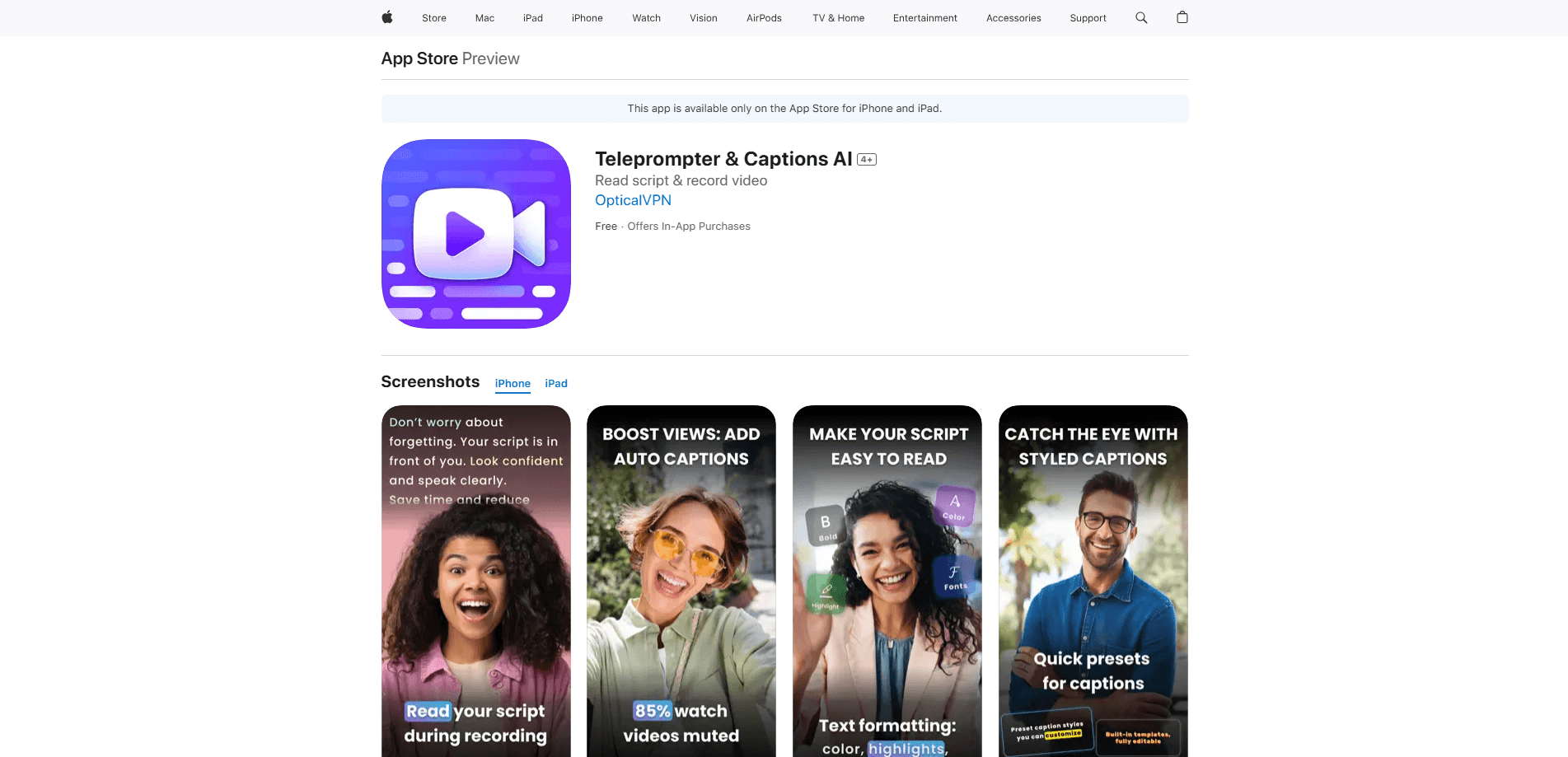
About Teleprompter & Captions AI
What Is Teleprompter & Captions AI
Teleprompter & Captions AI is a video production app from OpticalVPN, LLC. It combines three jobs that usually live in different tools: a scrolling teleprompter for reading on camera, a video recording app that captures footage while you read, and an AI caption engine that adds timed subtitles afterward. For anyone who films talking-head videos, the appeal is obvious. You stop memorizing lines, stop burning through retakes, and stop editing captions by hand.
The app leans on a few studio-grade touches that separate it from basic prompter apps. It records in 4K with HDR and no watermark, supports mirror mode for beam-splitter rigs, and lets you drive scrolling with a Bluetooth remote or keyboard so you never have to break your framing to tap the screen mid-take. It's built for iPhone and iPad, and scripts stay available offline.
The main limitation is platform. There's no Android or desktop version, so it only helps you if you film on Apple devices. It's also subscription-based, with no permanent free tier beyond the trial. And the AI captioning works best with clear audio; heavy background noise will cost you cleanup time.
Getting Started
- Download the app on your iPhone or iPad and open it. The store listing is the fastest way in, since there's no web version.
- Write or paste your script into the editor. You can set font size, colors, and scroll speed before you record.
- Position your phone, frame your shot, and start the teleprompter. Adjust speed on the fly or use a Bluetooth remote to pause and resume.
- Record your take while reading. The app captures in 4K and keeps your eyeline near the lens.
- Run the auto caption tool on the finished clip, review the timed subtitles, then export or share.
Product Information
A quick look at Teleprompter & Captions AI's pricing, supported platforms, and performance.
Best for
The users, tasks, and scenarios where this tool fits best.
Users
- YouTubers and vloggers
- Course creators and coaches
- Founders and marketers
Tasks
- Recording a talking-head video on the first take
- Generating subtitles for social clips
- Practicing a speech or pitch
Scenarios
- Filming on location with no internet
- Studio setups with a beam splitter
- Hands-free recording
Key features
Scrolling Teleprompter With Full Styling
The core of the app is a teleprompter that scrolls your script near the camera lens, so your eyeline stays at the lens instead of dropping to a page off to the side. You control the speed as you speak, and you can change fonts, colors, sizes, and backgrounds to match your setup. Keeping your eyeline at the lens is the difference between sounding natural and sounding like you're reading. That's what this is built for.
AI Auto Captions
After you record, the app generates captions with precise timecodes and applies styled templates. Roughly 85% of viewers watch with sound off, according to the company, so captions do real work for reach and watch time. You get subtitles without opening a separate editor. Why does that matter? Because every minute spent hand-typing subtitles is a minute you're not filming your next clip.
4K Recording With HDR and No Watermark
The recorder captures high-quality video while the prompter runs, up to 4K with HDR and no watermark stamped anywhere on your footage, so nothing marks the clip as something grabbed from a cheap promo app when you post it to YouTube, Reels, or TikTok.
Mirror Mode for Studio Rigs
Mirror mode flips the text horizontally so it reads correctly through beam-splitter glass, which is the setting that lets the app work with a traditional teleprompter rig or a live broadcast setup you already own instead of forcing you to buy new hardware.
Remote Control Over Bluetooth
You can start, pause, and adjust scroll speed with a Bluetooth remote or keyboard instead of tapping the screen. Hands-free control keeps your framing steady and avoids the little jolt every time you reach for the phone.
Cloud Sync for Scripts
Scripts sync across your signed-in devices and also stay stored locally. Switch from iPhone to iPad without re-pasting your script, and keep working when you're offline.
Pros and cons
Pros
- Combines teleprompter, recorder, and caption generator in one app, cutting tool switching from your workflow.
- 4K, HDR, and zero watermark on the output.
- Mirror mode and Bluetooth remote support make it fit real studio and hands-free setups.
- Scripts are available offline, so flaky connections won't stop a shoot.
Cons
- Apple-only. There's no Android or desktop version, so mixed-device teams can't all use it.
- No free plan. You need a subscription after the trial to keep recording.
- Auto captions depend on clean audio. Noisy rooms mean manual fixes.
Frequently asked questions
It scrolls your script on screen while you record video, then generates captions and subtitles for the clip. Think of it as a teleprompter, a camera app, and a caption tool rolled into one.
Related content
Explore related tools, skills, and articles for Teleprompter & Captions AI.
Teleprompter & Captions AI Alternatives

Google EmbeddingGemma 2
Google DeepMind · Writing · Image · CodingGoogle EmbeddingGemma 2 is a 740M-parameter open model that turns text, code, images, audio, and video frames into vectors in one 768-dimension space, running on phones and laptops.

MePersona
MePersona, Inc. · Writing · Productivity · MarketingMePersona is an AI unified inbox for creators. It learns your voice, drafts replies to fan messages from 12 platforms, and sends only what you approve.

Fluence
Yay Software (Yannick Huchard) · Writing · Voice & Language · ProductivityFluence is an Android app that reads PDFs, EPUBs, Word files and web articles aloud, follows each sentence as it speaks, and answers questions about the text on the phone itself.