

Tempest
Tempest · Coding
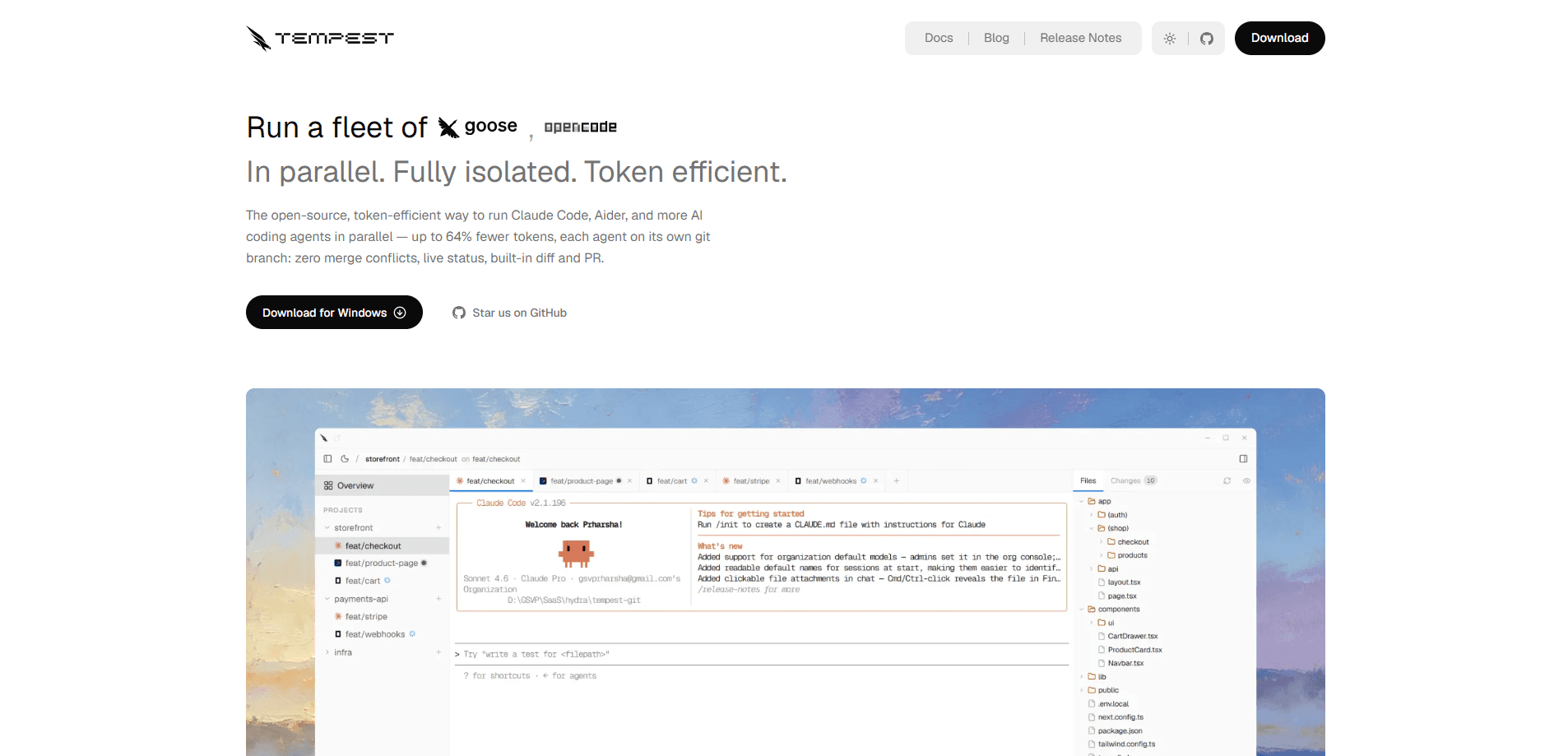
Tempest is a free, open-source AI developer tool for running several AI coding agents at the same time on one project. Each agent session lives in its own git worktree and branch, so two agents never edit the same file or trip over each other's commits. It's built with Tauri for Windows, macOS, and Linux, and it works with Claude Code, Aider, OpenCode, Copilot CLI, Cline, and Goose. If you've ever wanted to run five features at once instead of waiting your turn, this is the tool built for that job.
About Tempest
What Is Tempest
Tempest is an AI coding agent manager, not another chatbot. Think of it as agent orchestration for people who ship code. It's a native desktop application that sits on top of the terminal agents you already use and gives each one its own isolated space to work. The core idea is simple: if two agents share a folder, they'll eventually clobber each other's edits, and you'll spend your afternoon untangling a merge conflict. Tempest removes that risk by giving every session its own git worktree and branch.
The problem it solves is throughput. Running one agent is a productivity boost, but running them one after another barely beats doing the work yourself. Parallel agents change the math, and Tempest supplies the missing infrastructure to make that safe. You can test three approaches to the same bug, have one agent write a feature while another patches a test suite, and review the results side by side.
So why does this matter? Because most developers who try parallel agents fail the first time. They open more terminals. They stash changes. They try to mentally track which agent touched which file. It turns into chaos, and they go back to running one at a time. The problem was never the agents. It was the missing isolation.
The biggest limitation is scope. Tempest is a local desktop tool with no hosted backend and no public REST or GraphQL API to call from a server. If you need a cloud service or a browser-only workflow, this isn't it. It also assumes you already have a coding agent installed and a git repository to point it at.
Getting Started
- Install Tempest with
npx @usetempest/tempest, or grab a signed installer for Windows, macOS, or Linux from the official download page. - Point Tempest at a git repository. It creates an isolated git worktree for each session automatically, so nothing touches your main branch.
- Configure the agent runtime you want, whether that's Claude Code, Aider, OpenCode, Copilot CLI, Cline, or Goose.
- Open a new session tab, describe the task, and let the agent run. Add more tabs to run more agents in parallel.
- Review diffs, compare outputs, and push a pull request without leaving the app.
Product Information
A quick look at Tempest's pricing, supported platforms, and performance.
Best for
The users, tasks, and scenarios where this tool fits best.
Users
- Solo developers juggling several tasks at once
- Small teams tired of merge conflicts
- Developers on Windows who want parallel agents now
Tasks
- Running multiple AI coding agents on one repo
- Comparing agent outputs side by side
- Cutting token spend across sessions
- Resuming an interrupted session
Scenarios
- Testing three different approaches to a single bug in parallel instead of sequentially.
- Shipping a feature while another agent hardens the test suite at the same time.
- Early project exploration where you want to see how several agents interpret a vague requirement before committing to one.
Key features
Parallel Agent Sessions
Tempest runs Claude Code, Aider, OpenCode, Copilot CLI, Cline, and Goose at the same time, each in its own tab. Every session gets a separate git worktree and branch, so agent A's edits never collide with agent B's work in progress. You can start five features at once and stop treating agents like a single-lane road.
Isolated Git Worktrees
The isolation comes from git worktrees, a built-in feature most developers never touch because managing them by hand is tedious. Tempest creates a worktree the moment you open a session and keeps it around when you close the tab. That means a bad agent run can't corrupt main, can't collide with another agent, and can't leave your working state broken. The blast radius of a rogue agent is zero, which is exactly the point when you're letting five of them run loose at once.
Token Intelligence
Running five agents means five agents reading your codebase, which burns tokens fast. Token Intelligence builds one shared, indexed map of your project so each agent stops re-reading files from scratch. According to Tempest, this cuts context tokens by up to 86% and tool calls by up to 92% across sessions.
Built-In Diff, Commit, and PR Tooling
You review agent output without leaving the app. Tempest shows diffs, lets you commit, and pushes a pull request from the same window. Comparing two agents' solutions becomes a matter of opening both tabs rather than juggling terminal windows and external git clients. No more copy-pasting patches into a separate client. That friction goes away.
Session Resume
Closing a tab or restarting your machine doesn't kill your work. Tempest persists each session so you can pick up an agent conversation exactly where it left off, which means a long-running refactor that spans several days doesn't force you to babysit a terminal window just to keep the context alive. For long-running refactors that span days, that persistence matters more than any single benchmark.
Automatic MCP Configuration
For token intelligence to work, agents need to talk to Tempest's shared index. The app writes MCP config files automatically for Claude Code, Cline, Cursor, Gemini CLI, Kiro, and opencode. Setup is one less thing to hand-edit, and it keeps your agent configs consistent across tools.
Pros and cons
Pros
- Free and open-source under Apache 2.0, so there's no license to buy and you can read the code.
- Native desktop app with real isolation, which beats manually juggling terminals and stashes.
- Token savings are substantial across multiple sessions, which lowers the cost of running agents in parallel.
- Built-in diff, commit, and PR tools keep the whole workflow in one window.
- No account required, so you can download and start working immediately.
Cons
- No hosted service or public API, which rules it out if you need to trigger agents from a server or CI pipeline.
- It only makes sense with two or more agents; a solo agent workflow is fine without the extra layer.
- It's a native desktop app, so a browser-only or mobile workflow isn't possible.
- Early-stage project, so expect some rough edges as the roadmap fills in.
Frequently asked questions
Tempest is used to run several AI coding agents in parallel on the same project without them interfering with each other. Each agent works in its own git worktree and branch, and you review the results in one window.
Related content
Explore related tools, skills, and articles for Tempest.
Tempest Alternatives
Forefront
Forefront · CodingForefront is a web platform for building with open-source AI. It lets you fine-tune leading open-source language models on your own data, evaluate how they perform, and run them through an API or export them to host yourself. Developers who want the convenience of a closed-source platform but insist on owning their models and data are the target audience here.

Startkit
StartKit.AI · CodingStartkit is a boilerplate for building AI SaaS and AI wrapper products. Think of it as an AI startup boilerplate with the boring parts already wired up: authentication, Stripe and Lemon Squeezy payments, usage limits, transactional email, and an AI API starter that talks to OpenAI, Anthropic, Groq, or Llama. You clone the repo, set your price, and start on the part of your product that people actually pay for. It's Next.js under React and Tailwind, so most of the boilerplate code already feels familiar.
Testim
Tricentis · CodingTestim is an AI-powered test automation platform for building and running end-to-end tests across web, mobile, and Salesforce applications. It leans on machine learning to keep tests stable when an interface changes, so teams spend less time fixing broken selectors. Not bad for an automated testing tool you can start using today. You create tests by recording actions in a browser, then optionally add JavaScript when you need more control. It's a solid pick for busy QA teams.