
testRigor Software Testing
testRigor, Inc. · Coding
testRigor is an AI test automation platform that turns plain-English steps into end-to-end tests for web, mobile, desktop and APIs, with self-healing element recognition.
About testRigor Software Testing
What Is testRigor
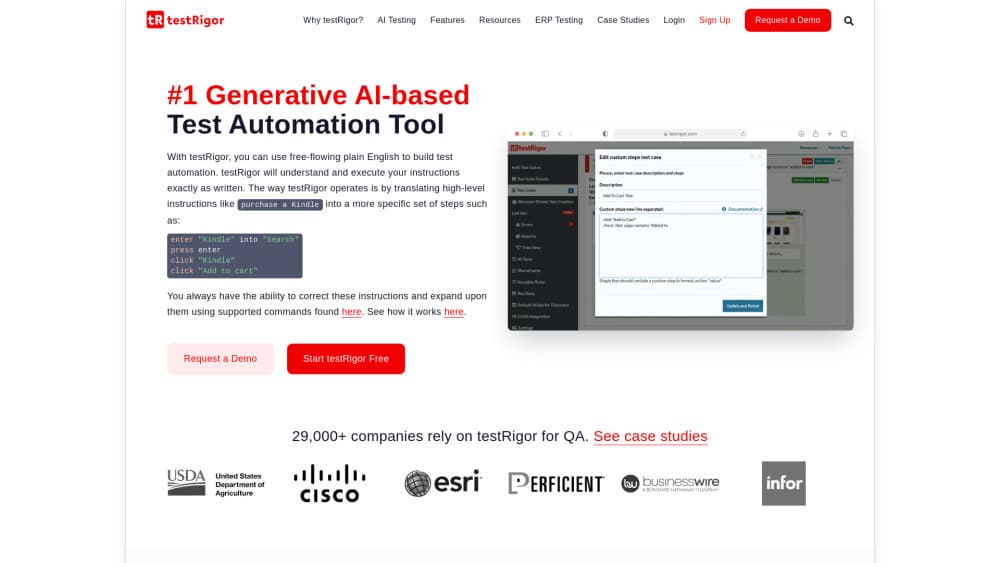
testRigor is a cloud-based test automation platform built around one idea: a test should read like an instruction a person gives a colleague. You type something like "log in, search for a product, add it to the cart, and check out," and the AI works out the clicks, keystrokes and waits behind that sentence. No page objects, no XPath, no CSS selectors.
The product targets the maintenance problem that breaks most automation efforts. Traditional frameworks bind tests to implementation details, so a renamed button or a restructured page kills a suite that still works fine for real users. testRigor looks at what a person can see on screen, such as visible text, input fields and button labels, and finds the right element again after the page changes. The company reports around 200 times less maintenance time than selector-based frameworks, a vendor figure rather than an independent benchmark.
It suits acceptance-level regression testing of business flows: sign-up, checkout, claims, onboarding. It is not a fit for games, real-time charts or video quality checks. Commands are written in English, so the team needs some English fluency even when the application itself is in another language.
Getting Started
- Create an account on the testRigor site. A 14-day trial covers Ubuntu, Windows, Mac, Android, iOS and Windows native targets with the full AI feature set.
- Create a test suite and pick a target: a browser, a mobile device farm, a desktop app or an API endpoint.
- Type the first test in plain English, or install the Chrome extension and record a manual flow as you click through it.
- Run the test, review the step-by-step report, and adjust wording where the AI guessed wrong.
- Connect Jenkins, CircleCI, GitHub Actions or another CI tool through the provided script or the API so the suite runs on every build.
Product Information
A quick look at testRigor Software Testing's pricing, supported platforms, and performance.
Best for
The users, tasks, and scenarios where this tool fits best.
Users
- Manual QA testers
- Product managers and business analysts
- QA leads at growing SaaS companies
- Small teams without a dedicated automation role
Tasks
- Regression testing of core business flows
- Converting a manual test library
- Cross-platform smoke tests
- Multi-user and multi-channel journeys
Scenarios
- Applications with frequent UI releases
- Regulated or security-sensitive deployments
- Teams standardizing on one vendor
Key features
Plain English Test Authoring
Every step is a sentence in ordinary English, which is codeless testing in the literal sense. A step reads like "click 'Add to cart'" or "check that the page contains 'Order confirmed'". The platform parses that request, decides which element matches and executes it. Testers with no coding background can read, review and edit a suite, which removes the usual bottleneck where only one engineer can touch the automation code.
Self-Healing Element Recognition
testRigor does not store XPath expressions or CSS selectors. It identifies elements the way a person does, by visible text, label, field type and position on the page, and re-resolves them at run time. When a developer renames an ID or wraps a button in a new container, the test keeps working. The tradeoff is that ambiguous labels can still confuse the AI, so clear wording in the test matters.
Generative AI Test Creation
The platform can draft tests from a short description and suggest coverage for flows it sees in your production analytics. You can also point it at a new feature and get a proposed script to review. This shortens the blank-page problem for a new suite. Proposed steps still need human review, because a generated test only proves what it checks.
One Suite Across Web, Mobile, Desktop and API
The same plain English syntax runs against browsers, native iOS and Android apps, hybrid apps with iframes and shadow DOM, Windows desktop applications and REST endpoints. A checkout test can move from a web session to a confirmation email to a database assertion in one script. Teams consolidating several tools often cite this breadth as the reason they switch.
Multi-User and Multi-Channel Flows
Real business processes involve more than one person and more than one channel. testRigor can send and read email, SMS and instant messages, place or receive phone calls, and query a database as part of a test. That makes invitation flows, two-factor login and support handoffs testable end to end instead of being split into unit checks and manual steps.
CI/CD and Test Management Integrations
Prebuilt scripts for Jenkins, CircleCI and other pipelines trigger a run and fail the build when a test fails. Native connectors push results and defects into Jira, TestRail and Zephyr, including a two-way TestRail link that lets a team write executable specifications inside TestRail. A REST API covers custom reports and scheduled runs.
Pros and cons
Pros
- Manual testers become productive in days, because plain English testing removes the programming barrier that keeps most QA teams stuck at low automation coverage.
- Maintenance drops sharply thanks to self-healing tests that ignore selector churn, which is the single largest hidden cost in end-to-end testing.
- One test automation platform covers web, native mobile, desktop and API checks, so teams retire several overlapping tools.
- Licensing charges for parallel AI agents rather than seats or test volume, so unlimited users and unlimited executions are included.
- SOC 2 Type II compliance, an on-premise deployment option and Slack based support fit enterprise procurement requirements.
Cons
- There is no public price list. Every plan starts with a sales call, which slows down small teams that want to buy a license on a card today.
- Cost tracks the number of parallel agents, so the fastest feedback loop on a large suite is also the most expensive configuration.
- The tool is a poor fit for games, live dashboards and video playback, and those parts of a product still need another testing approach.
- Tests and commands are written in English, which adds friction for teams that work mainly in another language.
Frequently asked questions
testRigor automates end-to-end regression tests of flows that customers actually walk through. QA teams use it to check that sign-up, checkout, first-run setup and account changes still work after a release, across web, mobile, desktop and API layers.
Related content
Explore related tools, skills, and articles for testRigor Software Testing.
testRigor Software Testing Alternatives

Base Code
Base44 (Wix) · Coding · ProductivityBase Code is a shared cloud development environment from Base44. Teammates describe changes to an existing GitHub codebase in chat, preview them live and send them back as pull requests.

Google EmbeddingGemma 2
Google DeepMind · Writing · Image · CodingGoogle EmbeddingGemma 2 is a 740M-parameter open model that turns text, code, images, audio, and video frames into vectors in one 768-dimension space, running on phones and laptops.

GitGlow
GitGlow · Coding · ProductivityGitGlow is a local-first desktop Git client that lets independent developers review their own code and their AI agents' changes in one place before shipping.