
Accurate Text Formatter
Indie Creators HQ · Writing · Image · Productivity
TextSnap is a free, open-source AI text formatter that fixes grammar, improves writing, shortens text, adjusts formality, adds emojis and translates between languages.
About Accurate Text Formatter
What Is TextSnap
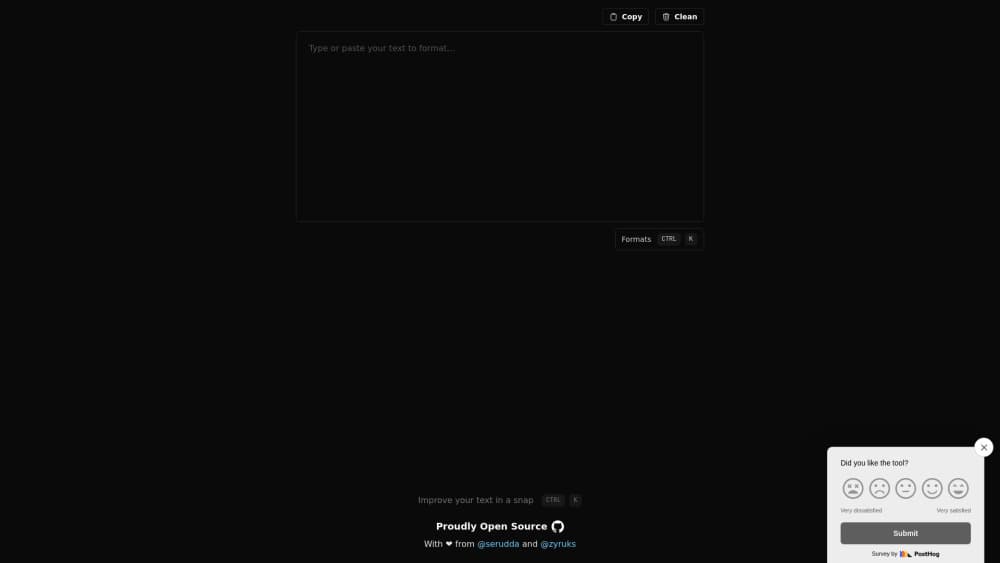
TextSnap is an AI text formatter for people who write in a browser and want the wording cleaned up without opening a full document editor. You paste text into the box, pick a format, and the tool returns a revised version you can copy straight into an email, a chat or a draft.
The project is built as a monorepo and released under the MIT license, so the source code is public and anyone can self-host it. Each format runs through a separate prompt, which keeps the rewrite focused: grammar correction does not touch meaning, formality shifts tone only, and translation stays close to the original. As a text formatting tool, it stays narrow on purpose and does not bundle layout or publishing features.
The main limit is scope. It works on text you paste, not on files or long documents, and the formatting is done by a language model, so a rare phrase or a niche term may come back slightly off. There is no desktop app and no browser extension.
Getting Started
- Open textsnap.app in a browser and sign in with your account.
- Paste or type your text into the editor, which sizes itself to the content.
- Pick the format you want, such as Fix spelling & grammar or Improve writing.
- Start a format with its keyboard shortcut or the on-screen button to run it.
- Review the output, then copy it where you need it.
Product Information
A quick look at Accurate Text Formatter's pricing, supported platforms, and performance.
Best for
The users, tasks, and scenarios where this tool fits best.
Users
- Students and non-native writers
- Freelancers and social media writers
- Developers who want control
Tasks
- Fixing spelling and grammar
- Shortening long text to a set length
- Translating a block of text
Scenarios
- Cleaning up an email before sending
- Writing a post for a tight character limit
- Mixed-language notes
Key features
Fix spelling and grammar
The grammar format adds punctuation and corrects spelling and grammar in whatever language the text is already written in. It does not translate or restyle, so the output keeps the original wording and only makes it more coherent and professional.
Improve writing
This format rewrites a passage by adding connectors, separating ideas and fixing grammar, while keeping the sentence structure and the simple words intact. It is meant for rough text that reads in the right order but lacks flow, not for cutting length.
Condense to a character limit
The condense format shortens text to a maximum number of characters you set. It abbreviates words and swaps in shorter synonyms to hit the target, and it tries to hold on to the meaning and grammar instead of trimming sentences at random.
Adjust formality
The formality format makes text more formal by removing contractions, changing connectors and replacing slang with common words. It keeps the sentence structure, so you get the same message in a more suitable register for a report or a formal email.
Add emojis and symbols
The emoji format places two or three emojis where they help most, such as at bullet points, at the end of a phrase or next to a key word. The result is aimed at social posts, where a few markers draw the eye to the main message.
Translate the text
The translate format writes the same block of text in the language you choose. A separate language detection step reads the input first, so you can check what language the tool thinks the text is in before you translate or reformat it.
Open source and self-hostable
TextSnap ships under the MIT license as a monorepo, with the web app, the AI package and the payments app split into separate parts. A team can clone it, add its own OpenAI API key and run it on its own server.
Pros and cons
Pros
- Free to use and open source under MIT, so this open source writing tool has no paywall on the basics and no locked-down source.
- Eight formats in one page, so you can fix, shorten, translate and reword text without switching tools.
- Each format runs a focused prompt, which keeps grammar fixes separate from tone changes.
- Runs in the browser with an editor that resizes to the text, so there is nothing to install.
Cons
- The free tier is aimed at light use, and heavier work needs the Plus subscription.
- It works on pasted text only, with no file upload, desktop app or browser extension.
- Quality depends on the underlying language model, so niche terms or rare phrasings may be changed in a way you did not intend.
- There is no documented public API for wiring the formats into another app.
Frequently asked questions
TextSnap is an AI text formatter that rewrites pasted text through a set of formats. You can fix grammar, improve writing, shorten text to a character limit, change how formal it sounds, add emojis or translate it.
Related content
Explore related tools, skills, and articles for Accurate Text Formatter.
Accurate Text Formatter Alternatives

Google EmbeddingGemma 2
Google DeepMind · Writing · Image · CodingGoogle EmbeddingGemma 2 is a 740M-parameter open model that turns text, code, images, audio, and video frames into vectors in one 768-dimension space, running on phones and laptops.

MePersona
MePersona, Inc. · Writing · Productivity · MarketingMePersona is an AI unified inbox for creators. It learns your voice, drafts replies to fan messages from 12 platforms, and sends only what you approve.

Fluence
Yay Software (Yannick Huchard) · Writing · Voice & Language · ProductivityFluence is an Android app that reads PDFs, EPUBs, Word files and web articles aloud, follows each sentence as it speaks, and answers questions about the text on the phone itself.