

Text2Query
Jo Rangel · Coding
Text2Query is a browser-based tool that turns plain English or Spanish questions into SQL and MongoDB queries after you upload a schema file.
About Text2Query
What Is Text2Query
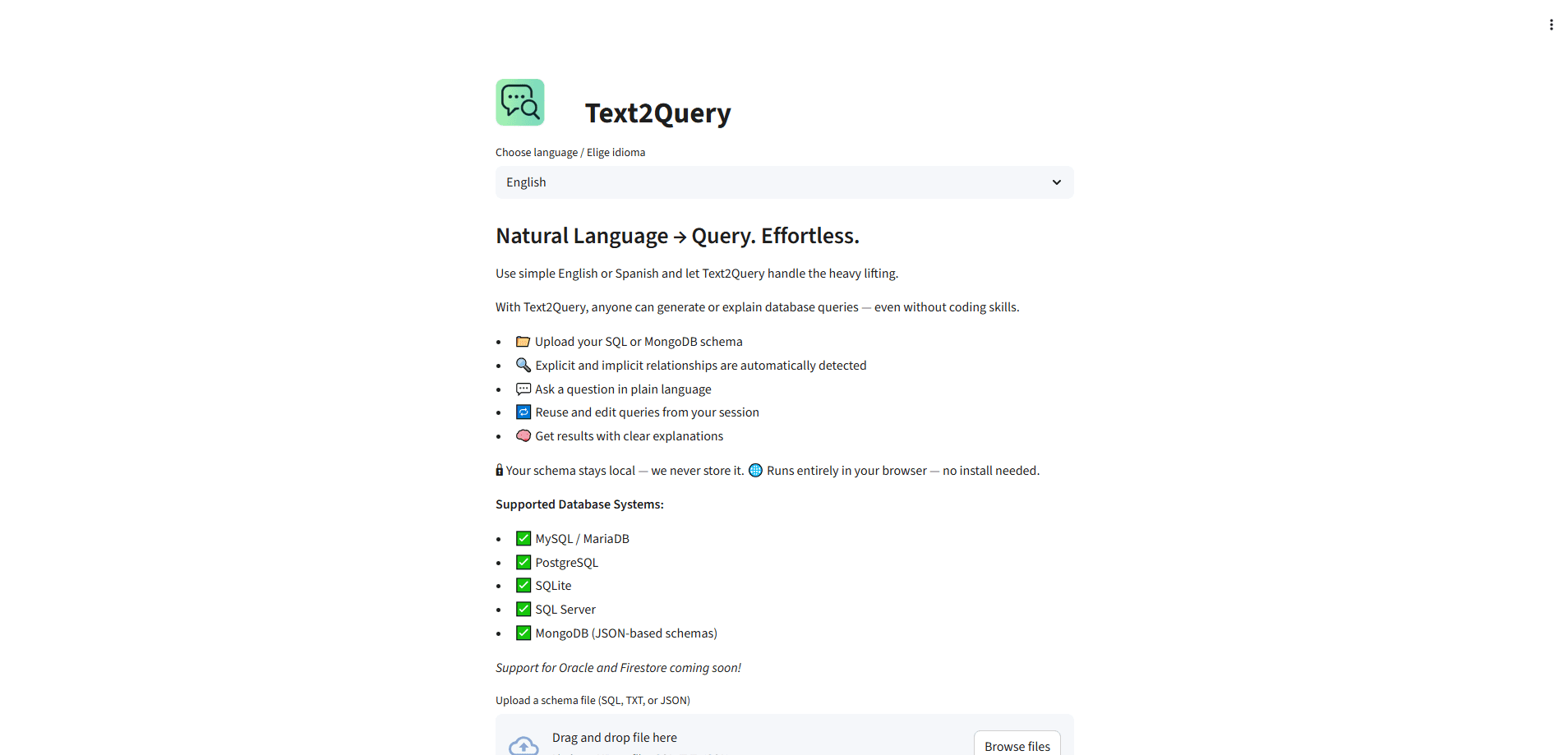
Text2Query is a web app that converts natural language into database queries. As a database query tool, it works in the browser: you upload a schema file for MySQL, PostgreSQL, SQLite, SQL Server, or MongoDB, and then ask questions in plain English or Spanish. The tool answers by writing the SQL or MongoDB query that gets you the data, and it explains what the query does.
The point is to remove the SQL syntax barrier. A product manager who needs a churn number no longer has to file a ticket with an engineer. You describe the result you want, and the tool produces a query you can run or hand off. If you already write SQL, you can use it to draft complex joins faster and check them against the schema.
Privacy shapes the design. Your schema stays in your browser and the developer states it isn't stored on any server. The tool runs entirely in the browser, so there's nothing to install. The main limits are schema size and accuracy: the developer says 10,000 tokens is the reliable sweet spot, and larger schemas have been tested with mixed results.
Getting Started
- Open text2query.com and upload your schema file. SQL, TXT, and JSON files work, and each file can be up to 200MB.
- Pick your database type. MySQL, MariaDB, PostgreSQL, SQLite, SQL Server, and MongoDB are supported; Oracle and Firestore are marked as coming soon.
- Ask a question in plain English or Spanish, like "which customers placed more than three orders last month."
- Read the generated query and its explanation, then run it in your own database or edit it in the same session.
- Refine the question and keep working through follow-ups while the schema context stays loaded.
Product Information
A quick look at Text2Query's pricing, supported platforms, and performance.
Best for
The users, tasks, and scenarios where this tool fits best.
Users
- Product managers and analysts
- Non-technical team members
- Developers and data engineers
Tasks
- Writing a first-pass query
- Learning query structure
- Translating between databases
Scenarios
- Quick data pulls during a meeting
- Working with a sensitive schema
- Exploring an unfamiliar database
Key features
Natural Language to Query
You type a question the way you'd ask a colleague, and this text to SQL tool returns a valid SQL query or a MongoDB query. English and Spanish are supported. It doesn't just output syntax; it explains the query so you can confirm it matches your intent before you run it.
Schema Upload and Relationship Detection
Upload a SQL dump, a text file, or a MongoDB JSON schema, and the tool reads the table and collection structure. It maps both explicit foreign keys and implicit relationships, so joins that aren't spelled out in constraints still show up in generated queries. Files can be up to 200MB each.
Multi-Database Support
The tool covers MySQL, MariaDB, PostgreSQL, SQLite, SQL Server, and MongoDB. You choose the target database before asking, so the generated syntax matches your engine. Oracle and Firestore are listed as coming soon on the official site.
In-Session Query Reuse
Queries stay in the current session, so you can edit a result and build on it instead of starting over. Follow-up questions keep the schema context loaded, which makes iterative exploration of an unfamiliar database faster.
Query Explanations
Every generated query comes with a plain-language explanation of what it does. This turns the tool into a learning aid for people who are new to SQL, and a review aid for people who already know it and want to check the logic.
Browser-Only, Private by Design
The whole tool runs in the browser, and there's nothing to install. According to the developer, the schema stays local and isn't stored, which matters when the structure of your database is itself sensitive.
Pros and cons
Pros
- Turns plain language into runnable SQL and MongoDB queries, no syntax memorization.
- Detects implicit relationships, so generated joins work even when foreign keys aren't declared.
- Covers six databases, which reduces switching between tools for different stacks.
- Explains each query, so beginners learn and experienced users can verify the logic.
- According to the developer, the schema stays in the browser and isn't stored on a server.
Cons
- Accuracy drops on large schemas. The developer puts the sweet spot at 10,000 tokens, and bigger inputs are less reliable.
- No live database connection yet. You upload a schema file rather than pointing the tool at a running database.
- No public API, so it can't be wired into an automated pipeline.
- English and Spanish only. Other languages aren't supported yet.
Frequently asked questions
Text2Query is a natural language to SQL tool, and it also works as a MongoDB query generator. You upload a database schema and ask questions in plain English or Spanish, and it returns a complete query plus an explanation of what that query does.
Related content
Explore related tools, skills, and articles for Text2Query.
Text2Query Alternatives

Base Code
Base44 (Wix) · Coding · ProductivityBase Code is a shared cloud development environment from Base44. Teammates describe changes to an existing GitHub codebase in chat, preview them live and send them back as pull requests.

Google EmbeddingGemma 2
Google DeepMind · Writing · Image · CodingGoogle EmbeddingGemma 2 is a 740M-parameter open model that turns text, code, images, audio, and video frames into vectors in one 768-dimension space, running on phones and laptops.

GitGlow
GitGlow · Coding · ProductivityGitGlow is a local-first desktop Git client that lets independent developers review their own code and their AI agents' changes in one place before shipping.