

Text Beat - Instant video creator
Vignesh Viswanathan (Robz Apps) · Writing · Video
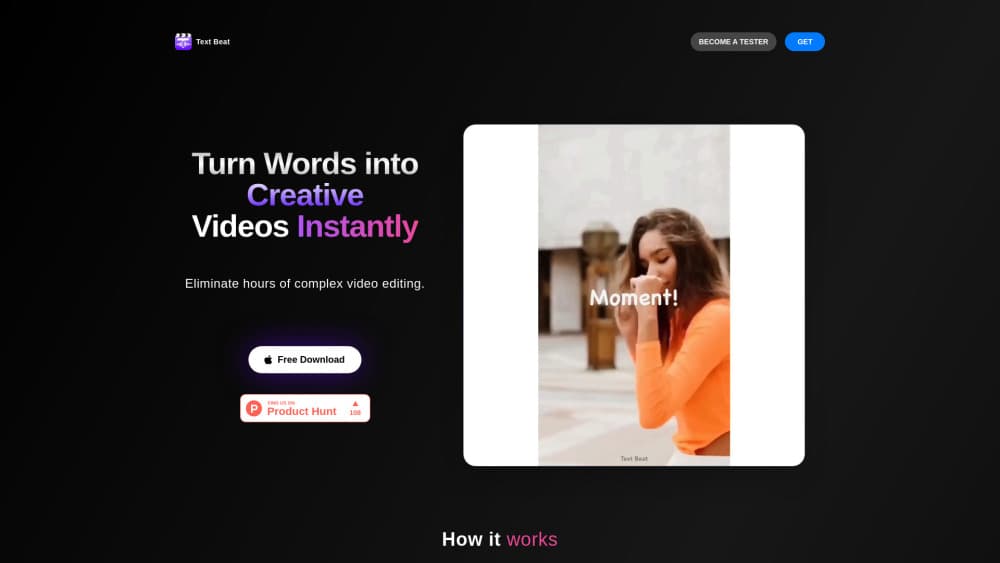
Text Beat is an iPhone app that turns a written script and a music track into a beat-synced video. You add text, pick a song, tap Create, then drop in clips and animations.
About Text Beat - Instant video creator
What Is Text Beat
Text Beat, listed on the App Store as Intro Maker: Text Beat, is an iOS app from independent developer Vignesh Viswanathan, published under the Robz Apps label. It handles one job: promo videos, travel reels, and portfolio clips where animated text carries most of the message. The studio bills it as TextBeat, a text video maker aimed at phone-first posting.
The workflow skips the timeline. You paste a script, choose one of the built-in high-energy tracks, and hit Create. The app splits your words across the song and times each line to the beat. Then you add photos or video clips and adjust the animations until the cut looks right.
Scale is the honest limit. This is a one-person app with an English-only interface, no Android build, no web editor, and a small review base. Treat Text Beat as a fast first draft for short vertical clips. It won't replace the video maker for iPhone you already trust when a project needs keyframes, multicam, or audio mixing.
Getting Started
- Install Text Beat from the App Store on an iPhone or iPad running iOS 15 or later. The download costs nothing.
- Type or paste your script into the text field. Keep it short enough for a 15 to 30 second clip.
- Pick a track from the built-in music list, tap Create, and wait for the beat-synced cut.
- Add your own photos or video clips, adjust the animations, and save the video to your camera roll.
- Buy a premium in-app purchase when you need more than the free run allows. The top option is a one-time $19.99 deal.
Product Information
A quick look at Text Beat - Instant video creator's pricing, supported platforms, and performance.
Best for
The users, tasks, and scenarios where this tool fits best.
Users
- Solo creators who post short promo clips
- Small business owners running a sale or launch
- Travel and lifestyle creators
- First-time editors
Tasks
- Turning a written hook into a 20 second reel
- Announcing a launch or a discount
- Building a portfolio or service explainer
- Testing a script before a full shoot
Scenarios
- A same-day post when a promotion starts and there's no time to edit.
- A weekly content slot handled entirely on an iPhone between other work.
- A quick hook test before committing budget to a longer video production.
Key features
Script to Beat-Synced Video in One Tap
The core of Text Beat is a single Create button. Your text is divided into lines and placed against the chosen track so each phrase lands on a beat. For a talking-point reel or a quote clip, that removes the manual timing pass most editors require.
Animated Text That Carries the Message
Text isn't a caption layer here; it's the main visual. Lines animate in and out on the beat, which keeps a clip readable when there's no voiceover. The result suits muted autoplay feeds, where viewers scroll with sound off.
Built-In High-Energy Music Library
A curated set of upbeat tracks ships with the app, so you don't need a separate music subscription or a license check. Pick a song, and the timing grid comes from it. The tradeoff is choice: the library is small and you can't bring your own track.
Media Layer for Photos and Clips
After the text cut is generated, you add images and video from your phone to fill the frame behind the words. Animations can be adjusted per element, which is where a generic template starts to look like your own video.
Made for Phone Screens
Text Beat runs on iPhone and iPad with iOS 15 or later and defaults to the vertical framing that Reels, Shorts, and TikTok use. There's no desktop version, so a project lives on the device where it started.
Free Start, Paid Unlock
The app downloads free, and the trial run lets you see the output before paying. Premium options start at $3.99, with a $19.99 one-time deal for people who'd rather not subscribe.
Pros and cons
Pros
- Fast first cut: a script and a song produce a timed video in minutes, with no timeline dragging.
- Text-first design: animated lines stay readable on a muted feed, which is the format most short video gets watched in.
- Low entry cost: free download and a $19.99 one-time purchase instead of a recurring subscription.
- Small learning curve: three inputs and one button, so a first-time editor can export on day one.
Cons
- iPhone and iPad only: there's no Android app and no web editor, so a team on mixed devices can't share the workflow.
- Fixed music library: you can't upload your own audio, which limits brand-specific or licensed tracks.
- English-only interface and a thin review history: support material and community answers are scarce, and the last update landed in April 2025, so feature requests may move slowly.
Frequently asked questions
It's a text video maker. You supply a script and choose a song, and the app syncs each line of text to the music beat, then lets you layer photos or clips behind it.
Related content
Explore related tools, skills, and articles for Text Beat - Instant video creator.
Text Beat - Instant video creator Alternatives

Claude for Google Workspace
Anthropic · Writing · Productivity · BusinessClaude for Google Workspace puts Claude in a sidebar inside Google Docs, Sheets, and Slides, where it reads the file you have open and edits it in place.

Claude Haiku 5.5
Anthropic · Writing · Coding · ChatbotClaude Haiku 5.5 is Anthropic's fastest and cheapest small model, built for high volume tasks at $0.10 per million input tokens with a 1M token context window.

NoteWorthy
Suman Hansada · Writing · Productivity · AI AssistantNoteWorthy is a notes app for iPhone, iPad and Mac that writes titles, tidies formatting, summarizes long notes and files each one with on-device AI. No account, no upload, no network requests.