

The Cloud for AI Agents
Bunnyshell · Coding
The Cloud for AI Agents is a secure sandbox platform built by Bunnyshell that spins up isolated Linux micro-VMs in roughly 100ms. It gives AI agents and developers a safe place to run untrusted code, long-running jobs, and autonomous workflows without touching the host machine. You create a sandbox, run what you need, then tear it down. The whole product runs on a pay-per-second model, so you only pay while your code is actually running.
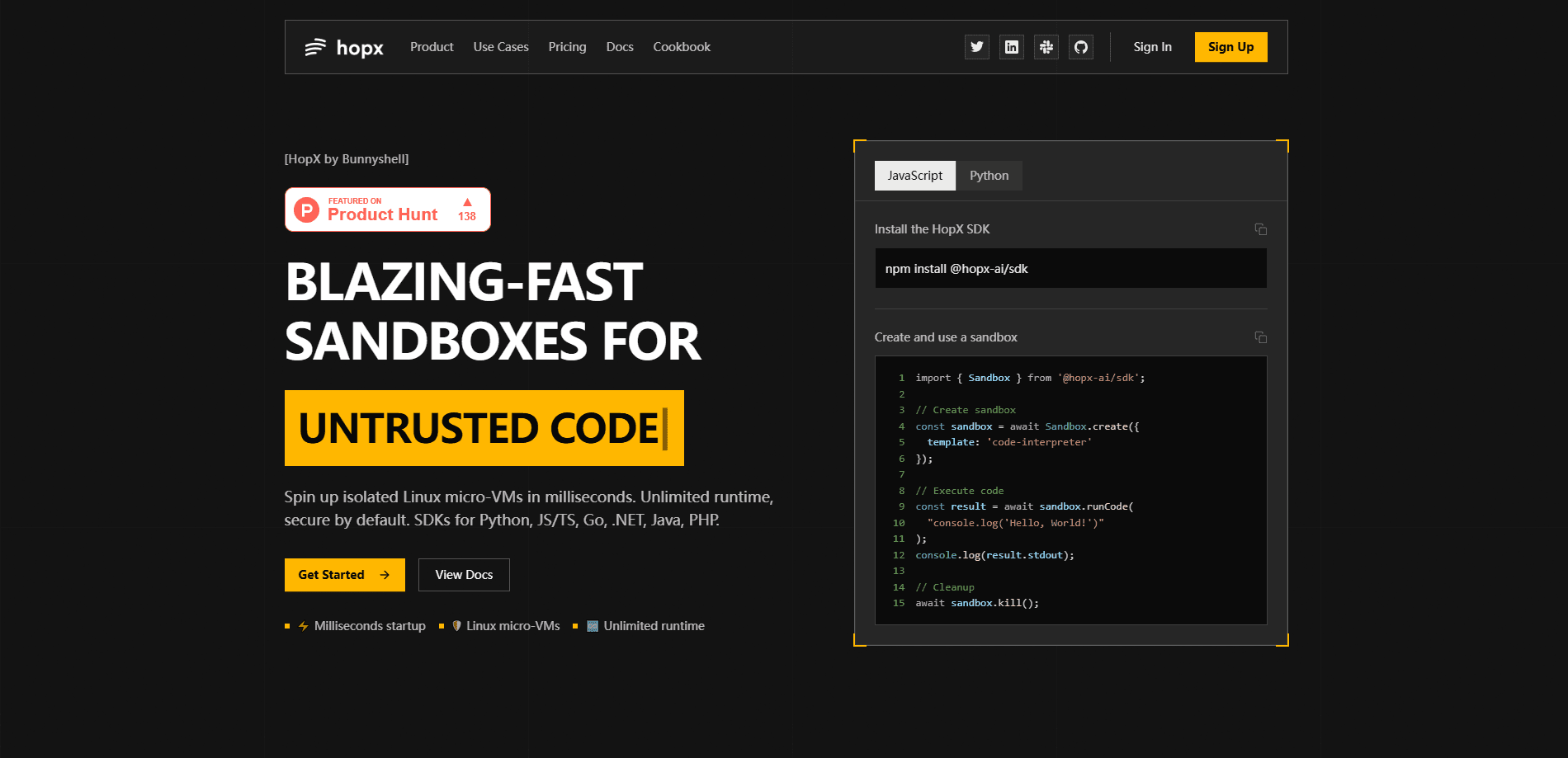
About The Cloud for AI Agents
What Is The Cloud for AI Agents
The Cloud for AI Agents is a runtime layer for anyone who needs to execute code they don't fully trust. Each sandbox is a full Linux environment isolated at the kernel level with Firecracker microVMs, which is a step beyond the containers most cloud platforms hand you. Your agents get file access, shell commands, PTYs, and background processes, but nothing leaks back to your host.
The core problem it solves is the gap between "my AI agent wrote code" and "that code is safe to run." Think of it as an AI agent sandbox with one entry point. Instead of bolting together Docker, a queue, and a cleanup script, you call one API and get an isolated machine that starts fast and disappears when you're done.
The biggest limitation is scope. This isn't a general-purpose cloud for hosting apps. It's a primitive for code execution and agent workloads, and it assumes you're comfortable using an SDK or the MCP server. If you want a drag-and-drop builder, this isn't it.
Getting Started
- Sign up at the HopX console and grab your free API key. New accounts get $200 in free credits, and no credit card is required.
- Install the SDK with
pip install hopx-ai, or add the HopX MCP server to your IDE if you use Cursor, Claude, or VS Code. - Create a sandbox from a template such as
code-interpreterwithSandbox.create(). - Run your code or shell commands, stream the output, and read or write files inside the sandbox.
- Call
sandbox.kill()when you're finished. Sandboxes destroy after use, so no manual cleanup.
Product Information
A quick look at The Cloud for AI Agents's pricing, supported platforms, and performance.
Best for
The users, tasks, and scenarios where this tool fits best.
Users
- AI developers building agents that generate and run code
- Backend and platform engineers who need to run untrusted code from users
- Teams running CI/CD test suites
Tasks
- Executing untrusted or AI-generated code
- Running long agent jobs that need to stay alive
- Data analysis with preinstalled libraries
Scenarios
- A coding assistant that writes and tests code mid-conversation
- A data pipeline that processes files in short bursts
- Prototyping an agent workflow before committing to infrastructure
Key features
Fast Cold Starts in About 100ms
Sandboxes launch from prebuilt snapshots, so cold starts land in the millisecond range instead of the seconds or minutes you'd wait on a traditional VM. For an agent that runs code on every turn, that gap is the difference between a snappy loop and a stalled one. Speed matters here.
VM-Level Isolation
HopX runs on Firecracker microVMs, which give hardware-level security and kernel isolation. That's stronger than containers or serverless functions, and it's the reason you can hand the sandbox code you'd never run on your own machine.
Unlimited Runtime With State Persistence
There's no cap on execution time. Keep an agent, notebook, or job running for hours, days, or weeks, and the state sticks around between sessions. Long-running work doesn't get killed mid-flight. That's rare for cloud sandboxes.
Full Linux Access
Each sandbox is a real Linux environment with file, exec, and PTY access, plus background process management. Upload and download files, watch directories, start a server, and monitor CPU, memory, network, and disk in real time.
Multi-Language SDK
Connect with clean APIs in Python and JavaScript. Run code, stream output over WebSocket, execute shell commands, and manage processes without writing raw HTTP calls. Prefer to skip the SDK? The sandbox API is the same surface exposed over HTTP.
MCP Integration for IDEs
The HopX MCP server lets your IDE or AI assistant execute Python, JavaScript, Bash, and Go inside isolated sandboxes. It works with Cursor, Claude, and VS Code, so coding agents can test what they write.
Desktop Automation
Beyond the terminal, HopX can control desktop environments and automate GUI interactions. That opens up workflow testing and scripted UI tasks that a plain code runner can't touch.
Pay-Per-Second Billing
There are no subscriptions, minimums, or idle charges. An hour of a 1 vCPU, 1GB sandbox costs about $0.05, and a full day of development runs roughly $1.50. You pay for the time the code runs and nothing else.
Pros and cons
Pros
- Sandboxes start in about 100ms, which keeps agent loops and interactive tools feeling instant.
- Kernel-level isolation through Firecracker microVMs is a stronger security boundary than container-based options.
- No execution time limit means long jobs and background processes can run without interruption.
- Pay-per-second pricing with zero idle cost makes small or bursty workloads cheap.
- MCP server support drops code execution straight into Cursor, Claude, and VS Code.
Cons
- There's no drag-and-drop interface. You'll use an SDK, the API, or an MCP client, so non-developers will find the entry steep.
- The service is a code-execution primitive, not a full app-hosting platform, so teams wanting managed databases or web hosting need other tools.
- Pricing is usage-based, which is great for bursts but harder to predict for steady high-volume workloads.
Frequently asked questions
It's built for AI code execution, mainly for agents that generate or run programs, untrusted user scripts, and long-running jobs. Each run happens in its own Linux micro-VM, so anything risky stays contained.
Related content
Explore related tools, skills, and articles for The Cloud for AI Agents.
The Cloud for AI Agents Alternatives
Forefront
Forefront · CodingForefront is a web platform for building with open-source AI. It lets you fine-tune leading open-source language models on your own data, evaluate how they perform, and run them through an API or export them to host yourself. Developers who want the convenience of a closed-source platform but insist on owning their models and data are the target audience here.

Startkit
StartKit.AI · CodingStartkit is a boilerplate for building AI SaaS and AI wrapper products. Think of it as an AI startup boilerplate with the boring parts already wired up: authentication, Stripe and Lemon Squeezy payments, usage limits, transactional email, and an AI API starter that talks to OpenAI, Anthropic, Groq, or Llama. You clone the repo, set your price, and start on the part of your product that people actually pay for. It's Next.js under React and Tailwind, so most of the boilerplate code already feels familiar.
Testim
Tricentis · CodingTestim is an AI-powered test automation platform for building and running end-to-end tests across web, mobile, and Salesforce applications. It leans on machine learning to keep tests stable when an interface changes, so teams spend less time fixing broken selectors. Not bad for an automated testing tool you can start using today. You create tests by recording actions in a browser, then optionally add JavaScript when you need more control. It's a solid pick for busy QA teams.