

Thinklet AI
Kaila Labs · Voice & Language · Productivity
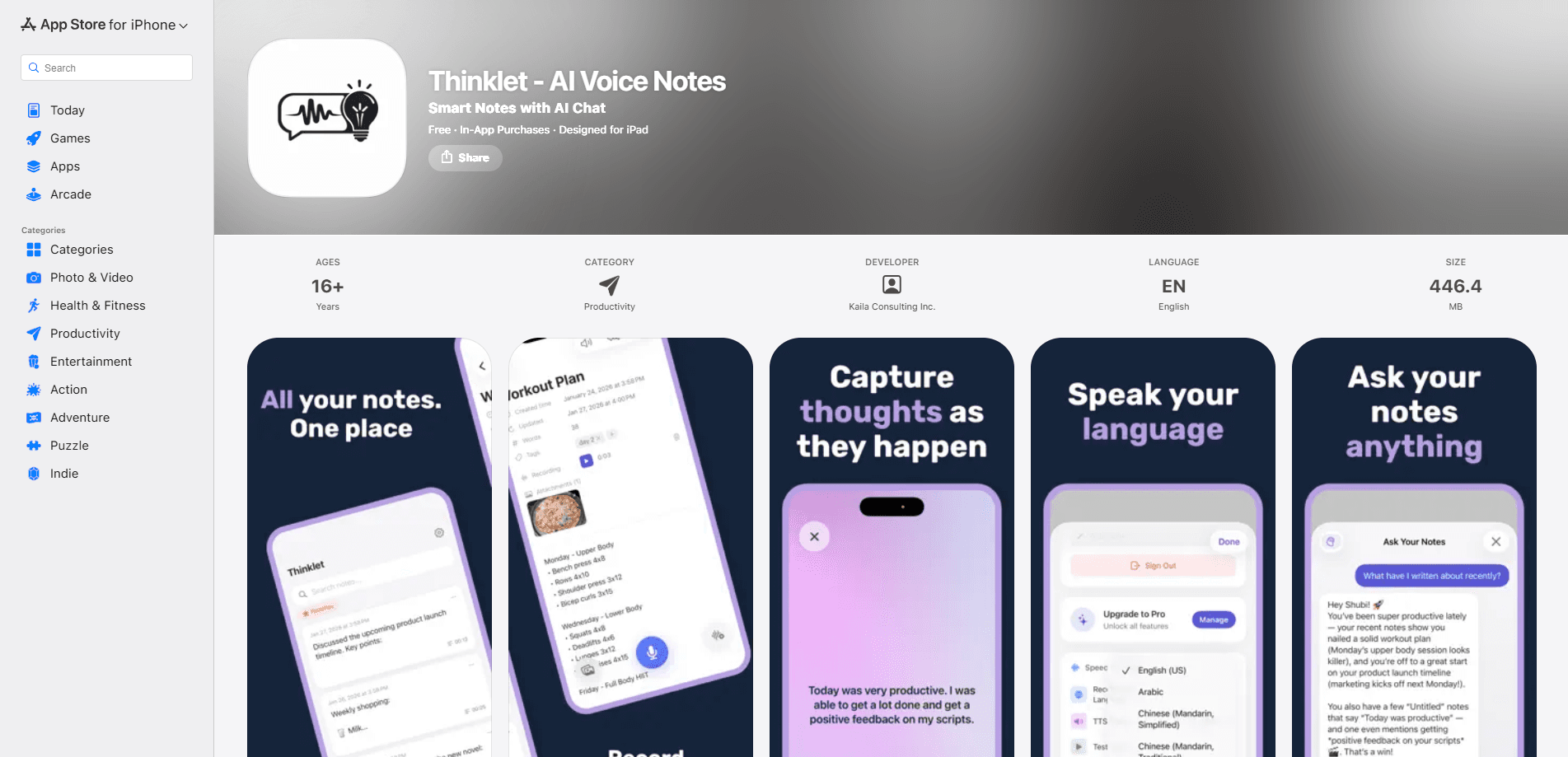
Thinklet AI is a voice-first note-taking app that turns spoken thoughts into organized, searchable notes. It runs transcription and AI features on your device, then lets you chat with your notes to pull up ideas, tasks, or details you'd otherwise forget. It's built for people who think out loud and want a record they can actually use later, rather than a folder of voice files they never open again.
About Thinklet AI
What Is Thinklet AI
Thinklet AI is an iOS note-taking app from Kaila Labs that starts with your voice instead of a keyboard. You speak, the app writes, and everything stays organized enough to revisit weeks later. The pitch is simple. Capture now, find it later.
Most note apps are good at storage and bad at recall. You dump a thought in, then you never open it again. Thinklet AI treats each recording as a small knowledge base you can question in plain language. Ask "what did I say about the launch date" and it answers from your own words, not from the web.
The biggest trade-off is platform and price. It's iOS-only, so Android users are out of luck for now unless Kaila Labs ships an Android build down the road. The free tier is limited, and the useful AI features sit behind a subscription. Whether it's worth paying depends on how much of your day you spend talking through ideas.
Getting Started
- Download Thinklet AI from the App Store on an iPhone or iPad.
- Open the app and allow microphone and speech access when prompted.
- Tap to record a thought, a meeting recap, or a grocery list. Just speak naturally.
- Review the text version, then edit or tag it if you want to keep things tidy.
- Sync through your personal iCloud account so notes show up on your other Apple devices.
Product Information
A quick look at Thinklet AI's pricing, supported platforms, and performance.
Best for
The users, tasks, and scenarios where this tool fits best.
Users
- People who think out loud
- Students and researchers
- Privacy-minded note-takers
Tasks
- Brain-dumping after a meeting
- Turning a long recording into a short summary
- Finding an old idea
Scenarios
- Capturing ideas while walking or driving
- Building a personal knowledge base over time
- Keeping client or patient notes private
Key features
Voice-to-Text Capture
You tap once and talk. Thinklet AI handles the transcription on your device, turning speech into clean, editable text without round-tripping your audio to a server. Start-to-record is quick. That makes it work for short bursts like a stray idea or a phone number. For anyone who types slowly on a phone, this alone changes how much you bother to write down.
On-Device AI Processing
The transcription and the AI features run locally, which is the core of the app's privacy story. Your recordings and notes aren't uploaded to Kaila Labs, and the developer says it can't access them. That has a real cost, because on-device models are usually smaller than cloud ones, so summaries and answers can be less polished than what a cloud AI would produce when it has a whole data center behind it.
Chat With Your Notes
Instead of scrolling through a list, you ask questions. What were my main points from Tuesday? Did I mention a budget number? Both pull answers from your own notes. It behaves like a search engine for your memory. The catch is simple. It only knows what you've recorded, so gaps in your notes become gaps in the answers, which means a rushed recording session tends to produce a shallow knowledge base you can't do much with later.
Automatic Summaries
Long recordings get condensed into short, readable recaps, which saves the chore of re-listening to a 20-minute voice memo. It's the feature most people reach for after a meeting or a lecture. Summaries stay on-device too. So the privacy promise holds through this step.
Cross-Device Sync
Notes sync through your personal iCloud account, so a note captured on your phone is there on your iPad. Because it uses your Apple account rather than a Kaila Labs server, the sync keeps the same privacy rules. It's convenient if you're already inside Apple's world and close to useless if you split your time between an iPhone and an Android or Windows machine.
Pros and cons
Pros
- Voice capture is fast, so you actually record thoughts you'd otherwise lose.
- On-device processing keeps recordings off third-party servers, which suits sensitive notes.
- Chat-based retrieval turns a pile of notes into something you can question.
- Automatic summaries save re-listening time on long recordings.
- iCloud sync keeps notes consistent across your Apple devices.
Cons
- It's iOS-only, so there's no Android or web option.
- The free plan is limited, and the AI features you'd want most sit behind a subscription.
- On-device models can produce rougher summaries than cloud-based tools, so the privacy win comes with a small quality cost.
- Answers are only as good as your notes, so thin recordings give thin results.
Frequently asked questions
It records your voice, transcribes it on your device, and turns it into organized notes you can search and question in plain language. Think of it as a voice recorder plus a private AI assistant that reads your own notes back to you. That's it.
Related content
Explore related tools, skills, and articles for Thinklet AI.
Thinklet AI Alternatives

Off the Record
Weird Machines · Voice & Language · ProductivityOff the Record is a macOS app from Weird Machines that reshapes your voice in real time to block AI transcription, so people hear you normally and notetakers get nothing usable.
Cekura Bench
Cekura · Voice & Language · BusinessCekura Bench is a public benchmark that runs speech-to-speech models and deployed voice agents through 82 simulated phone calls, three times each, then publishes pass rates, latency and cost.
Griffin by Tavus
Tavus · Voice & Language · Video · ChatbotGriffin by Tavus is the first Human Interaction Model: a full-duplex, video-to-video system that watches, listens, and answers during a live video call in real time.