

Timbal AI
Timbal AI · Coding
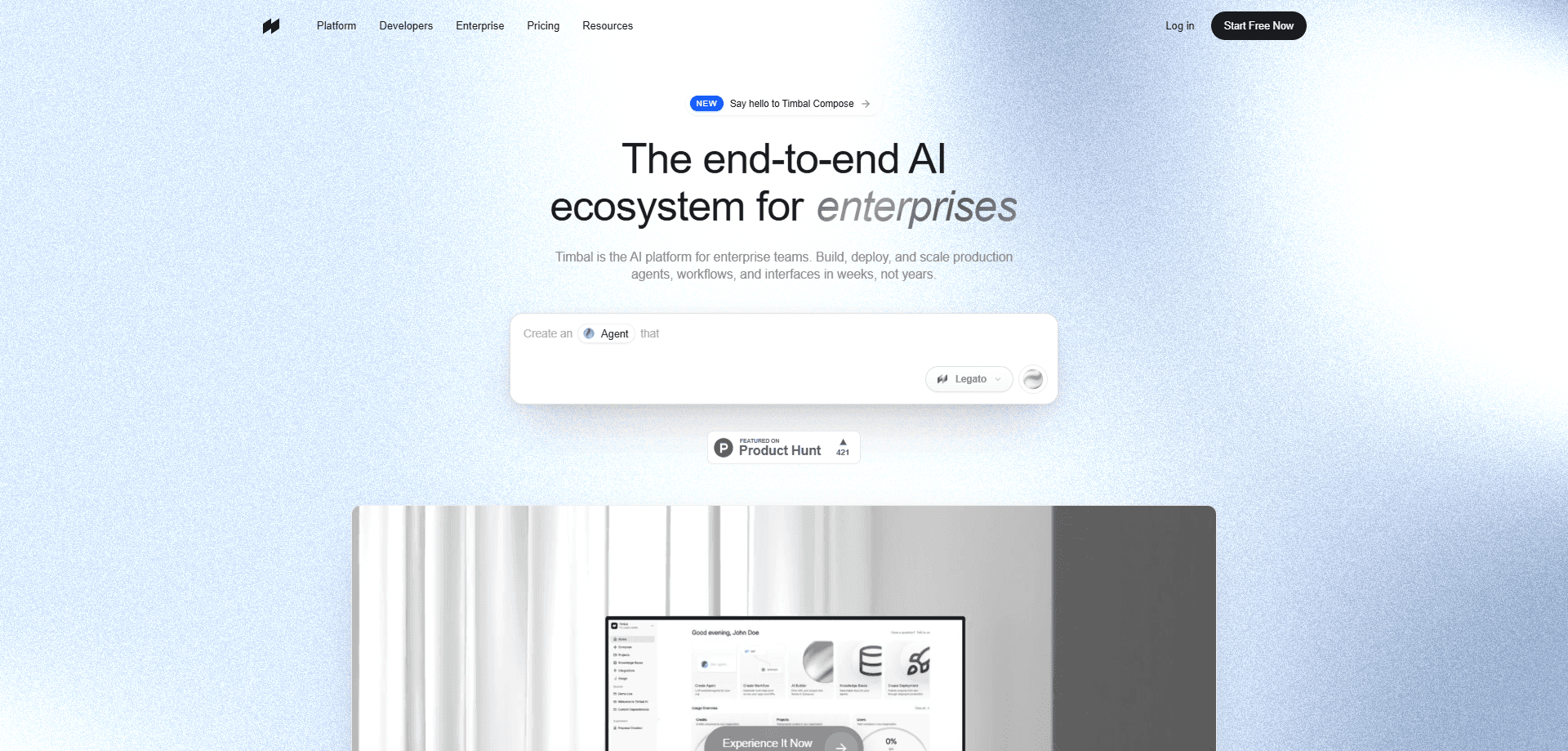
Timbal AI is an end-to-end enterprise AI agent platform for building, deploying, and governing agents, workflows, interfaces, and knowledge bases. It pairs an open-source Python runtime with built-in observability, evaluations, and over 100 integrations. Teams ship AI-native business applications and run them in the EU cloud, their own VPC, or on-prem. It's aimed at companies that need governance, data residency, and audit trails, not weekend prototypes.
About Timbal AI
What Is Timbal AI
Timbal AI is a platform for companies that want AI agents doing real work inside their business systems. Not sitting in a demo. It covers the whole pipeline: writing agents and workflows in an open-source Python framework, grounding them in knowledge bases, exposing them through chat, voice, or custom interfaces. Every run is traced and evaluated. The pitch is straightforward. You build once, then reuse the same permissions, integrations, and evals for every use case that follows.
The company behind it sits in Barcelona, and the product leans hard into regulated industries such as financial services, healthcare, manufacturing, logistics, and retail. Governance isn't an add-on. It's the point. SOC 2 Type II is in progress, ISO 27001 is certified, and the platform aligns with GDPR and EU AI Act controls, with encryption at rest and in transit plus audit logs.
The honest limit is that Timbal AI isn't self-serve. There's no free tier and no published price list. If you want in, you talk to the team, and they scope the work with you. That fits an enterprise buying process, but it means you can't just sign up and poke around on a Sunday afternoon. No credit card, no test drive.
Getting Started
- Contact the Timbal team through the site and describe the workflow you want running in production.
- A forward-deployed engineer scopes the first solution with you, matching it to a similar use case they've already shipped.
- Connect your systems of record, such as CRM, ERP, or telephony, and pick where Timbal runs: EU cloud, your VPC, or on-prem.
- Build the agent or workflow in the Python framework or describe it to Composer, then wire in knowledge bases and tools.
- Review traces and evaluations, then hand the solution to your internal teams to run and extend.
Product Information
A quick look at Timbal AI's pricing, supported platforms, and performance.
Best for
The users, tasks, and scenarios where this tool fits best.
Users
- Enterprise AI teams
- Security and compliance leads
- Forward-deployed engineers
Tasks
- Automating back-office workflows
- Building enterprise RAG
- Shipping internal apps through familiar channels
Scenarios
- Regulated onboarding that needs an audit trail
- Retail and hospitality customer conversations
- SAP-connected order automation
Key features
Open-Source Python Runtime
Agents and workflows are written in an open-source Python framework, with observability built in from the start. The code is yours. Everything you build compiles down to clean code you can read, edit, run locally, and self-host, so there's no black box and no vendor lock-in. A typed tool system keeps agents predictable as they grow.
Knowledge Bases That Merge Search and SQL
Timbal's AI knowledge base treats vector search and structured queries as one engine. It chunks and retrieves across documents and databases together. An agent can pull a policy paragraph and a live database row in the same step instead of stitching two systems together. That matters most for teams whose answers live half in PDFs and half in a CRM.
Built-In Observability and Evaluations
Every run is traced with spans, timing, and step-level detail, and an eval suite runs on every change. Nothing reaches production until it passes the evals your team sets. Traces are replayable. That turns a vague "the agent did something weird" into a specific failure you can fix.
Composer, a Natural-Language Builder
Composer lets you describe an agent and get working scaffolding instead of writing it by hand. You type, it builds. Timbal split it into an architect that plans and builders that work in parallel, which the company says makes it up to 10x cheaper and 2x faster. A UI generator composes screens from a design system rather than inventing each one.
Governance and Guardrails by Default
ACE guardrails control agent behavior at runtime, and permissions, evals, and audit logging are part of the platform rather than bolted on. Compliance documentation is ready for security review, covering ISO 27001, SOC 2 Type II in progress, GDPR, and EU AI Act alignment. For regulated teams, that's often the difference between shipping and stalling. It matters. Security teams ask hard questions, and a platform with the evidence already assembled answers most of them.
Flexible Deployment and Bring-Your-Own-Keys
Run Timbal on the company's EU cloud, inside your own VPC on AWS, Azure, or GCP, or fully on-prem, with the same API and governance model everywhere. Pick your home. Model calls can run on your own OpenAI, Anthropic, or Google accounts, and keys stay in your vault. It's also model-agnostic, so you can route each task to Mistral, Llama, or any OpenAI-compatible endpoint without redesigning the app.
100+ Integrations and Auto-Generated APIs
Over 100 native connectors cover SAP, Salesforce, Slack, Teams, Drive, Jira, and more, and agents reach customers through telephony, CRM, and ERP systems that are already in place. Ship an AI application and you get an API, auto-generated and live instantly. The same platform handles agents, workflows, knowledge bases, and interfaces, so teams aren't gluing four tools together. What does that save you? Mostly the wiring work nobody wants to own.
Pros and cons
Pros
- Full pipeline in one place, from writing agents to tracing runs to governing deployment.
- Open-source Python runtime means you keep the code and can self-host, not just rent a dashboard.
- Deployment choices match strict setups: EU cloud, your VPC, or on-prem, with model keys you control.
- Compliance posture is concrete: ISO 27001, encryption, audit logs, and EU data residency.
- AI knowledge bases fuse vector and SQL search, which suits messy enterprise data.
Cons
- No free plan and no published pricing, so you can't evaluate it without talking to sales first.
- The platform is built for enterprises. A solo developer or small startup will likely find it heavier and pricier than needed.
- Self-hosting and VPC deployment shift infrastructure work onto your team, which needs the staff to run it.
- Being new to the market, third-party reviews and independent benchmarks are still thin.
Frequently asked questions
Timbal AI is used to build, deploy, and govern AI agents, workflows, and knowledge bases for enterprise work. Teams use it to automate back-office processes, build internal assistants over company data, and connect AI to systems like SAP, Salesforce, and telephony.
Related content
Explore related tools, skills, and articles for Timbal AI.
Timbal AI Alternatives
Forefront
Forefront · CodingForefront is a web platform for building with open-source AI. It lets you fine-tune leading open-source language models on your own data, evaluate how they perform, and run them through an API or export them to host yourself. Developers who want the convenience of a closed-source platform but insist on owning their models and data are the target audience here.

Startkit
StartKit.AI · CodingStartkit is a boilerplate for building AI SaaS and AI wrapper products. Think of it as an AI startup boilerplate with the boring parts already wired up: authentication, Stripe and Lemon Squeezy payments, usage limits, transactional email, and an AI API starter that talks to OpenAI, Anthropic, Groq, or Llama. You clone the repo, set your price, and start on the part of your product that people actually pay for. It's Next.js under React and Tailwind, so most of the boilerplate code already feels familiar.
Testim
Tricentis · CodingTestim is an AI-powered test automation platform for building and running end-to-end tests across web, mobile, and Salesforce applications. It leans on machine learning to keep tests stable when an interface changes, so teams spend less time fixing broken selectors. Not bad for an automated testing tool you can start using today. You create tests by recording actions in a browser, then optionally add JavaScript when you need more control. It's a solid pick for busy QA teams.