
Time Squeeze
Opticos Studios · Coding · Productivity
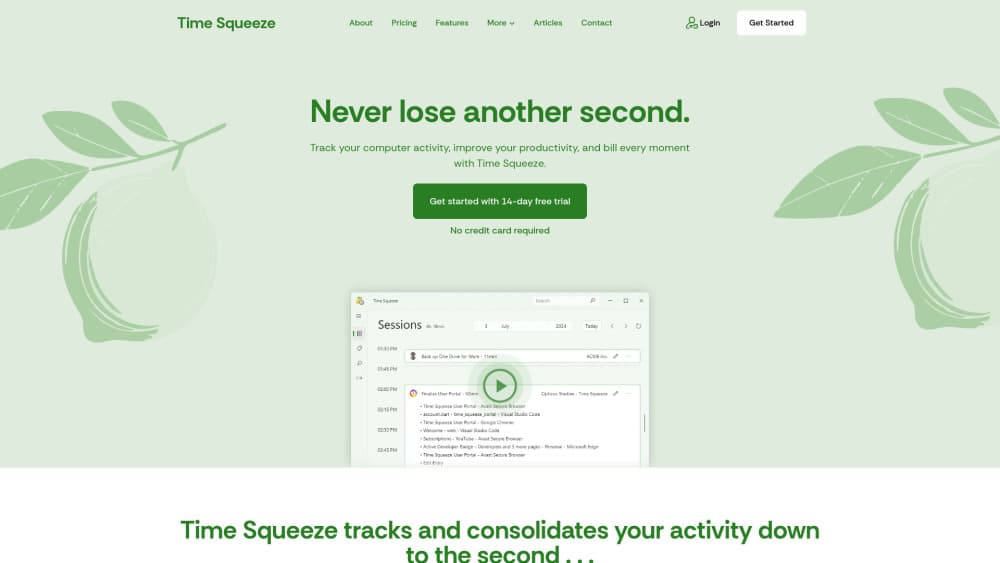
Time Squeeze is a Windows app from Opticos Studios that automatically tracks your activity second by second, groups it into sessions, and turns it into accurate billing reports.
About Time Squeeze
What Is Time Squeeze
Time Squeeze is automatic time tracking software for Windows from Opticos Studios, a studio that has been building software for more than 10 years. It records what you do on your computer, down to the second, and consolidates that activity so you can bill for it without keeping a manual timer. It watches the websites you visit, the apps you open, and the individual files you work on.
The product targets people who bill by the hour and hate end-of-month guesswork. Freelancers, consultants, agencies and internal teams all face the same problem: reconstructing a billing period from memory, old emails and calendar entries. Time Squeeze takes that reconstruction away. Once your activity is tracked, you tag it with a client and a project, filter it, and export a report. The company frames it as a tool that pays for itself by catching the minutes you would otherwise forget to bill.
Two things are worth knowing up front. It is Windows only, so macOS, Linux, iOS and Android users cannot run it. And every tracked record stays on your own PC, which the company presents as a privacy feature: nothing is uploaded or stored online, and the tool is not built to monitor employees.
Getting Started
- Create a Time Squeeze account in the web portal and start the 14-day free trial, no credit card needed
- Install the app from the Microsoft Store, through Winget, or deploy it at scale with Microsoft Intune
- Let it run in the background while you work, then review the sessions it grouped for you
- Tag sessions with a client and a project, filter what you need, and export the report for billing
Product Information
A quick look at Time Squeeze's pricing, supported platforms, and performance.
Best for
The users, tasks, and scenarios where this tool fits best.
Users
- Freelancers who bill by the hour
- Consultants and agencies
- Small and mid-sized businesses
- IT and operations staff
Tasks
- Tracking billable hours
- Activity consolidation
- Billing exports
- Cost accounting
- Time back-filling
Scenarios
- A billing period closes
- You lose track of a website you visited last month
- A client disputes a line item
- You leave your PC for a meeting
- You work offline on a plane
Key features
Second-by-Second Activity Tracking
Time Squeeze records every activity on your computer that lasts 15 seconds or longer. That covers the websites you visit along with their URLs, the applications you use, and any document or file you have open. No manual timer is involved, so the record builds itself while you work.
Automatic Session Grouping and Look-Back
Everything you do is stored as an activity, and activities are grouped into sessions automatically. You can look back through your timeline at any point in time and drill down to the smallest detail, which means you can answer "what was I doing at 2pm last Tuesday" without searching old emails.
Session Tagging and Categorization
You tag and categorize sessions by client and project, add notes, and rename them. For finer control, you can create client and project overrides for specific activities, or mark an activity as not billable so it stays out of the total.
Flexible Search
The search tool finds activities by client, project, keyword, date, application, billable status, website or filename, then sorts them by name, date or duration. It is available from any page and opens with CTRL+F, which makes it a fast way to check a detail mid-task.
Reporting and Export
Anything you select and filter can be exported. You group activities by client, project, date or application, then send the result out as Excel, CSV or JSON, with more formats planned. The export is built to be handed to an assistant or a third-party billing provider.
Time Squeeze Portal
The web portal manages licenses and devices for one person or a thousand, and it holds your invoices. It is also where you sign up, start the trial and cancel a subscription. Admins use it to add licenses and review an organization's account from any device with a browser.
Easy Install and Deployment
The app installs from the Microsoft Store or through Winget, and IT teams can roll it out to thousands of machines with Microsoft Intune. After install, the Microsoft Store updates it automatically. The company says a large deployment takes minutes rather than days.
AFK Notifications and Manual Sessions
When you leave your PC for less than eight hours and come back, a notification tells you how long you were away and offers to save that gap as a session. For anything the app cannot track, like phone calls or meetings, you add a session by hand on the sessions page.
Pros and cons
Pros
- Tracking is automatic and second-by-second, so no one has to remember to start a timer
- Data stays on your own PC, with nothing uploaded or stored online
- Tags and client-project overrides separate billable work from the rest without other project software
- Exports to Excel, CSV and JSON, which fits most invoicing workflows
- Deployment scales from one machine to thousands through the Microsoft Store, Winget or Intune
Cons
- Windows only, so macOS, Linux, iOS and Android users are left out
- No free plan, only a 14-day trial, and billing is per device rather than per user
- No refunds, so you have to test inside the trial window before committing
- The statistics and AI categorization features are still marked as coming soon
Frequently asked questions
Time Squeeze is automatic time tracking software for Windows. It records your computer activity second by second, including websites, apps and individual files, groups that activity into sessions, and turns it into reports you can use for billing. No manual timer is needed.
Related content
Explore related tools, skills, and articles for Time Squeeze.
Time Squeeze Alternatives

Base Code
Base44 (Wix) · Coding · ProductivityBase Code is a shared cloud development environment from Base44. Teammates describe changes to an existing GitHub codebase in chat, preview them live and send them back as pull requests.

Google EmbeddingGemma 2
Google DeepMind · Writing · Image · CodingGoogle EmbeddingGemma 2 is a 740M-parameter open model that turns text, code, images, audio, and video frames into vectors in one 768-dimension space, running on phones and laptops.

GitGlow
GitGlow · Coding · ProductivityGitGlow is a local-first desktop Git client that lets independent developers review their own code and their AI agents' changes in one place before shipping.