

Timmy-TUI
woodman33 · Coding
Timmy-TUI (branded TIMMY) is an open-source terminal UI and control plane for AI agent work. It records every run as a signed, hash-chained receipt, so you can see what an agent did, what it cost, and what it produced. Replays work from the receipt alone. It runs locally on Node.js and talks to OpenRouter frontier models or free local Ollama models when you don't want to pay for tokens.
About Timmy-TUI
What Is Timmy-TUI
Timmy-TUI is a local-first flight recorder for AI agents, packaged as a terminal user interface you run on your own machine. Its job is accountability. Agents edit files, run commands, and call models. Normally you take their word for what happened. TIMMY instead seals a receipt for every run: what ran, where, how long it took, what it cost, and which artifacts it produced.
The receipts are sha256 hash-chained and ed25519-signed, which means each record links to the one before it. Change one entry and the chain breaks. That's the whole point. "Trust the receipt, not the model" is the project's own line, and it sums up the design. If you've ever watched an agent claim success while quietly drifting from its environment, this is aimed at you.
The main limit is the audience. Timmy-TUI is a developer tool that lives in a terminal on Node.js. There's no browser dashboard for non-technical users, and no mobile app. Some lanes it ships with, like the 3D pipelines for Blender or Unreal, assume you already have those tools installed.
Getting Started
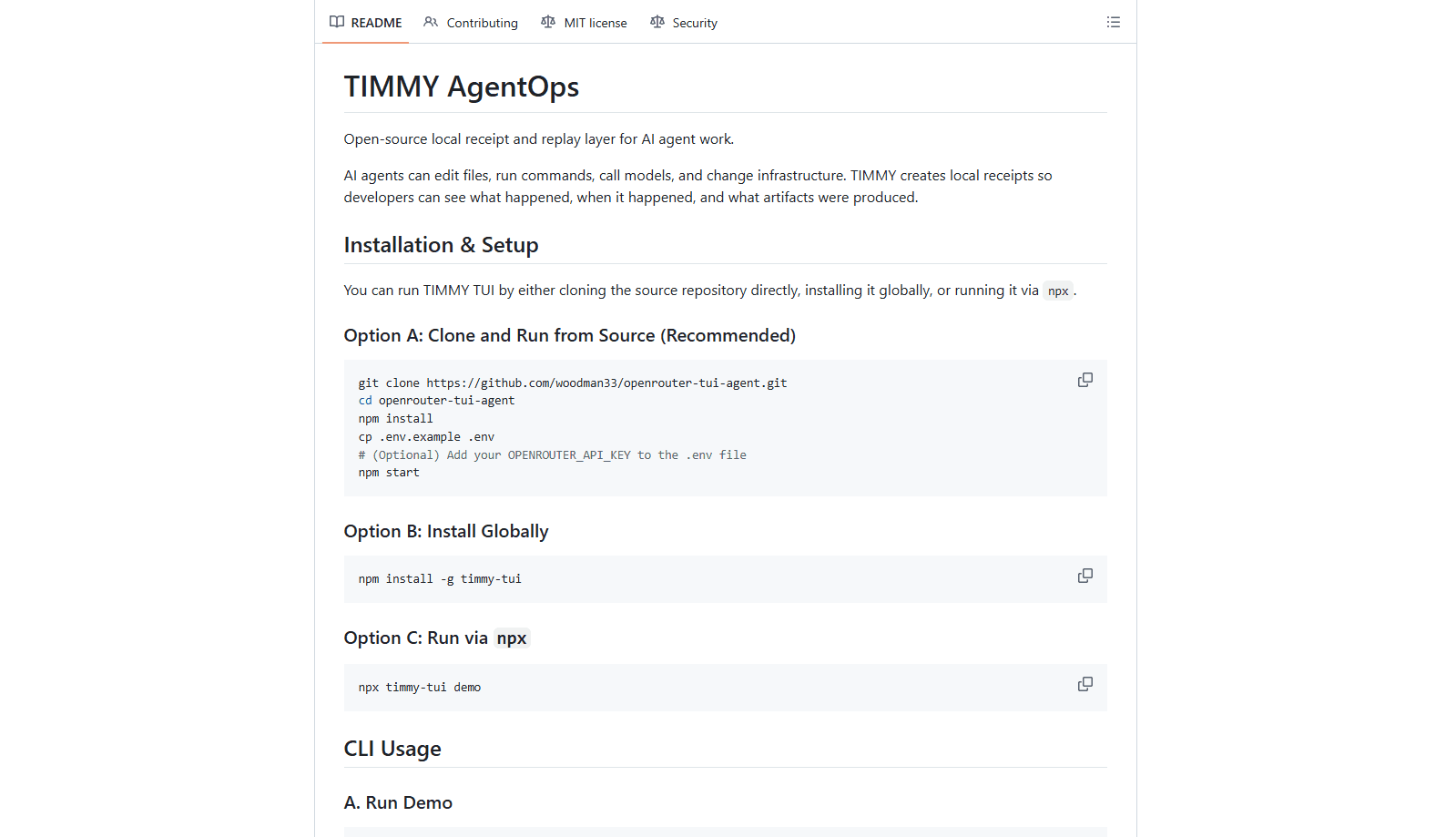
- Clone the repo with
git clone https://github.com/woodman33/timmy-tui.git, then runnpm installinside the folder.
- Copy
.env.exampleto.envand add anOPENROUTER_API_KEYif you want frontier models. Skip this and TIMMY falls back to local Ollama models at no cost.
- Launch the TUI with
npm start. PressTabto switch tabs,?for the key grammar, andCtrl+Kfor the command palette.
- Run
timmy demoto seal your first receipt at.timmy/receipts/demo-receipt.json, ortimmy proof "create a hello world worker"to produce a full proof run folder with a replay file.
- Point any MCP-speaking agent at the built-in server with
timmy mcp serveto start recording its tool calls.
Product Information
A quick look at Timmy-TUI's pricing, supported platforms, and performance.
Best for
The users, tasks, and scenarios where this tool fits best.
Users
- Developers running agents in production scripts
- Teams that need to audit model spend
- Anyone wary of frontier model bills for light tasks
- Engineers who already live in a terminal
Tasks
- Replaying a failed agent run
- Verifying that a run actually succeeded
- Fanning a prompt across several models
- Recording tool calls inside an existing agent
Scenarios
- Debugging an agent that produced a broken file at 2am
- Handing work to a teammate
- Tracking costs across a week of agent experiments
- Catching a model that quietly changed
Key features
Signed, Hash-Chained Receipts
Every run seals into a receipt with sha256 hash chaining and an ed25519 signature. It stores prompt and response hashes, token usage, cost, latency, and an error class. Failed runs and denied runs get sealed too, so the gaps in a log aren't silent. That last detail matters. Most logging tools only record the successes, which is exactly when you least need the history.
Environment Lock and Honest Replay
TIMMY binds the OS, architecture, and tool build hashes to each receipt. When you replay, it refuses to pretend a drifted machine is the same one that produced the run. So a replay either matches the environment or tells you it doesn't. Replay reads from the manifest alone, while EDL cut-lists reassemble the clips into a portable .agentrun bundle that carries the edits, hashes, and receipts with OTIO interchange for tools that speak that format.
Command Post and Delegation
Command Post takes a typed DispatchPlan, validated with CUE, and runs it through a lifecycle. Operator tokens bind to the complete plan hash, so approval is single-use and expiring. Paid routes default-deny without a spend bound, which stops an agent from quietly running up a bill. It's a guardrail you set once and forget.
Execution Lanes
TIMMY drives agents through several execution lanes, each built for a different kind of work. These include OpenHands in a disposable-sandbox-or-nothing mode, OpenCode, Pi, and jcode. There are 3D lanes for Blender, Godot, Unity, Unreal, and Houdini, plus key-gated API lanes. Terminal multiplexing with tmux, zellij, and rmux lets you watch several runs at once.
Judge Loops
For higher-confidence answers, judge loops fan a prompt out across several models locally, then escalate to a frontier model only when confidence crosses a threshold. Each loop seals both child and parent receipts, so you can trace how a final answer was reached rather than just seeing the endpoint.
MCP Server and Companions
The bundled MCP server exposes 24 tools to any MCP-speaking agent, with a client-exec bridge and an OpenAPI invoker lane that lets an existing agent hand off work without rebuilding its own tool layer. Companion services add a browser chat mirror on port 3001, a receipt browser and dispatch survey on 4310, and a Mission Map on 4321. So the terminal work has a visual layer when you want one.
Pros and cons
Pros
- Receipts are signed and hash-chained, so tampering with the log is detectable rather than silent.
- Runs entirely locally on Node.js, which keeps agent data on your own machine.
- Free local Ollama models mean you can work at $0 when frontier access is unavailable or unwanted.
- Environment lock makes replay honest about drift instead of producing misleading results.
- The MCP server wraps existing agents without forcing a rewrite.
- Open source under the MIT license, so you can read and change the code.
Cons
- It's a terminal UI, so anyone outside a dev workflow will find the interface rough going.
- The feature list is dense. Receipts, dispatch plans, and judge loops take time to learn before the payoff shows.
- Some 3D and API lanes need the external tool or key already set up, so they aren't plug-and-play.
- Receipts only cover what runs through TIMMY. An agent that never touches it leaves no record.
Frequently asked questions
Timmy-TUI is an AI agent flight recorder. It records runs as signed, hash-chained receipts, capturing what executed, on which environment, how long it took, and what it cost. Agent replay then works from the receipt alone. It's best described as a flight recorder and control plane for agent activity.
Related content
Explore related tools, skills, and articles for Timmy-TUI.
Timmy-TUI Alternatives
Forefront
Forefront · CodingForefront is a web platform for building with open-source AI. It lets you fine-tune leading open-source language models on your own data, evaluate how they perform, and run them through an API or export them to host yourself. Developers who want the convenience of a closed-source platform but insist on owning their models and data are the target audience here.

Startkit
StartKit.AI · CodingStartkit is a boilerplate for building AI SaaS and AI wrapper products. Think of it as an AI startup boilerplate with the boring parts already wired up: authentication, Stripe and Lemon Squeezy payments, usage limits, transactional email, and an AI API starter that talks to OpenAI, Anthropic, Groq, or Llama. You clone the repo, set your price, and start on the part of your product that people actually pay for. It's Next.js under React and Tailwind, so most of the boilerplate code already feels familiar.
Testim
Tricentis · CodingTestim is an AI-powered test automation platform for building and running end-to-end tests across web, mobile, and Salesforce applications. It leans on machine learning to keep tests stable when an interface changes, so teams spend less time fixing broken selectors. Not bad for an automated testing tool you can start using today. You create tests by recording actions in a browser, then optionally add JavaScript when you need more control. It's a solid pick for busy QA teams.