

Tinybird
Tinybird · Coding
Tinybird is a real-time analytics platform built on managed ClickHouse for shipping analytics features fast. It ingests events, lets you query them with SQL, and turns queries into low-latency APIs without you running the infrastructure.
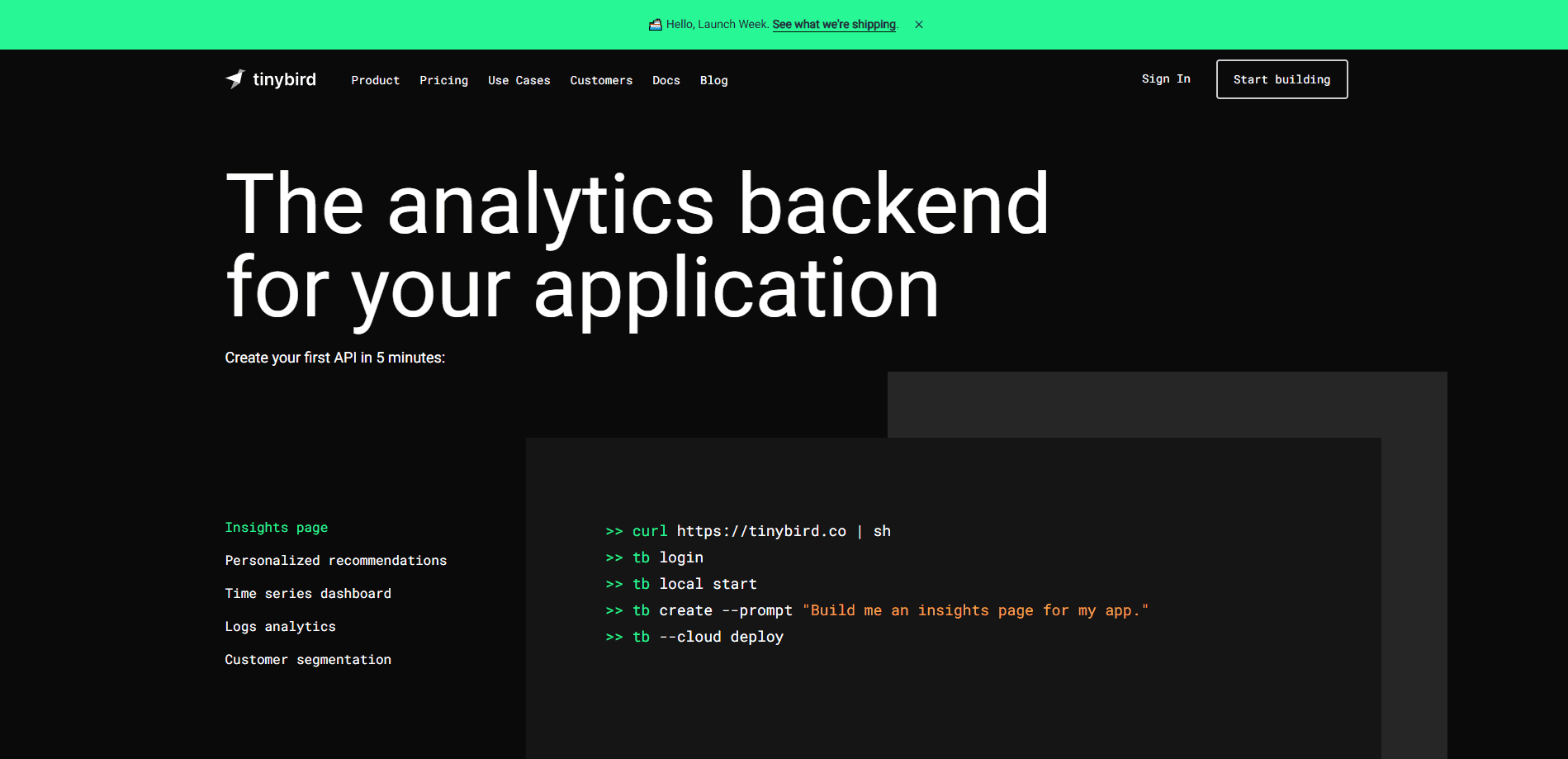
About Tinybird
What Is Tinybird
Tinybird is a data platform for user-facing analytics. It runs managed ClickHouse behind the scenes, so you skip the work of operating clusters, ingestion services, and a separate API layer. You send in events, telemetry, logs, or transactions over HTTP, Kafka, S3, or GCS, shape them with SQL, and publish the results as endpoints that your product can call.
The company targets engineering and data teams that need to answer questions from live data inside an app, not in a dashboard someone opens once a week. Canva is the loudest proof point: it processes 3.6 PB a month with 54 ms p99 query latency while serving more than 165 million active users, according to Tinybird. Teams build things like usage meters, activity feeds, and in-product dashboards on top of it.
The main limit is that Tinybird is infrastructure for developers, not a no-code dashboard builder. You'll work in files, Git, and SQL. If you want drag-and-drop charts with no setup, this isn't the tool. It also leans on ClickHouse, so a working grasp of that engine helps when queries get heavy.
Getting Started
- Create an account at cloud.tinybird.co, or install the CLI with curl.
- Define data sources in .datasource files and endpoints in .pipe files.
- Run a build to create the resources in your development branch.
- Send events through the Events API or connect a Kafka, S3, or GCS source.
- Deploy to Tinybird Cloud and call your endpoint with a token.
Product Information
A quick look at Tinybird's pricing, supported platforms, and performance.
Best for
The users, tasks, and scenarios where this tool fits best.
Users
- Backend and data engineers
- Startups short on infra staff
- Product teams at scale
Tasks
- Turning SQL into product endpoints
- Real-time dashboards and usage meters
- Event and log ingestion
- Observability queries
Scenarios
- Launching an analytics feature on a tight deadline
- Handling steady or spiky traffic
- Keeping data projects in version control
Key features
Managed ClickHouse
Tinybird hosts ClickHouse for you, including automatic version upgrades and schema migrations. You get the speed of a columnar engine without the chores of running and patching a cluster. Independent scaling lets query workloads grow on their own.
SQL to API Endpoints
Write a SQL query in a pipe and publish it as a REST endpoint that returns JSON. The platform handles the API layer, tokens, and scaling, so you skip standing up a service just to serve a query. It's the core reason teams pick Tinybird over a raw database.
Flexible Data Ingestion
Bring data in through the Events API over HTTP, or connect Kafka, S3, GCS, or DynamoDB. Streaming and batch both land in the same place, which means one query path for live and historical data. You don't wire up a separate pipeline per source.
Local Development with Git
Develop on your machine, deploy to Tinybird Cloud, and keep projects in version control. Data branches let you test changes before they hit production, and CI/CD templates fit existing workflows. The TypeScript and Python SDKs define resources as typed code.
Observability Built In
Service data sources such as pipe stats, data source logs, and job logs show usage with sub-second latency. You can see query times, ingestion volume, and API calls as they happen. That visibility helps you catch cost creep before the bill arrives.
Enterprise Security and Compliance
Dedicated clusters, SSO, role-based access control, and private regions support regulated teams. Tinybird holds SOC 2 Type II, HIPAA, and GDPR compliance, with bottomless storage and zero-copy replication on Enterprise. Support tiers range from community Slack to a dedicated engineer.
Pros and cons
Pros
- Turns SQL into production APIs fast, so analytics features ship in days rather than weeks.
- Managed ClickHouse removes cluster operations, upgrades, and migrations from your plate.
- Real-time ingestion from HTTP, Kafka, S3, and GCS keeps live and batch data in one place.
- Free tier and a $49 a month Developer plan let small teams start cheap.
- Git integration and SDKs keep data projects in normal developer workflows.
Cons
- It's built for engineers, so a SQL and Git gap makes the platform hard to use.
- ClickHouse quirks show through, which means tuning still takes know-how.
- Costs scale with compute and storage, so heavy usage can climb past the starter plans.
- No drag-and-drop dashboard builder means non-technical users need a separate BI tool.
Frequently asked questions
Tinybird powers user-facing analytics. Teams ingest events and logs, query them with SQL, and publish low-latency APIs that feed in-app dashboards, usage meters, and activity feeds.
Related content
Explore related tools, skills, and articles for Tinybird.
Tinybird Alternatives

Base Code
Base44 (Wix) · Coding · ProductivityBase Code is a shared cloud development environment from Base44. Teammates describe changes to an existing GitHub codebase in chat, preview them live and send them back as pull requests.

Google EmbeddingGemma 2
Google DeepMind · Writing · Image · CodingGoogle EmbeddingGemma 2 is a 740M-parameter open model that turns text, code, images, audio, and video frames into vectors in one 768-dimension space, running on phones and laptops.

GitGlow
GitGlow · Coding · ProductivityGitGlow is a local-first desktop Git client that lets independent developers review their own code and their AI agents' changes in one place before shipping.