

TLDR This - Article Summarizer & Online Text Summarizing Tool
Tridev · Writing
TLDR This is a free online summarizer that turns long articles, papers, and documents into short key-sentence or AI-written summaries in a click.
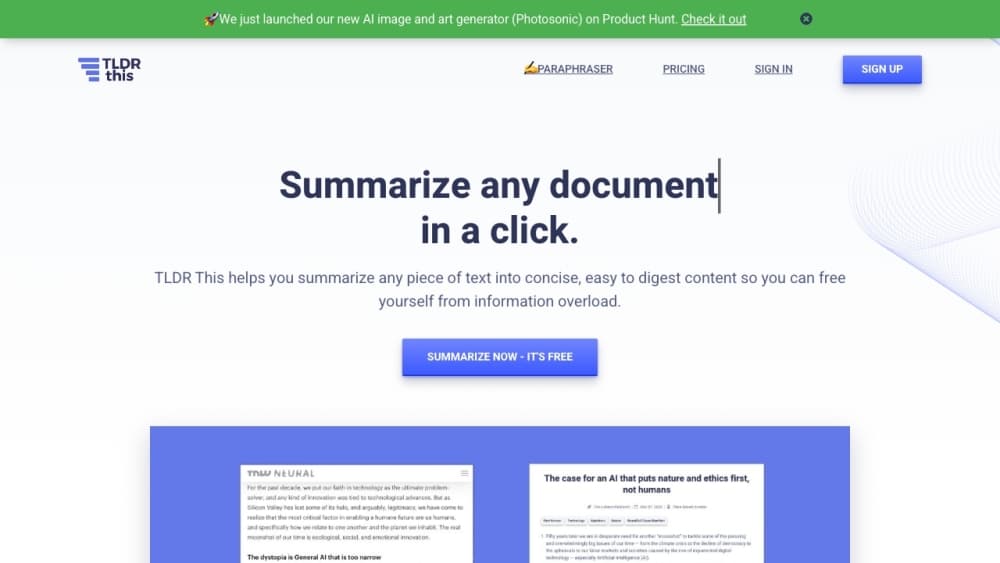
About TLDR This - Article Summarizer & Online Text Summarizing Tool
What Is TLDR This
TLDR This is an online text summarizer that condenses long articles, documents, essays, and papers into short summaries. You paste a link or a block of text, and the tool pulls out the main points so you can decide whether the full piece is worth your time. It was built by Tridev and launched as a side project in 2019, and it has settled into a simple job: cut the reading down to the parts that matter.
The tool gives you more than one kind of output. Key Sentences picks the strongest lines straight from the source without rewriting them, which is quick and stays close to the original wording. The AI summary rewrites the source in a more human tone, and you can ask for a short version, a concise one, or a longer breakdown that walks section by section. Along the way, TLDR This strips out ads, popups, and other page clutter, and it surfaces metadata like the author, publish date, and estimated reading time.
The main limit is reach rather than skill. The free tier tops out at ten advanced AI summaries, and the rest of the free experience runs on basic key-sentence output. Anyone who leans on the tool daily moves to a paid plan, and the paraphrasing feature that shares the same platform sits behind those plans too.
Getting Started
- Go to tldrthis.com and paste an article URL or a block of text into the box.
- Press Summarize to get a key-sentence summary right away, with no account needed.
- Sign up for a free account to unlock ten advanced AI summaries and the browser extensions.
- Switch between key sentences and the AI summary, and pick short, concise, or detailed output.
- Move to Starter, Professional, or Business when the free credits run out.
Product Information
A quick look at TLDR This - Article Summarizer & Online Text Summarizing Tool's pricing, supported platforms, and performance.
Best for
The users, tasks, and scenarios where this tool fits best.
Users
- Students
- Writers and editors
- Journalists and researchers
- Teachers and trainers
Tasks
- Summarizing a long article
- Screening research
- Condensing your own writing
- Cleaning up a page for reading
Scenarios
- A stack of links before a deadline
- Studying for an exam
- Keeping up with a beat
Key features
Key Sentence Summaries
The basic mode picks the strongest sentences straight from the source and leaves the wording untouched. This runs without an account and without a credit, so you can summarize as many pieces as you like. The output stays close to the original phrasing, which is useful when you want the author's exact points rather than a rewrite.
AI-Written Summaries
The advanced mode rewrites the source in a more natural, human tone instead of lifting lines out. You choose short, concise, or detailed, and the detailed option breaks the article into sections so longer pieces keep their structure. Free accounts get ten of these summaries to start, and paid plans raise the monthly count.
Browser Extensions
TLDR This ships browser extensions that summarize any webpage in a click. Instead of copying text into the site, you open a page and hit the extension icon to get the summary in place. This is the part that turns the tool from an occasional stop into something you reach for while reading.
Metadata and Keyword Extraction
Every summary comes with the article's author, publish date, and estimated reading time pulled together in one view. The tool also surfaces the important keywords in a piece. For anyone sorting through many sources, those details save a round of hunting through the page.
Distraction-Free Reading
The tool strips ads, popups, graphics, and other clutter from the page and presents a clean version of the text. It also filters out weak arguments and flashy filler when it picks the summary, so the output leans on substance rather than clickbait phrasing.
Paraphrasing Tool
The same platform includes a paraphrasing tool for rewriting a passage in a different voice or style. It sits alongside the summarizer for people who want to reshape text rather than just shorten it. Access to it follows the paid plans, so it is a step beyond the free summary features.
Developer API
TLDR This offers API access for developers who want to build summarization into their own products, and it is listed on RapidAPI. Teams can send text or a URL and get a summary back, which suits workflows that need the feature inside another app.
Pros and cons
Pros
- The free tier needs no account and no credit card, so you can summarize articles right away.
- Key sentence mode is unlimited and keeps the author's exact wording, which helps when phrasing matters.
- The browser extension summarizes a page in a click, so it fits into reading rather than replacing it.
- Metadata and keyword extraction gather the author, date, and reading time in one place, which saves time across many sources.
Cons
- The free plan caps advanced AI summaries at ten one-time, so regular users hit the wall quickly.
- Paraphrasing sits behind the paid plans, so the free experience is summarization only.
- Detailed, section-wise output is stronger on well-structured articles and weaker on messy or very short text.
- There is no native mobile app, so on a phone you work through the browser instead of a dedicated tool.
Frequently asked questions
TLDR This summarizes long text, including articles, documents, essays, and papers, into short key-sentence or AI-written summaries. It also pulls out metadata like the author, date, and reading time so you can judge whether the full piece is worth reading.
Related content
Explore related tools, skills, and articles for TLDR This - Article Summarizer & Online Text Summarizing Tool.
TLDR This - Article Summarizer & Online Text Summarizing Tool Alternatives

Google EmbeddingGemma 2
Google DeepMind · Writing · Image · CodingGoogle EmbeddingGemma 2 is a 740M-parameter open model that turns text, code, images, audio, and video frames into vectors in one 768-dimension space, running on phones and laptops.

MePersona
MePersona, Inc. · Writing · Productivity · MarketingMePersona is an AI unified inbox for creators. It learns your voice, drafts replies to fan messages from 12 platforms, and sends only what you approve.

Fluence
Yay Software (Yannick Huchard) · Writing · Voice & Language · ProductivityFluence is an Android app that reads PDFs, EPUBs, Word files and web articles aloud, follows each sentence as it speaks, and answers questions about the text on the phone itself.