

Together Link
Together AI · Coding
Together Link is a free, open-source tool from Together AI that points coding agents like Claude Code and Codex at open models, with an auto router and a cost receipt for every session.
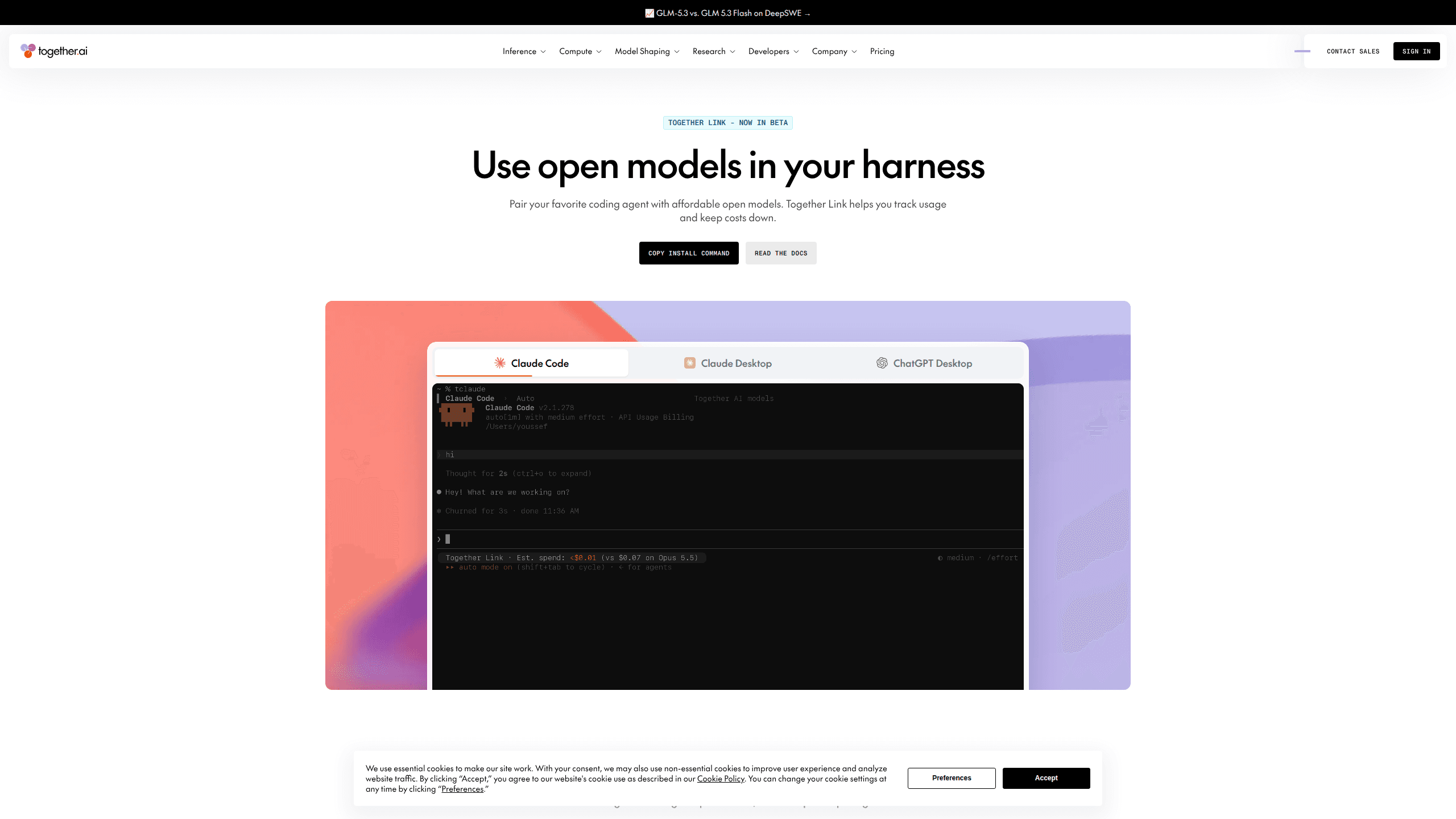
About Together Link
What Is Together Link
Together Link is a command-line tool that sits between the coding agent you already use and the models it talks to. You install it once, run a single command to launch Claude Code, Codex, OpenCode, or Pi, and the tool sends the model traffic to open-weight models hosted on Together AI. Your login, settings, project files, and chat history stay where they are. Only the model layer changes.
The problem it addresses is billing. A coding agent sends everything to the same premium model, whether the task is a one-line fix or a three-file refactor. At team scale that adds up fast. Together Link lets you keep the agent and swap in models such as GLM 5.3 or Kimi K3, which handle plenty of everyday coding work at a fraction of the per-token price. The savings claim from Together AI is over 50% compared with running every session on Opus 5.5.
The limits are practical rather than technical. Together Link is in beta, works on macOS and Linux, and needs a Together AI API key, so you pay for tokens instead of a flat subscription. The auto router looks at the first task in a session and picks once, which keeps prompt caching intact but also means a long mixed session stays on the model it started with. Anyone on Windows has to wait.
Getting Started
- Create a Together AI account at api.together.ai and copy an API key from the dashboard.
- Paste the install command into Terminal:
curl -fsSL https://link.together.ai/install | bash. It takes a few seconds and needs no other dependencies. - Run
togetherlink configureand paste the key when prompted. - Launch your agent with
togetherlink claude,togetherlink codex,togetherlink chatgpt,togetherlink opencode, ortogetherlink pi. In the agent's model menu, leave the selection on Auto. - Close the session to see its token and dollar totals, then run
togetherlink usagefor the last seven days of spend. Desktop profiles come off withtogetherlink claude-desktop offortogetherlink chatgpt off.
Product Information
A quick look at Together Link's pricing, supported platforms, and performance.
Best for
The users, tasks, and scenarios where this tool fits best.
Users
- Engineering teams already running Claude Code or Codex
- Solo developers and indie hackers
- Platform and developer-experience leads
Tasks
- Everyday coding work such as small fixes, test writing, and refactors
- Auditing what your coding agent actually costs
- Trying open-weight models without changing tools
- Keeping a team on one model lineup
Scenarios
- A team whose monthly bill from closed models has grown past what the work justifies
- A proof of concept where the model should be swappable
- A developer who wants Claude Desktop for chat and open models for code
Key features
One-command setup that leaves your config alone
The installer adds a single binary and rewrites nothing in your existing agent setup. Terminal agents get settings that last only for that session, so ~/.claude, ~/.codex, and your project files stay byte for byte the same. If the tool misbehaves, closing the terminal ends its influence.
An auto router that picks a model per session
Set the model to Auto and the open model router reads the first task in the session before choosing. Quick work goes to a low-cost model such as GLM 5.3 Flash or DeepSeek V4.1 Flash, while harder problems get Kimi K3 or GLM 5.3. If you add an Anthropic key in Claude Code, it routes between Opus 5.5 and GLM 5.3 instead. Routing happens once per session, which is deliberate: repeated switching would break prompt caching and cost you more.
A session cost receipt and a usage report
Every proxied session prints its token and dollar totals when you exit. The receipt also shows what the same session would have cost on Opus 5.5, so the comparison is concrete rather than a marketing percentage. The togetherlink usage command lists the last seven days of spend, which is enough to spot the one workflow that eats your budget.
Six harnesses from the same install
Claude Code, Claude Desktop, ChatGPT Desktop, the Codex CLI, OpenCode 2 and later, and Pi 0.80.8 and later all work with the same install. Each has its own launch command, and each keeps its own habits: Claude Code keeps its login and subscription, Codex keeps its sandbox and approval settings, and OpenCode keeps its other providers side by side.
Reversible profiles for the desktop apps
Claude Desktop and ChatGPT Desktop get a separate profile rather than an edited config. The apps reopen with the Together lineup in the model menu for Chat, Cowork, and Code, while your normal account, projects, and chats stay in the original profile. Turning it off is one command, and the original profile is exactly where you left it.
Published per-token pricing across the open lineup
The lineup covers a wide price range: DeepSeek V4.1 Flash and MiniMax M3 at $0.30 per million input tokens and $1.20 per million output tokens, GLM 5.3 at $1.40 and $4.40, and Kimi K3 at $3.00 and $15.00. Billing runs on your existing Together AI API key against serverless pay-as-you-go or credit packs, with no separate contract for the tool.
Pros and cons
Pros
- The tool is free and open source, so the only cost is the tokens you actually use.
- Your login, settings, memory, and history stay intact, and terminal sessions leave no permanent config changes.
- The auto router handles model choice for you, and the once-per-session rule protects prompt caching.
- The session cost receipt makes spend visible in dollars, not just token counts.
- Switching back to native models takes one command, which lowers the cost of trying it.
Cons
- Beta status and macOS or Linux support mean Windows teams are left out for now.
- You need a Together AI API key and a payment method, so it is not a fixed monthly subscription.
- Routing once per session keeps a long mixed session on its starting model, even when later tasks would suit a cheaper one.
- The 50% to 80% savings compare against Opus 5.5, so anyone already on a cheaper plan will see a smaller gap.
Frequently asked questions
The tool itself is free and open source. You pay for model usage at Together AI's per-token rates, billed to your own API key, so a light week can cost a few dollars and a heavy one costs more.
Related content
Explore related tools, skills, and articles for Together Link.
Together Link Alternatives

Base Code
Base44 (Wix) · Coding · ProductivityBase Code is a shared cloud development environment from Base44. Teammates describe changes to an existing GitHub codebase in chat, preview them live and send them back as pull requests.

Google EmbeddingGemma 2
Google DeepMind · Writing · Image · CodingGoogle EmbeddingGemma 2 is a 740M-parameter open model that turns text, code, images, audio, and video frames into vectors in one 768-dimension space, running on phones and laptops.

GitGlow
GitGlow · Coding · ProductivityGitGlow is a local-first desktop Git client that lets independent developers review their own code and their AI agents' changes in one place before shipping.