

TokAnalyzr
CreatorAnalyzr · Marketing
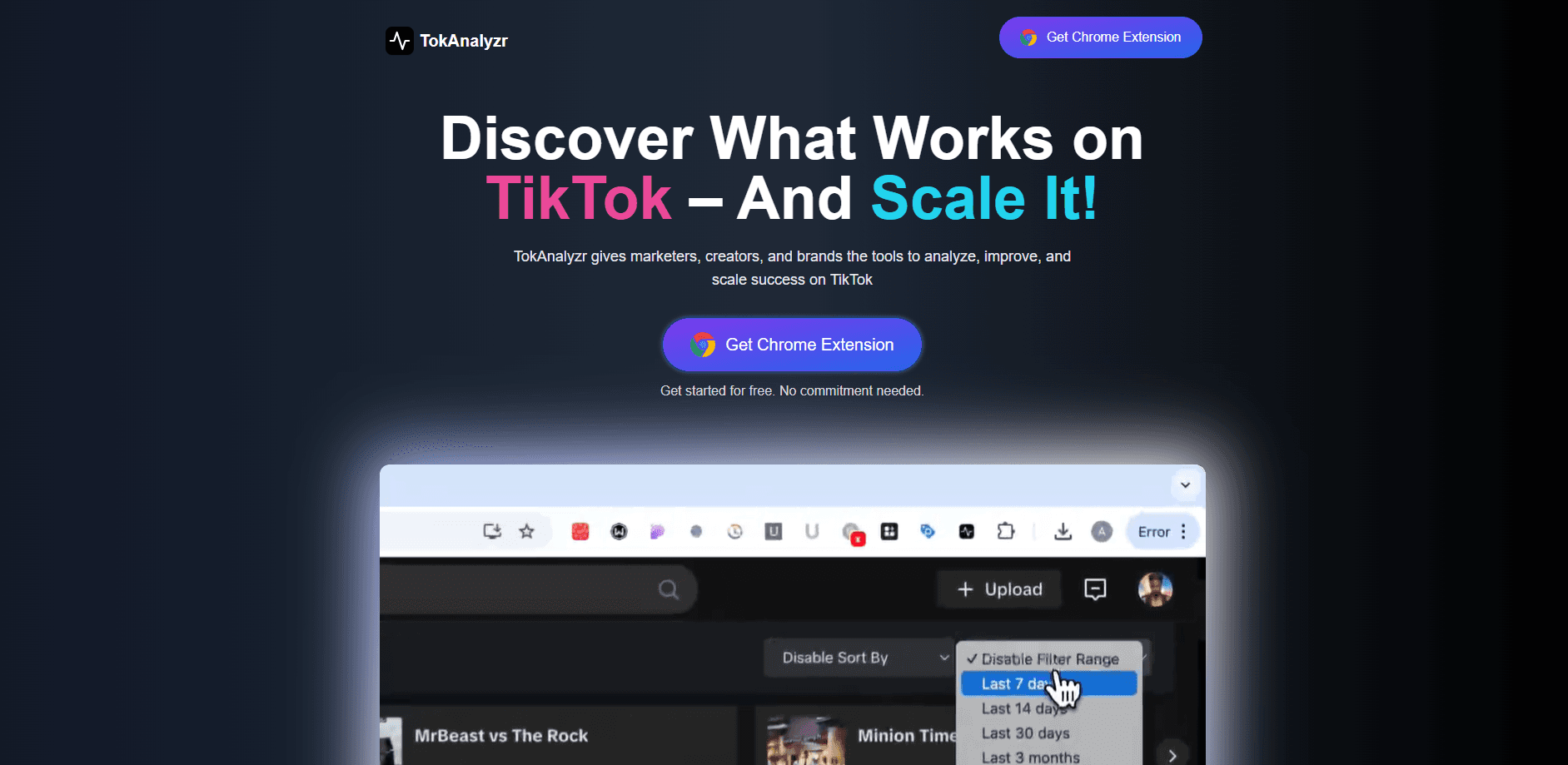
TokAnalyzr is a Chrome extension that shows engagement analytics for any public TikTok profile on the page. You read engagement rates and top video stats without opening a separate tool.
About TokAnalyzr
What Is TokAnalyzr
TokAnalyzr is the TikTok analytics extension built by CreatorAnalyzr. Install it, open any public TikTok profile, and a side panel fills with engagement rates, top video stats, and performance trends. You do not need a TikTok account or a login, and there is nothing to set up beyond adding the extension and entering a license key for the paid tier.
The point is to answer a question that TikTok's own analytics cannot. TikTok's built-in tools only report on your own account. TokAnalyzr runs on any public profile, which makes it useful for brand research, creator vetting, and watching what competitors do. The engagement rate it shows is calculated as likes plus comments plus shares plus saves, divided by views, across a time range you pick.
The limits matter too. It is an extension, so it only works in a desktop Chrome browser, and it reads the data TikTok already loads on the page rather than querying a private API. The free plan covers 3 profile analyses a day and basic stats, so anyone tracking several accounts quickly runs into the daily cap and needs Pro.
Getting Started
- Install TokAnalyzr from the Chrome Web Store and pin it to your toolbar.
- Open any public TikTok profile in Chrome. The extension starts reading the page as it loads.
- Check the profile stats row for the engagement rate, then open the side panel for the full breakdown.
- Set a time range and sort the video grid by views, likes, comments, shares, or saves to find the top posts.
- Export the analytics to an Excel file, or download a video or thumbnail without the watermark.
Product Information
A quick look at TokAnalyzr's pricing, supported platforms, and performance.
Best for
The users, tasks, and scenarios where this tool fits best.
Users
- Brands vetting creators for a campaign
- TikTok creators studying their niche
- Social media managers and agencies
- Marketers tracking a trend or a sound
Tasks
- Reading engagement rate on any profile
- Finding a creator's best videos
- Downloading clips and thumbnails
- Exporting analytics for a report
Scenarios
- Deciding whether to sponsor a creator
- Benchmarking your own account
- Preparing a campaign brief
- Checking a viral sound or format
Key features
Profile analytics on the page
Open any public TikTok profile and the extension shows engagement analytics without leaving TikTok. You get the engagement rate in the profile stats row and a fuller breakdown in the side panel. Since it reads what TikTok already loads, there are no extra API calls and no noticeable slowdown.
Engagement rate you can compare
TokAnalyzr calculates engagement as likes plus comments plus shares plus saves, divided by views, over a chosen time range. That beats a likes-only glance because it folds in saves and shares, which tend to signal real interest rather than a passing tap.
Sort and find top videos
The video grid can be sorted by views, likes, comments, shares, or saves, so the strongest posts float to the top. On Pro, you also get a breakdown of which posting days and video lengths pull the most views, which turns a flat grid into a content strategy.
Engagement trends over time
Pro adds a trend chart that shows whether a creator's engagement is rising or falling. For brand research, that line answers the question a single number cannot: is this account on the way up or on the way down.
Watermark-free downloads
You can save a TikTok video or its thumbnail without a watermark. The feature is aimed at reference and research, so you can keep a clip or cover image to cite, compare, or show in a deck.
Excel export of the full video list
Pro exports the full video list with per-video engagement rates to an Excel file. That is the piece that makes the tool usable in a real workflow, since the numbers can go straight into a report, a client deck, or a spreadsheet you already track.
Pros and cons
Pros
- Works on any public TikTok profile, not just your own, which native TikTok analytics cannot do.
- No account or login needed, and the free plan is enough to test it on a few profiles a day.
- Engagement rate counts saves and shares along with likes and comments, so it says more than a raw like count.
- Excel export and watermark-free downloads turn a quick lookup into something you can put in a report.
Cons
- It only runs in desktop Chrome, so there is no mobile app or browser version for checking profiles on your phone.
- The free plan caps you at 3 profile analyses a day, which is tight for anyone auditing many accounts.
- The deeper signals, like engagement trends, posting-day breakdowns, and Excel export, all sit behind the Pro plan.
- It is an extension, not a full analytics dashboard, so it leans on what TikTok loads publicly rather than a private data feed.
Frequently asked questions
It is a Chrome extension that reads any public TikTok profile and shows engagement analytics for it on the page. You see the engagement rate, top video stats, and a video-level breakdown without opening a separate tool.
Related content
Explore related tools, skills, and articles for TokAnalyzr.
TokAnalyzr Alternatives

ngram 2.0
ngram · Video · Marketingngram 2.0 is an AI video generator for teams. It turns a prompt, a screen recording, or a product URL into a narrated explainer, product demo, or AI avatar video, and every scene stays editable.

shippedit.me
Krawlup · Marketing · Businessshippedit.me now redirects to Krawlup, a web platform that audits SEO, AEO and page speed every week, then hands the fixes to AI coding agents over MCP.

MePersona
MePersona, Inc. · Writing · Productivity · MarketingMePersona is an AI unified inbox for creators. It learns your voice, drafts replies to fan messages from 12 platforms, and sends only what you approve.