

Tokimeter
Tokimeter · Coding
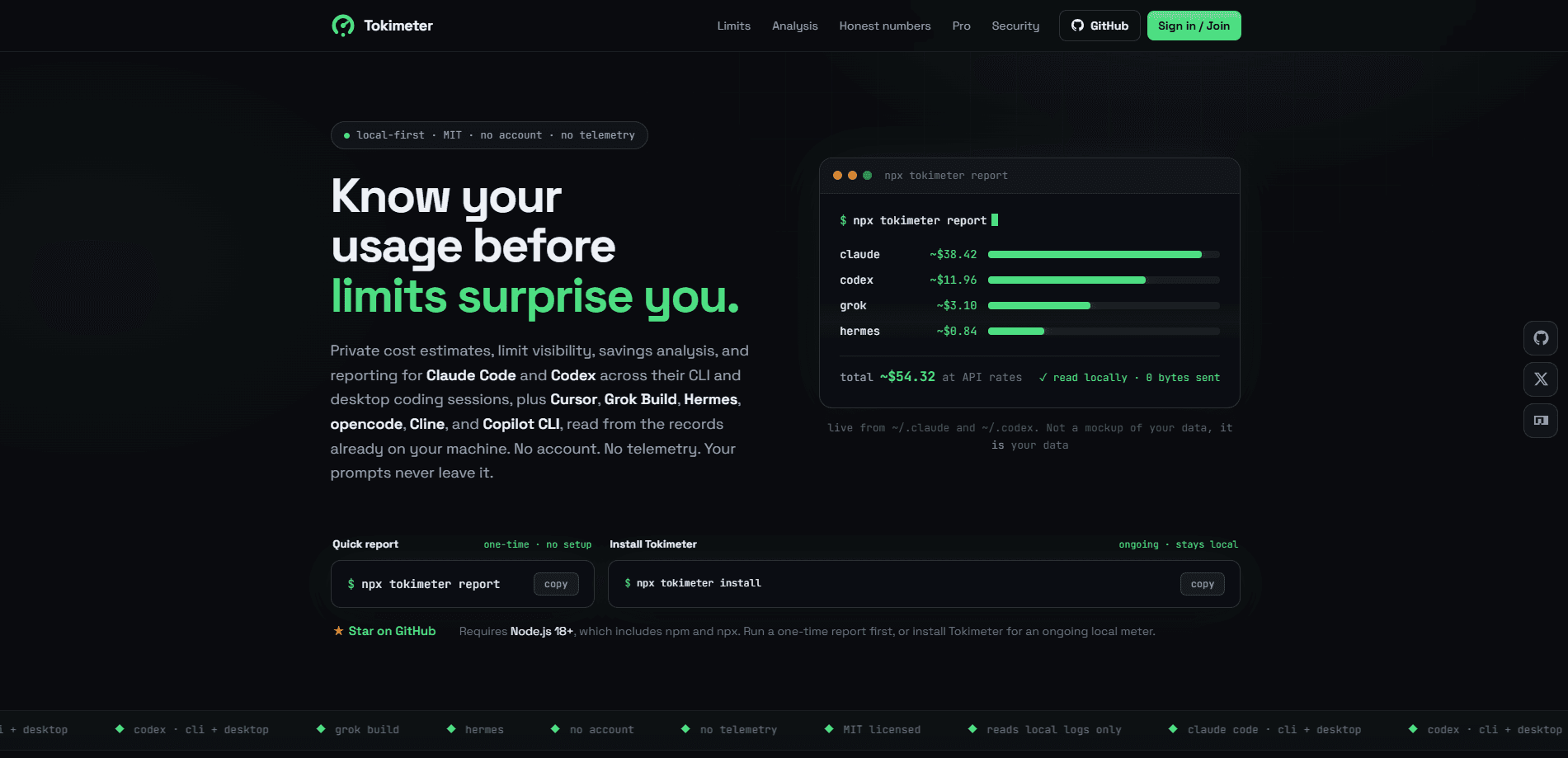
Tokimeter is a free, local-first command line tool that reads the usage records your AI coding agents already write to disk and turns them into one private report of tokens, costs, models, projects, and limit signals. It covers Claude Code, Codex, Cursor, Grok Build, Hermes, opencode, Cline, and Copilot CLI in a single view. There's no account, no telemetry, and no prompts leaving your machine. If you juggle more than one coding assistant and want to know what they cost before a limit cuts you off, Tokimeter is built for exactly that.
About Tokimeter
What Is Tokimeter
Tokimeter is a local usage and cost meter for AI coding agents, published on npm under an MIT license. Instead of asking a provider's dashboard how much you've spent, it parses the numeric metadata your agents already log on your own computer. That means token counts, call counts, model names, and project paths get combined into one report you can actually read. It calls itself an AI coding usage tracker. The label fits.
The problem it solves is fragmentation. When you run Claude Code for one task and Codex for another, your usage is split across separate logs and separate provider views. Tokimeter brings those numbers together. It pins a rough dollar figure on each one at API rates, so you can see where the money is going. Think of it as a token usage CLI. It doubles as an AI cost tracker for your whole stack. It also groups locally observed usage into 5-hour and 7-day windows, which is handy when you're trying to stay under a subscription limit.
The main limit is scope. Tokimeter only reads local metadata, so anything an agent doesn't record stays invisible. Claude Code, for instance, doesn't log rate limits. You get an honest rolling window rather than an exact reset countdown. Cost totals shown with a tilde are estimates based on public API pricing, not your actual invoice, and unknown models are kept out of priced totals entirely.
Getting Started
- Install Node.js 18 or newer, which bundles npm and npx.
- Run
npx tokimeter reportfor a one-time report with no permanent install and no account. - Run
npx tokimeter installif you want an ongoing local meter with budget warnings. - Optionally add the VS Code or Cursor extension to see today's spend in the status bar.
- Set daily, weekly, or per-tool budgets, then run
npx tokimeter limitsto check your windows.
Product Information
A quick look at Tokimeter's pricing, supported platforms, and performance.
Best for
The users, tasks, and scenarios where this tool fits best.
Users
- Developers running multiple AI coding agents
- Privacy-minded engineers
- Freelancers and small teams
Tasks
- Tracking token spend
- Watching limit windows
- Checking where a bill could shrink
Scenarios
- The end of a heavy coding sprint when you want to know which project ate the most budget.
- Sharing a session cost with a teammate or client without exposing your prompts.
- Deciding whether a subscription is worth it by comparing real usage against what it would cost at API rates.
Key features
One Report Across Eight Agents
Tokimeter merges usage from Claude Code, Codex, Cursor, Grok Build, Hermes, opencode, Cline, and Copilot CLI into a single breakdown. You can slice it by tool, provider, model, project, or day, and reported, estimated, and unknown pricing are kept visibly apart so you always know which numbers are solid.
Local-First by Design
The tool parses metadata already on your machine. It doesn't read prompts, responses, source code, or diffs, and nothing is sent anywhere by default. So what does local-first analytics actually buy you? A clean conscience on a work laptop, mostly. There's no sign-up. No provider API key. No telemetry either. That makes it easy to run without a policy conversation.
Limit Checks With Real Reset Times
The tokimeter limits command shows how much of each budget window you've used. When a tool records vendor counters, Tokimeter surfaces those separately with exact reset times, and it never invents a quota or countdown that the provider didn't report. It shows the honest rolling window instead.
Budgets and Warnings
You can set daily, weekly, per-tool 5-hour, and per-session budgets. Once you cross 80%, Tokimeter warns you in the CLI and in Claude Code's own status line. Warnings never block your work, they just tell you that you're close to a cutoff.
Cost Honesty
Every price is labeled as verified built-in, community feed, custom local, or provider-reported. On a flat-rate subscription, the tilde-dollar figure is what the same usage would cost at API rates, so you can see the value you're pulling out. Unknown models are left out of priced totals rather than guessed.
Session and Orchestration Breakdowns
tokimeter trace explains a single session end to end, including cost, models used, how work was delegated, and whether prompt caching paid off. The --orchestration flag shows which projects ran two tools in the same window and how the spend split between them.
Editor Dashboard Extension
A free VS Code and Cursor extension puts today's spend in the status bar and opens a cost dashboard inside the editor. It reads the same local metadata with no account, and the CLI stays the source of truth.
Pros and cons
Pros
- Free and open source under an MIT license, so you can audit exactly what it does with your data.
- No account, API key, or telemetry required, which keeps setup to a single command.
- Covers eight coding agents in one cross-tool report instead of making you check each provider separately.
- Clear labeling of estimated versus verified costs, so you're rarely fooled by a soft number.
- Markdown and HTML report output makes client chargebacks and personal records straightforward.
Cons
- It can only see what your agents log locally, so usage from tools without local records stays invisible.
- Cost figures are estimates at API rates, not your real bill, so they won't match a provider invoice.
- The optional hosted dashboard is still experimental until invoice reconciliation lands, so the paid proxy accounting shouldn't be treated as final.
Frequently asked questions
It reads the usage metadata your AI coding agents already write to disk and reports token counts, call counts, model names, project paths, and estimated costs. It doesn't touch prompts, responses, source code, or diffs.
Related content
Explore related tools, skills, and articles for Tokimeter.
Tokimeter Alternatives
Forefront
Forefront · CodingForefront is a web platform for building with open-source AI. It lets you fine-tune leading open-source language models on your own data, evaluate how they perform, and run them through an API or export them to host yourself. Developers who want the convenience of a closed-source platform but insist on owning their models and data are the target audience here.

Startkit
StartKit.AI · CodingStartkit is a boilerplate for building AI SaaS and AI wrapper products. Think of it as an AI startup boilerplate with the boring parts already wired up: authentication, Stripe and Lemon Squeezy payments, usage limits, transactional email, and an AI API starter that talks to OpenAI, Anthropic, Groq, or Llama. You clone the repo, set your price, and start on the part of your product that people actually pay for. It's Next.js under React and Tailwind, so most of the boilerplate code already feels familiar.
Testim
Tricentis · CodingTestim is an AI-powered test automation platform for building and running end-to-end tests across web, mobile, and Salesforce applications. It leans on machine learning to keep tests stable when an interface changes, so teams spend less time fixing broken selectors. Not bad for an automated testing tool you can start using today. You create tests by recording actions in a browser, then optionally add JavaScript when you need more control. It's a solid pick for busy QA teams.