

Toolable.ai
Toolable (Flamelab) · Coding · Other
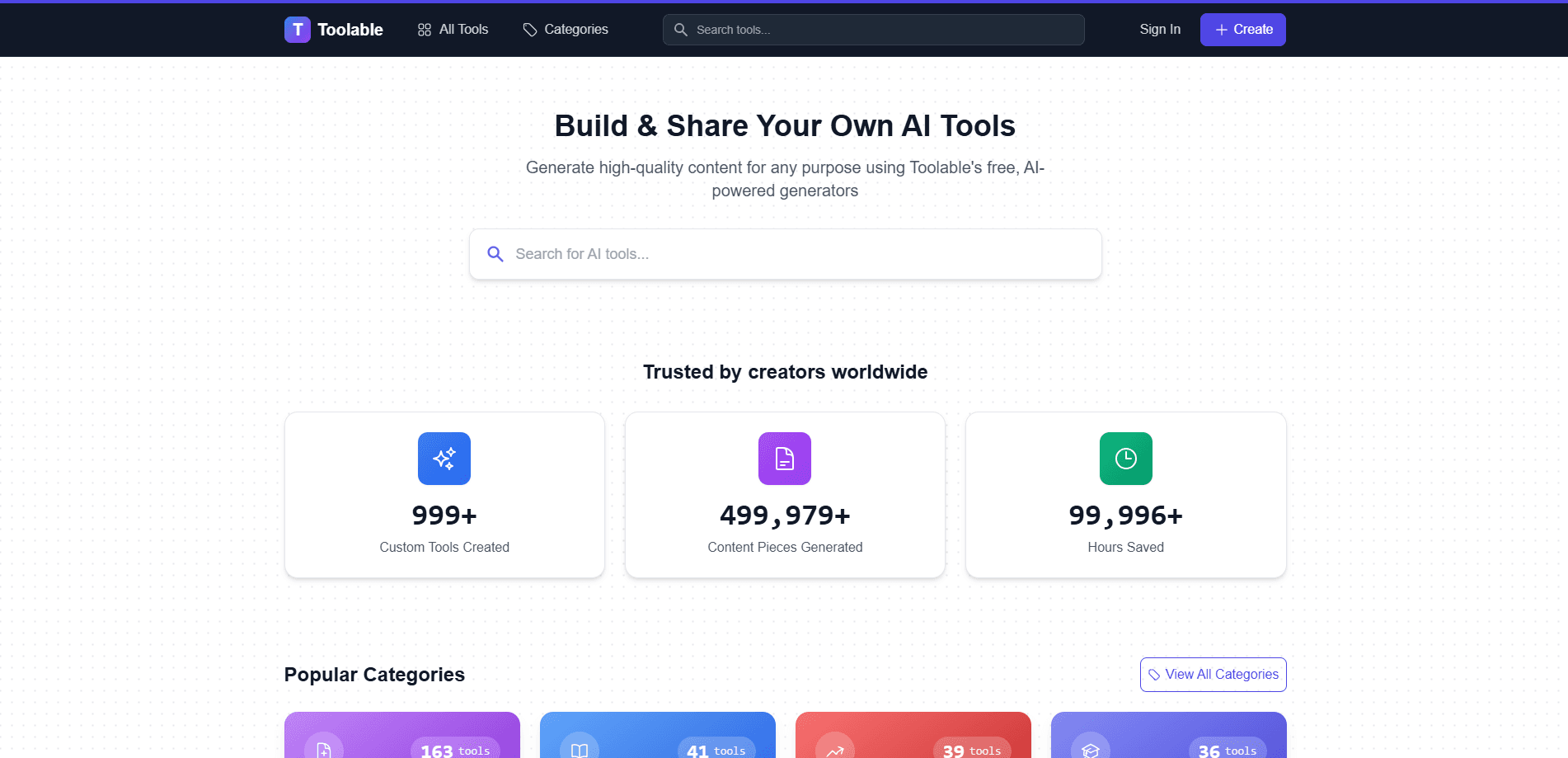
Toolable.ai is a free AI content generator that bundles ready-made AI writing tools for blogs, emails, and social posts, and lets anyone build a custom AI generator without coding.
About Toolable.ai
What Is Toolable.ai
Toolable.ai is a web platform that collects specialized AI content generators in one place. The catalog covers blog posts, meta descriptions, cold outreach emails, social media captions, product listing copy, lesson plans, and dozens of narrow jobs that general chatbots handle poorly because they lack the right structure.
The core idea is template selection over prompt engineering. Instead of telling a chatbot what you want and hoping the output fits, you pick a generator built for that exact task, fill in a few fields, and the tool handles the framing.
The biggest limitation is that output still needs a human pass. The company states plainly in its terms that AI content can be inaccurate or unoriginal, and that users carry full responsibility for reviewing anything before they publish it. There's no built-in plagiarism guarantee, and the service doesn't replace professional advice.
Getting Started
- Open toolable.ai and browse the tools catalog, or jump straight to a generator you already know you need.
- Pick the generator that matches your task, such as blog posts, ad copy, or email sequences.
- Fill in the input fields. Most tools ask for a topic, a tone, and a target audience.
- Run the generator and review the draft, then edit it to match your own voice.
- If nothing fits, start a custom generator, define its inputs and output shape, and publish it for others to use.
Product Information
A quick look at Toolable.ai's pricing, supported platforms, and performance.
Best for
The users, tasks, and scenarios where this tool fits best.
Users
- Small business owners
- Solo bloggers and newsletter writers
- Marketing generalists
- Teachers and trainers
Tasks
- Writing SEO blog posts
- Drafting cold outreach emails
- Producing social media captions
- Building a custom internal tool
Scenarios
- Launching a product with limited time
- Running a small content operation
- Sketching early project ideas
Key features
Large Library of Specialized Generators
Toolable.ai organizes hundreds of single-purpose generators instead of one general chat box. You find tools grouped by job, from blog post generators to legal document simplifiers and dating profile bios. The narrow focus means each tool ships with the input fields and output format that task actually needs.
No-Code Custom Generator Builder
Anyone can build a custom AI generator by defining what it asks for and what it returns, without writing code. The company frames this as a way for creators to publish tools and share them with the wider community. It's the feature that separates Toolable.ai from a plain directory of third-party tools, since the tool itself lives on the platform.
Ready-Made Business and Marketing Copy
The catalog leans heavily toward commercial writing: value propositions, cold email personalization, ad creative, and Product Hunt launch copy. For people who write the same kinds of sales and marketing text every week, having a generator named after each task saves the trial and error of prompting.
Free Access with Account-Based Features
The platform markets itself as a free AI content generator, and browsing and running many of the tools costs nothing. Creating an account unlocks features like saving and publishing custom generators. The company notes that paid subscriptions and premium features may be offered, so the pricing picture can shift over time.
Broad Task Coverage Beyond Writing
The generator list reaches past prose into structured planning and analysis tasks. You'll find decision analyzers, first-principles thinking frameworks, cost-benefit tools, and course curriculum outlines alongside the writing assistants. That spread makes the platform usable for thinking work, not just content production.
Community Publishing and Reuse
A no-code generator builder lets you publish what you create, so custom generators can be made available to other users, turning the site into a shared catalog rather than a private workspace. For creators, that's a low-effort way to package expertise into a repeatable tool. You keep ownership of your design and configuration, while the platform hosts and distributes it.
Pros and cons
Pros
- The free tier lets you test many generators before spending anything.
- Tools are named by task, so you skip the guesswork of writing prompts from scratch.
- The no-code builder turns a one-off workflow into a reusable tool you can share.
- Coverage spans writing, planning, and analysis, so one site replaces several niche subscriptions.
- The web app runs in a browser with no install, which keeps switching between tools quick.
Cons
- Output still needs editing for accuracy and originality, so it won't save you the final review pass.
- You grant the platform a license to use and display what you generate, which matters if your content is sensitive.
- Deeper pricing details for premium tiers aren't clearly published yet, so budgeting ahead is hard.
- The catalog is uneven in quality, since it mixes polished tools with experimental community submissions.
Frequently asked questions
Yes. The platform markets itself as a free AI content generator, and many tools run without payment. Creating an account adds features like saving and publishing custom generators, and the company says paid subscriptions or premium features may be introduced later.
Related content
Explore related tools, skills, and articles for Toolable.ai.
Toolable.ai Alternatives

Base Code
Base44 (Wix) · Coding · ProductivityBase Code is a shared cloud development environment from Base44. Teammates describe changes to an existing GitHub codebase in chat, preview them live and send them back as pull requests.

Google EmbeddingGemma 2
Google DeepMind · Writing · Image · CodingGoogle EmbeddingGemma 2 is a 740M-parameter open model that turns text, code, images, audio, and video frames into vectors in one 768-dimension space, running on phones and laptops.

GitGlow
GitGlow · Coding · ProductivityGitGlow is a local-first desktop Git client that lets independent developers review their own code and their AI agents' changes in one place before shipping.