

Toolsaday
Toolsaday · Writing
Toolsaday is a free AI writing platform with a paraphrasing tool, story generator, email writer, and text-to-speech, all usable in a browser.
About Toolsaday
What Is Toolsaday
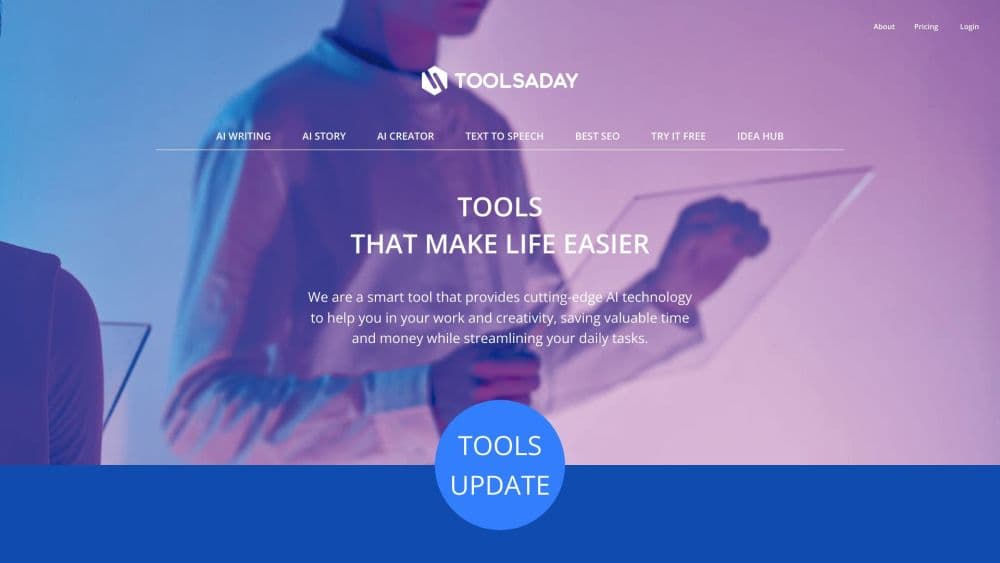
Toolsaday is a web platform that bundles a set of AI writing tools behind a single login. The core tools are a paraphrasing tool, a story generator, a text generator called Text Genie, and an AI email generator, with a text-to-speech converter joining them. The company says more than 700,000 people use the site and that it has generated over a billion words to date.
The point is convenience. You don't install anything or learn a new editor. You paste text or type a prompt, pick a mode, and get a rewrite or a draft back. As an AI writing assistant, it covers most of the daily need for anyone who writes routinely and wants a quick alternative wording.
The catch is depth. These free AI writing tools are single-purpose rather than a full writing workspace, so long documents, team collaboration, and project history aren't the focus. Pricing is also handled off the main pages, which means you'll sign up before you see the exact paid tiers. Below is what each tool does and where it stops.
Getting Started
- Open toolsaday.com in any browser; no install is required.
- Pick a tool such as the paraphrasing tool and paste your text into the box.
- Choose a mode, for example Standard or Formal, then run it.
- Review the output and copy it into your document or email.
- Create a free account if you want to save work or unlock higher limits.
Product Information
A quick look at Toolsaday's pricing, supported platforms, and performance.
Best for
The users, tasks, and scenarios where this tool fits best.
Users
- Students and researchers
- Bloggers and content writers
- Sales and support teams
- Hobby storytellers
Tasks
- Rewriting a paragraph
- Drafting an email
- Generating marketing copy
- Turning text into speech
Scenarios
- Polishing an assignment the night before it's due
- Clearing a backed-up inbox
- Brainstorming a short story
- Checking how a sentence sounds
Key features
Paraphrasing Tool with 30 Modes
The paraphrasing tool rewrites text while keeping its meaning. Toolsaday offers around 30 modes, including Standard, Fluency, Formal, Simple, and Creative, so you can steer the tone instead of accepting one fixed output. It also reports stats like word count, readability score, and reading time, which helps when you are trimming a piece to length.
Multi-Language Support
The paraphrasing tool handles more than 20 languages, from English and Spanish to Japanese and Hindi, so you can rephrase text in the language you actually write in. This matters for anyone working across two languages who wants a natural variant rather than a literal swap.
AI Story Generator
The story generator takes story elements such as characters, setting, and genre and builds a narrative from them. You can adjust genre, tone, length, and the balance between narrative and dialogue. It supports several formats, including prose, screenplay, stage play, and poetry, which suits writers testing an idea before committing to a full draft.
Text Genie for Content Generation
Text Genie produces marketing copy, social media captions, and short messages from a brief you type in. It is the general-purpose generator in the set, aimed at creators who need a first version fast and then refine it themselves. Treat the output as a starting point, not a finished piece.
AI Email Generator
The email generator drafts professional messages based on your goal, audience, and tone. You describe what the email needs to do and it returns a draft you can edit. Sales, marketing, customer support, and networking are the intended uses, and it saves the most time when you send similar emails repeatedly.
AI Text-to-Speech Converter
The text-to-speech converter turns written text into spoken audio, which helps when you want to hear how a passage reads before publishing. It is a lighter tool than the writing ones, but useful for proofing and for simple narration tasks.
Pros and cons
Pros
- A free tier covers the core tools, so you can try paraphrasing and story generation before paying anything.
- Roughly 30 paraphrasing modes give more control over tone than single-output rewriters.
- Support for 20-plus languages makes it practical for non-English writing.
- Everything runs in a browser, so there is nothing to install and no setup time.
- Tools are separated, so you can use just the email generator or just the paraphrasing tool.
Cons
- Paid tiers aren't spelled out on the main pages, so you sign up before you see exact pricing and limits.
- It's a set of standalone tools rather than one workspace, so long documents and project history aren't the focus.
- Output still needs review, since machine rewrites can drift from your intended meaning on technical text.
- There is no clearly documented public API, which rules it out for developers who want to automate the tools.
Frequently asked questions
Toolsaday is a free AI writing platform for rewriting text, generating stories and content, drafting emails, and converting text to speech. You use it in a browser whenever you need a quick rewrite or a first draft without opening a full editor.
Related content
Explore related tools, skills, and articles for Toolsaday.
Toolsaday Alternatives

Google EmbeddingGemma 2
Google DeepMind · Writing · Image · CodingGoogle EmbeddingGemma 2 is a 740M-parameter open model that turns text, code, images, audio, and video frames into vectors in one 768-dimension space, running on phones and laptops.

MePersona
MePersona, Inc. · Writing · Productivity · MarketingMePersona is an AI unified inbox for creators. It learns your voice, drafts replies to fan messages from 12 platforms, and sends only what you approve.

Fluence
Yay Software (Yannick Huchard) · Writing · Voice & Language · ProductivityFluence is an Android app that reads PDFs, EPUBs, Word files and web articles aloud, follows each sentence as it speaks, and answers questions about the text on the phone itself.