

Tooning
Tooning · Writing · Leaning
Tooning is an AI webtoon creation platform that lets anyone turn a script into a finished comic through click-based editing, speech and image recognition, and ready-made characters. It works as an AI webtoon creator for people who have a story but not the drawing hours, and as a webtoon maker for short, recurring strips.
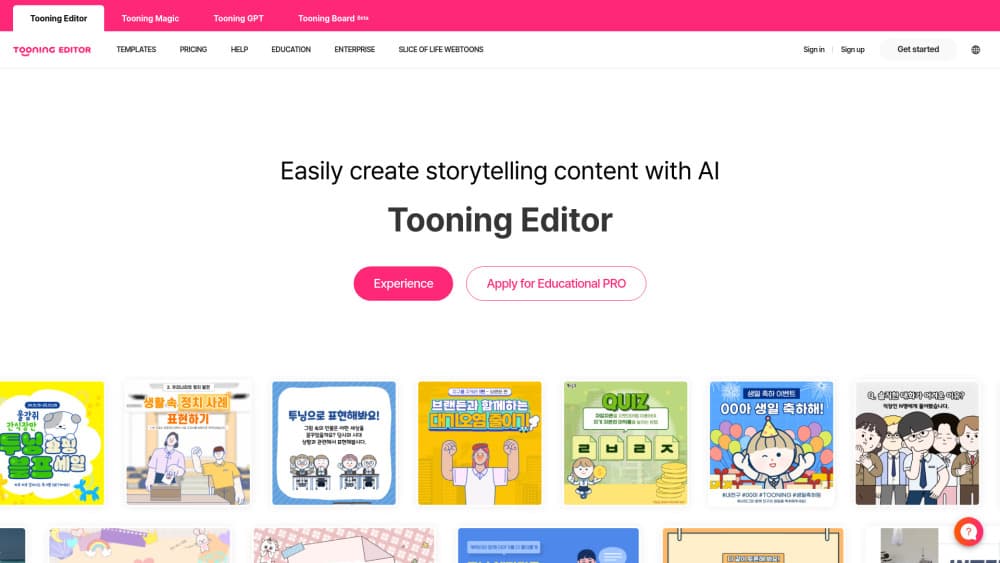
About Tooning
What Is Tooning
Tooning is a web-based tool for building webtoons, the vertical-scroll comics that became a fixture of Korean digital publishing. The pitch is that you do not need drawing skill. You write or dictate a scene, pick characters, and assemble panels by clicking through a library of poses and expressions.
The reason it exists is the gap between wanting to tell a story and being able to draw one. Traditional webtoon work needs character design, line art, coloring and lettering, which is why most people who have an idea never finish a single episode. Tooning replaces that studio with a menu of parts you arrange.
The limits are worth knowing up front. The output looks like Tooning's own house style rather than your drawing, so artists chasing a personal visual signature will find the ceiling low. Serious serialized production with detailed backgrounds is still work for dedicated tools. Tooning fits people who want a clear idea told fast.
Getting Started
- Sign in on the Tooning website, or register with an education email if you are a teacher and want the free Pro tier.
- Start a new episode and describe the scene by typing it or speaking it, since the platform accepts voice input.
- Drop in characters from the library and set their expressions and actions for each panel.
- Arrange the panels into a vertical scroll, then publish and share the result through a link.
Product Information
A quick look at Tooning's pricing, supported platforms, and performance.
Best for
The users, tasks, and scenarios where this tool fits best.
Users
- Teachers
- Hobby storytellers
- Students
Tasks
- Turning a script into a finished comic
- Building scenes by voice
- Assembling characters quickly
Scenarios
- A classroom assignment where thirty students each need an episode
- A weekly gag comic for a small audience
- A first pitch deck for a story idea
Key features
Click-based webtoon editing
Tooning builds a webtoon from parts you place rather than strokes you draw. Characters, backgrounds and panels come from a library, and you assemble them by selecting and arranging. The payoff is that a first episode can be finished in an evening instead of a month of drawing.
Voice and image recognition
The platform accepts speech as input, so you can describe a scene out loud and let recognition convert it into panel content. Image recognition adds a second route, letting you work from visual references rather than describing everything in words. For people who find a blank canvas intimidating, starting from a spoken line lowers the barrier.
Character library with expressions and actions
Tooning ships a set of characters with multiple expressions and actions built in. You pick the character, then choose the pose or mood that fits the beat, so a conversation between two people reads clearly without fresh art for each frame. This is the feature that most distinguishes it from a generic image generator.
Vertical-scroll layout
Webtoons are read top to bottom on a phone, not page by page like print comics. Tooning's editor is built around that vertical format, so the pacing of your panels matches how readers actually scroll. Getting this right is the difference between a story that flows and one that feels like screenshots stacked together.
One-link sharing
A finished webtoon publishes to a shareable link, so you can send it to readers without an export step or a separate hosting account. That makes distribution simple for teachers passing work to a class and for creators testing a strip with friends.
AI Painter companion
Tooning ships alongside AI Painter, a companion tool from the same maker that handles automatic coloring. You can start from a sketch or a sample and apply color models with a click, then save the result as a PSD or PNG file. It covers the coloring stage that slows down many beginners, and it works alongside the main webtoon editor.
Pros and cons
Pros
- Removes the drawing barrier, so someone with a story but no art training can finish a webtoon.
- Voice and image recognition let you start from speech or a reference instead of writing everything out.
- The character library carries expressions and actions, which saves redrawing a face for every panel.
- A free Pro account for teachers makes classroom use practical.
- Publishing to a link keeps sharing simple, with no export or hosting setup.
Cons
- Output follows Tooning's built-in art style, so you cannot produce a distinctive personal look.
- Voice and image recognition can misread input, which means you should expect to correct results rather than trust them first time.
- Detailed, hand-crafted backgrounds are limited, which matters if you want a polished commercial webtoon.
- Pricing beyond the free tier is not clearly published, so heavier users have to confirm current plans on the site.
Frequently asked questions
Tooning is used to create webtoons, the vertical-scroll digital comics popular in Korea. You write or dictate a scene, place characters and panels by clicking, and publish the finished episode as a shareable link.
Related content
Explore related tools, skills, and articles for Tooning.
Tooning Alternatives

Google EmbeddingGemma 2
Google DeepMind · Writing · Image · CodingGoogle EmbeddingGemma 2 is a 740M-parameter open model that turns text, code, images, audio, and video frames into vectors in one 768-dimension space, running on phones and laptops.

MePersona
MePersona, Inc. · Writing · Productivity · MarketingMePersona is an AI unified inbox for creators. It learns your voice, drafts replies to fan messages from 12 platforms, and sends only what you approve.

Fluence
Yay Software (Yannick Huchard) · Writing · Voice & Language · ProductivityFluence is an Android app that reads PDFs, EPUBs, Word files and web articles aloud, follows each sentence as it speaks, and answers questions about the text on the phone itself.