

TopMediAi: AI Video & AI Music
TopMediai · Voice & Language
TopMediai is an all-in-one AI studio for turning prompts into songs, videos, images, and voiceovers, with one credit system shared across every tool.
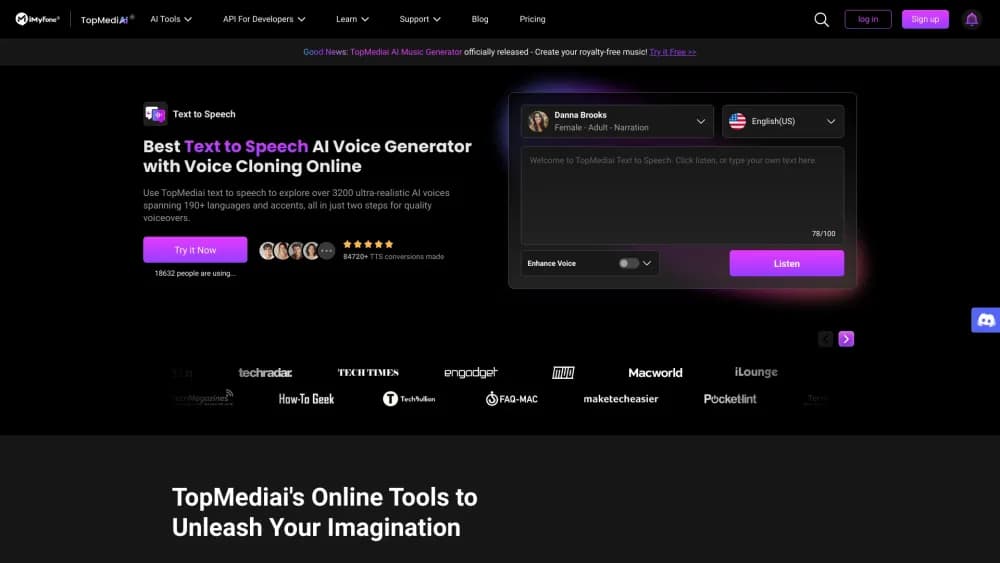
About TopMediAi: AI Video & AI Music
What Is TopMediai
TopMediai is a web-based AI creation platform that bundles music, video, image, and voice tools under a single sign-on. You describe what you want in plain language, and the platform generates a song, a short video, a soundtrack, or a spoken voiceover. It is aimed at people who want several kinds of AI media but would rather not juggle five separate subscriptions.
Its headline pitch is one shared credit pool. The same Credits you spend on a music track can go toward a video or a voice line, so you are not locked into a tool you barely use. The platform also ships narrower utilities such as stem splitting, audio-to-MIDI conversion, lip sync, and video-to-video editing.
The main limits are pricing and control. There is a free entry point, but heavy use runs into a paid credit model, and most plans are credit-based rather than unlimited. Output quality also depends on the underlying model you pick, and the best video models cost more credits per generation.
Getting Started
- Create a free account on the TopMediai website with an email address.
- Pick a tool from the video, image, music, or audio sections.
- Type a prompt or upload a source file, then choose a model and settings.
- Generate the output, preview it, and download or share it.
- Upgrade to a paid plan when your free credits run out.
Product Information
A quick look at TopMediAi: AI Video & AI Music's pricing, supported platforms, and performance.
Best for
The users, tasks, and scenarios where this tool fits best.
Users
- Independent musicians and hobbyist songwriters
- Social media creators
- Podcasters and video editors
Tasks
- Turning a text idea into an original song
- Making a music video from a single image
- Dubbing or narrating a video
- Reworking an existing song
- Separating a mixed track
Scenarios
- A quick proof of concept before committing paid production hours.
- Filling a content calendar with music and voice content on a small budget.
- Prototyping voiceover tone and pacing before hiring a human narrator.
Key features
One Credit System Across Tools
TopMediai is an AI creation platform that runs on Credits working across its video, music, image, and voice tools. That means a plan bought for one use case can fund another, so you are not paying for idle subscriptions. It also makes cost easier to reason about, since different models consume different amounts of the same unit.
AI Music Generator
The AI Music Generator turns a text prompt into original songs, loops, and soundtrack ideas. You can steer genre, mood, and structure, then download the result for videos or standalone listening. It is the fastest path on the platform from a written idea to a listenable track.
AI Song Cover and Singing Photo Maker
AI Cover restyles an existing song with new vocal styles or directions, while Singing Photo Maker turns a portrait into a short singing video. Both lean on the platform's voice models and are aimed at creators who want a recognisable hook without recording anything themselves.
AI Video Generator and Effects
The AI video generator covers text to video, image to video, video to video, script to video, and music to video. It also includes editing extras like lip sync, face swap, AI Dance, and parkour-style effects. Model choice matters here, because newer engines such as Seedance and Veo produce sharper motion at a higher credit cost.
Text to Speech, Voice Cloning, and Voice Changer
The audio tools handle narration, dubbing, and character voices. Text to Speech reads scripts in many languages, voice cloning copies a voice from a sample, and Voice Changer reshapes existing recordings. A shared voice library and Voiceover Studio round out the lineup for hands-on editing, and each AI voiceover tool shares the same credit pool.
Stem Splitter and Audio Utilities
Beyond generation, TopMediai includes practical audio tools. Stem Splitter and Instrument Separator pull a mixed track into parts, Audio to MIDI converts recordings into editable notes, and Music Hook extracts catchy segments. These work on files you already own, not just new AI output.
Developer API Access
TopMediai publishes documentation and API endpoints for its music, song cover, text to speech, voice cloning, and voice changer tools. Teams can wire generation into their own apps instead of using the website by hand. Access is aimed at developers who need programmatic control rather than casual users.
Pros and cons
Pros
- One credit balance covers music, video, image, and voice tools, so you can spread spend across the features you actually use.
- A free plan and low weekly entry price make it cheap to test before committing.
- The tool count is broad, from song covers to stem splitting to voice cloning, in one account.
- Public API documentation lets developers automate generation.
Cons
- Credit pricing means heavy users hit the paywall quickly, especially on premium video models.
- Output quality varies by model, so the best results cost the most credits.
- Most plans are credit-based rather than unlimited, which is harder to budget month to month.
- Professional sound and video work still needs human finishing outside the platform.
Frequently asked questions
TopMediai is used to create AI music, videos, images, and voiceovers from prompts. It bundles many small media tools into one platform so you can make a song, a short video, and a narration without switching apps.
Related content
Explore related tools, skills, and articles for TopMediAi: AI Video & AI Music.
TopMediAi: AI Video & AI Music Alternatives

Foley
Hanamori Labs, LLC · Voice & Language · Productivity · AI AssistantFoley is a voice to-do list that turns a spoken sentence into a filed task, complete with project, date and time, then helps you plan the day around what is already there.

HireKey
HireKey · Voice & Language · Productivity · LeaningHireKey is an AI job search copilot built by a former tech recruiter. It checks role fit, tailors resumes, runs interview practice and tracks every application.

Fluence
Yay Software (Yannick Huchard) · Writing · Voice & Language · ProductivityFluence is an Android app that reads PDFs, EPUBs, Word files and web articles aloud, follows each sentence as it speaks, and answers questions about the text on the phone itself.