

Trae
ByteDance · Coding · China AI
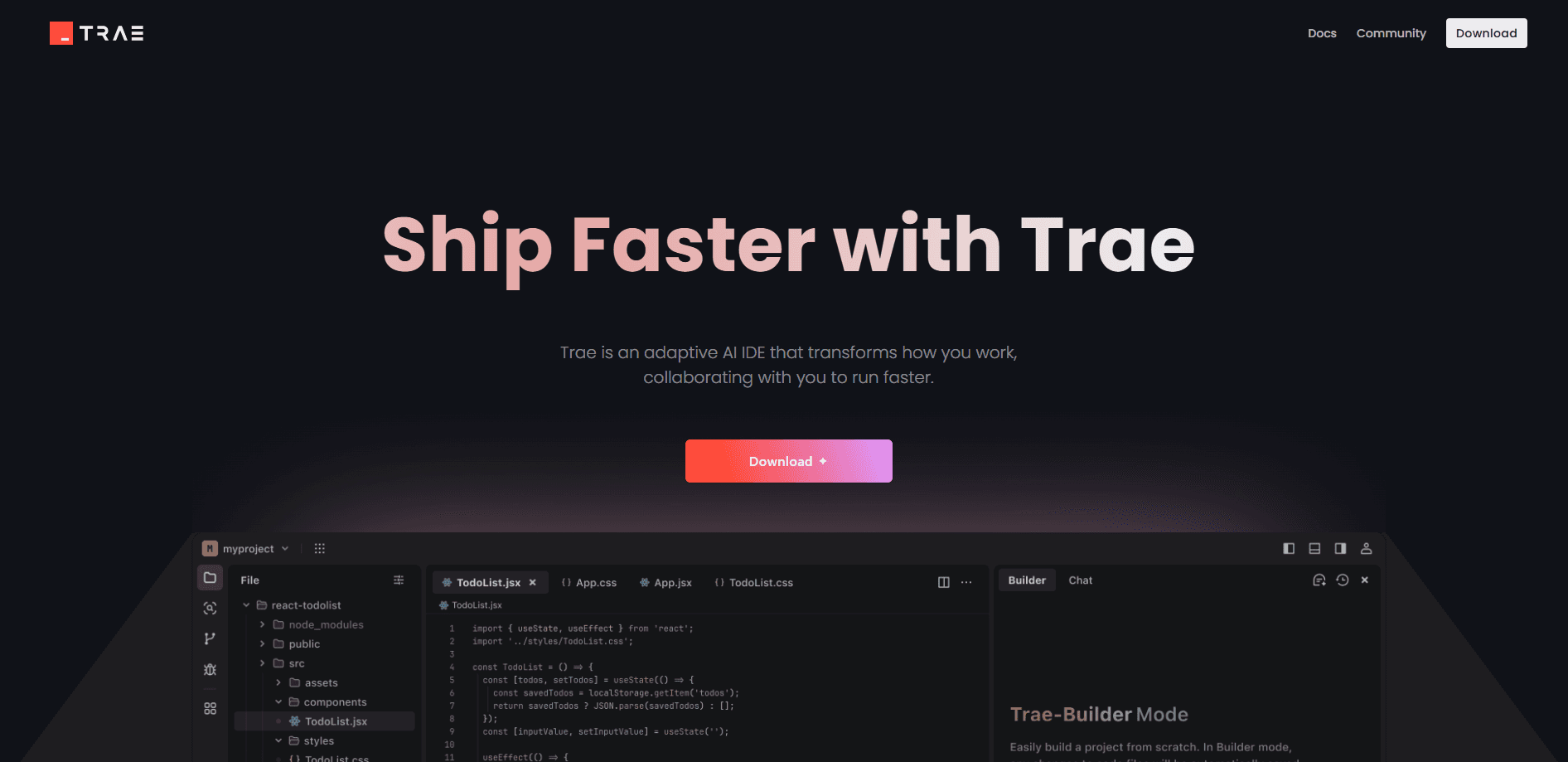
Trae is ByteDance's AI coding IDE: a VS Code fork with chat, autocomplete and agent modes that scaffold whole projects. It suits solo developers, students and small teams who want premium models without a steep learning curve.
About Trae
What Is Trae
Trae is a ByteDance AI coding tool: an AI code editor built on a VS Code codebase, with chat, autocomplete and agent modes It looks and feels like VS Code because it is built on that codebase, so your extensions and keybindings usually carry over. The difference shows up in the AI layer: a chat panel, autocomplete, and agent modes that read your files before they edit them.
The product answers a narrow question well. If hiring an assistant for every small project is too expensive, Trae gives you an agent in the same window as your code. You describe a task, review a diff, and accept what's useful. The pitch is close to Cursor, but the entry price is lower.
Two limits matter. Trae relies on ByteDance servers, so there's no offline mode and no local-only option. Its telemetry is also heavier than some rivals, which is a real concern if you handle confidential code.
Getting Started
- Download the app for macOS or Windows, or open the browser-based Cloud IDE. Linux is still on the way.
- Sign in with GitHub, Google or a Trae account. The free tier still needs an account.
- Import your settings and extensions from VS Code or Cursor if you want the switch to feel instant.
- Open a project and pick a mode: Chat for questions, Builder for a fresh scaffold, or SOLO for end-to-end tasks.
- Review the generated diff, run your own tests, then apply the change.
Product Information
A quick look at Trae's pricing, supported platforms, and performance.
Best for
The users, tasks, and scenarios where this tool fits best.
Users
- Solo developers
- Students learning to code
- Small teams without enterprise needs
Tasks
- Scaffolding a new project
- Writing boilerplate
- Debugging and refactoring
Scenarios
- Weekend side projects
- Turning a mockup into a component
- Experiments on a borrowed machine
Key features
Builder Mode
Trae Builder mode takes a natural language description and scaffolds a complete project, including frontend, backend and config files. It reads your codebase and lays out a plan before it writes anything. It's strongest on greenfield work with a clear scope, and it gets shakier when you ask it to extend a large existing codebase.
SOLO Mode
Trae SOLO mode handles longer, multi-step jobs that used to need hand-holding. It plans the work, calls tools, and keeps going until the task is done, so you supervise more than you type. Access is limited on the free tier and full on paid plans.
Autocomplete and Chat
Autocomplete predicts the next lines as you type, and the side chat answers questions about your code, suggests refactors, or generates regex and tests. Both sit inside the editor, so you don't switch windows to reach the AI. The free tier caps autocomplete at 5,000 suggestions per month.
Multiple AI Models
Trae routes your request to different models depending on the task, and premium options like Claude and GPT sit alongside advanced ones like DeepSeek and Gemini. Which models you reach depends on your plan and your token balance, so the model picker is worth checking before a big run. The free tier gets lighter access to the top models.
Multimodal Input
You can drop in a screenshot, a wireframe or a design export, and Trae generates matching UI code. Simple layouts come back clean, while complex responsive designs usually need manual cleanup afterward. It's a fast way to turn a visual idea into a first draft.
MCP and Custom Agents
Trae supports the Model Context Protocol, which connects external tools and APIs to the agent. You can also build custom agents with their own tools, skills and logic for repeatable workflows. It's an advanced feature most beginners skip, but it matters once you have a routine to automate.
Pros and cons
Pros
- A free AI IDE with real autocomplete and model access, rare among AI coding tools.
- VS Code foundation means extensions, themes and keybindings carry over, so the switch is quick.
- Builder mode is fast at scaffolding runnable projects from a plain description.
- Paid plans undercut most rivals, with usage-based credit instead of hard request caps.
- MCP support and custom agents let you wire the tool into your own setup.
Cons
- Telemetry is heavy and there's no opt-out, which rules it out for confidential code work.
- No offline mode, so a dropped connection means no AI features at all.
- Context retention fades in long sessions, and you end up re-explaining your project.
- Weaker codebase indexing than Cursor, so suggestions get less relevant past a few dozen files.
Frequently asked questions
Trae is an AI coding IDE. You use it to write, edit and understand code with an agent in the same window, from scaffolding a new project to fixing bugs in an existing one.
Related content
Explore related tools, skills, and articles for Trae.
Trae Alternatives

Base Code
Base44 (Wix) · Coding · ProductivityBase Code is a shared cloud development environment from Base44. Teammates describe changes to an existing GitHub codebase in chat, preview them live and send them back as pull requests.

Google EmbeddingGemma 2
Google DeepMind · Writing · Image · CodingGoogle EmbeddingGemma 2 is a 740M-parameter open model that turns text, code, images, audio, and video frames into vectors in one 768-dimension space, running on phones and laptops.

GitGlow
GitGlow · Coding · ProductivityGitGlow is a local-first desktop Git client that lets independent developers review their own code and their AI agents' changes in one place before shipping.