

Transcribe Video AI
Transcribe Video AI · Writing · Video
Transcribe Video AI is a free video to text converter that turns uploaded files or pasted URLs into clean text. It handles video files, YouTube links, and social media clips, and can transcribe video to text in over 100 languages. Beyond raw transcripts, the tool generates timestamped subtitles and short summaries, so you get a readable version of any long recording without watching it end to end.
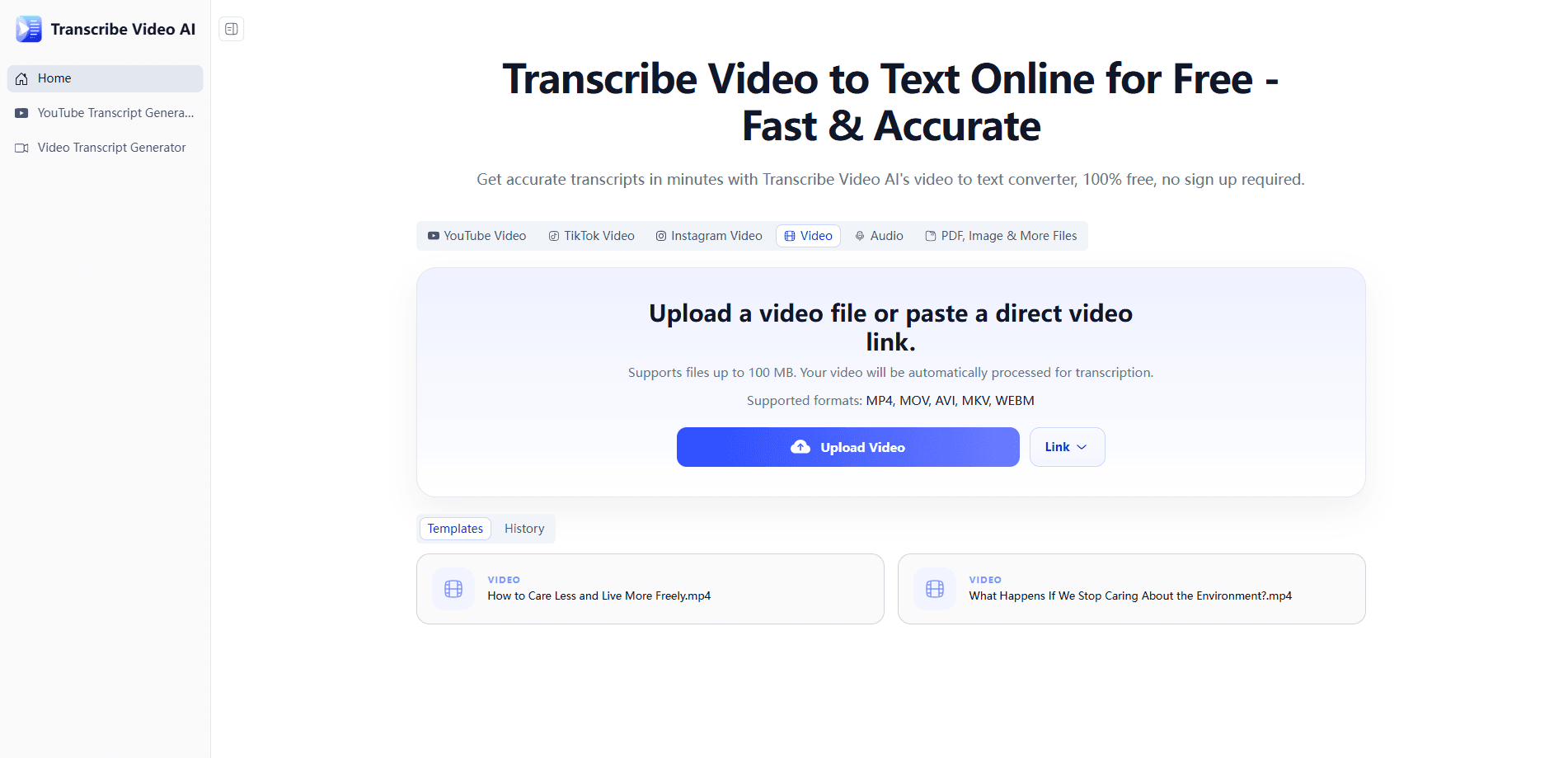
About Transcribe Video AI
What Is Transcribe Video AI
Transcribe Video AI is a browser-based AI transcription service built around one job: getting spoken words out of video and into text you can edit, search, or publish. You don't install anything. Upload a file or paste a link, and the tool returns a transcript, optionally with subtitles and a summary. The site says it works with common formats like MP4, MOV, and AVI, plus links from YouTube, TikTok, and Instagram.
The appeal is speed and low friction. There's no account wall, no credit card, and no per-minute meter on the standard flow, which matters a lot for students transcribing lectures late at night, teams turning Zoom calls into notes after a long meeting, and creators who need captions fast. The vendor claims accuracy up to 98.64% and file support up to roughly 1GB.
The limits are worth knowing up front. It's a web service, so you need a connection and a browser. Yes, that's obvious. Still worth saying. Upload speed depends on your file size, and very long recordings still take time even when the tool says "minutes." If you need API access, speaker diarization, or a desktop app, this isn't the tool for those jobs, and no amount of retrying the upload will change that. Check the export options before you rely on a specific format.
Getting Started
- Open the Transcribe Video AI homepage in your browser. No sign-up or login is needed.
- Upload a video file from your device, or paste a YouTube or social media URL into the input field.
- Pick your language and output options if the interface offers them, then start the transcription.
- Wait for processing to finish, then review the transcript, subtitles, or summary in the results view.
- Download the output in your preferred format, or copy the text and keep editing elsewhere.
Product Information
A quick look at Transcribe Video AI's pricing, supported platforms, and performance.
Best for
The users, tasks, and scenarios where this tool fits best.
Users
- Students
- Content creators
- Meeting organizers
- Language learners
Tasks
- Creating captions
- Summarizing long videos
- Note-taking from recordings
- Repurposing content
Scenarios
- Late-night study sessions before an exam, when you need a lecture in text form quickly.
- Editing a week's worth of YouTube uploads and needing captions in a hurry.
- Reviewing a recorded team meeting the morning after instead of replaying the whole call.
- Working with multilingual footage and needing a first-pass translation to check accuracy against.
Key features
Video to text conversion across formats and sources
The core feature takes video and returns editable text. You can upload local files such as MP4, MOV, and AVI, or paste a YouTube link or a social media URL and let the tool pull the audio itself. Does that save a step? It does. You don't need a separate downloader before you transcribe video to text.
Support for more than 100 languages
Transcribe Video AI handles multilingual materials rather than just English. You can generate multilingual transcripts from accented or slightly unclear speech. The site claims accuracy over 98% in most cases, a figure from the vendor rather than an independent test. Language learners and teams working in more than one market get the most use out of this.
Automatic subtitles with timestamps
Beyond plain text, the tool builds subtitle tracks with timestamps attached, which is the difference between a wall of text and something you can actually sync to a timeline in an editor. Expect to clean up proper nouns and technical terms before publishing.
Summaries, mind maps, and translation
After transcription you can push the text further. The tool works as a video summarizer, and it also builds mind maps for quick orientation. Translation into other languages is included too. It's a reasonable way to skim a long recording before committing to a full read.
No sign-up, no cost on the standard flow
The standard workflow doesn't ask you to register, verify an email, or enter payment details. For occasional users this removes the main friction of trying a transcription tool. The trade-off is that account-based features, like a saved history, aren't part of the deal.
Fast processing for long recordings
The site positions speed as a headline benefit, saying even long TED-style talks finish within minutes and files up to about 1GB are supported, a claim that holds up best on a fast connection. Big file, slow upload, longer wait. Results depend on your upload speed and file size, so a large file on a slow connection won't feel instant.
Pros and cons
Pros
- Free to use with no sign-up required, which lowers the barrier for one-off transcription jobs.
- Handles both uploaded files and pasted URLs, so YouTube and social clips work without extra steps.
- Produces transcripts, timestamped subtitles, and summaries from the same input.
- Supports over 100 languages, useful for multilingual subtitles and language study.
- Runs entirely in the browser, so there's nothing to install or update.
Cons
- No speaker labels, so you can't tell who said what in an interview or multi-person meeting without editing by hand.
- API availability isn't documented, which rules it out for anyone wanting to automate transcription in a pipeline.
- Accuracy claims come from the vendor and aren't independently verified; expect to proofread names, jargon, and accented speech.
- Very large or noisy files can still take a while, and there's no clear published cap on the longest supported recording.
Frequently asked questions
It converts video and audio into text, then adds optional subtitles and summaries. People use it to turn lectures, meetings, and social clips into something readable and searchable.
Related content
Explore related tools, skills, and articles for Transcribe Video AI.
Transcribe Video AI Alternatives

Google EmbeddingGemma 2
Google DeepMind · Writing · Image · CodingGoogle EmbeddingGemma 2 is a 740M-parameter open model that turns text, code, images, audio, and video frames into vectors in one 768-dimension space, running on phones and laptops.

MePersona
MePersona, Inc. · Writing · Productivity · MarketingMePersona is an AI unified inbox for creators. It learns your voice, drafts replies to fan messages from 12 platforms, and sends only what you approve.

Fluence
Yay Software (Yannick Huchard) · Writing · Voice & Language · ProductivityFluence is an Android app that reads PDFs, EPUBs, Word files and web articles aloud, follows each sentence as it speaks, and answers questions about the text on the phone itself.