

VideoToWords.ai
VideoToWords INC · Writing · Voice & Language
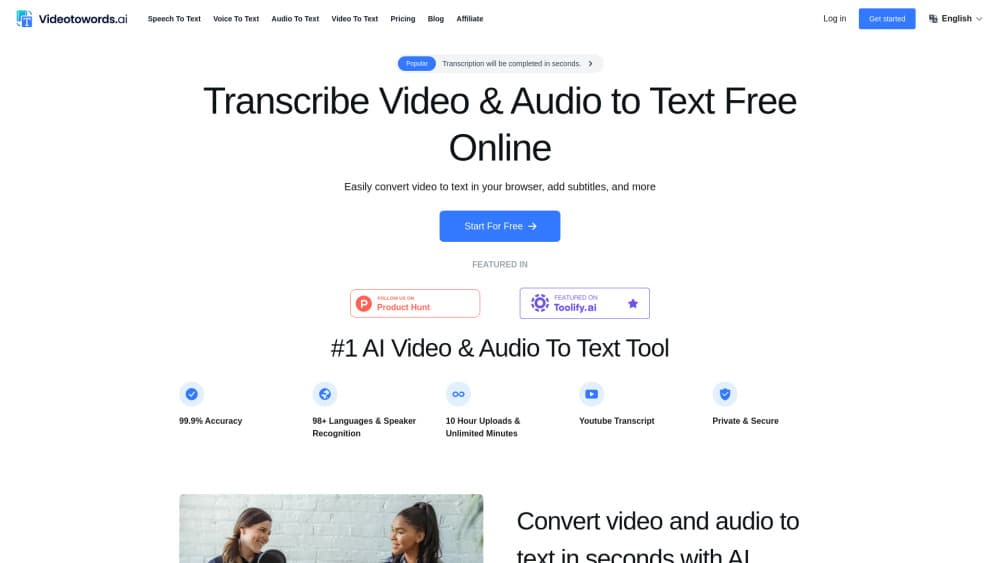
VideoToWords.ai turns audio and video files into editable text in 98+ languages, with a free plan that covers three files a day and paid plans for longer uploads.
About VideoToWords.ai
What Is VideoToWords.ai
VideoToWords.ai is a browser-based audio to text and video to text service from VideoToWords INC. You upload a recording, pick the spoken language, and the service returns text you can edit, translate, and export. It runs on Whisper and other speech models, and the company says the engine handles 98 languages plus background noise and regional accents.
The product covers the boring middle of transcription work: interviews, lectures, podcasts, and meeting recordings that are too long to type out but too important to skip. A free account gets three files a day with a 30 minute cap per file. Paid plans raise that to 10 hours per file and remove the daily count.
The main limit is scale. Each paid subscription covers one person, so a team of five needs five subscriptions. Free accounts also stop at 30 minutes per upload, which rules out full seminars and long calls.
Getting Started
- Open videotowords.ai and create a free account, or go straight to the dashboard.
- Upload an audio or video file, or paste a YouTube link for the service to pull the audio.
- Pick the spoken language. The tool auto-detects the file type and starts working without extra settings.
- Wait for the transcript, then fix names, punctuation, and speaker turns in the online editor.
- Export the result as TXT, DOCX, PDF, SRT, or VTT, or translate it into another language.
Product Information
A quick look at VideoToWords.ai's pricing, supported platforms, and performance.
Best for
The users, tasks, and scenarios where this tool fits best.
Users
- Journalists and podcasters
- Students and researchers
- Video creators and marketers
Tasks
- Interview and meeting transcripts
- Subtitle creation
- Turning recordings into articles
- Translating spoken content
Scenarios
- A 40 minute lecture recording
- A YouTube interview you want to quote
- A weekly podcast that needs show notes
Key features
98+ Language Speech Recognition
The engine covers English, Spanish, French, German, Japanese, Chinese, and dozens of smaller languages. It also handles mixed accents and noisy rooms, which is where cheap speech to text tools usually fall apart. Accuracy still depends on audio quality, so a clean microphone beats a phone recording in a cafe.
File Uploads and YouTube Links
You can drag in MP3, WAV, MP4, MOV, M4A, AAC, OGG, OPUS, MPEG, and WMA files, or paste a YouTube URL and let the service fetch the audio. Paid accounts accept 50 files at a time, with each file up to 10 hours or 5 GB. Free accounts accept one file up to 30 minutes.
AI Summaries for Long Recordings
After transcription, the tool can produce a summary of the recording. That helps when you need the gist of a two hour call or a conference talk and don't want to read the whole transcript. Treat the summary as a starting point, since it can miss nuance and caveats.
Built-In Transcript Editor
The online editor lets you fix words, add punctuation, and adjust paragraph breaks before you export. You don't need a separate document app for cleanup. Changes save to your account, so a transcript stays available in storage instead of disappearing after download.
Subtitle and Document Exports
Exports include TXT, DOCX, PDF, SRT, and VTT. SRT and VTT cover most video platforms and editors, while DOCX and PDF suit clients who want a readable document. Bulk export is available on every plan, including the free one, which is unusual for a transcription tool at this price.
Translation and Dubbing
Transcripts can be translated into around 100 languages, and the service also produces translated subtitles. A dubbing option adds AI voice with lip sync for finished videos, which is useful for reaching viewers who don't read the source language. Translation quality varies by language pair, so check names and technical terms.
Pros and cons
Pros
- The free plan includes all features, not a stripped version, so you can test translation and subtitle export before paying.
- Long files are supported on paid plans, up to 10 hours and 5 GB per upload, which covers full courses and day long event recordings.
- A YouTube link works as an input, so you can transcribe video to text without downloading or converting the file first.
- Exports cover documents and subtitles in the same pass, which removes a separate subtitle generator step.
- The browser interface needs no install and works the same on Windows, macOS, and Linux.
Cons
- Three files a day and a 30 minute cap on the free plan block most long form work, so heavy users end up on a subscription fast.
- Accuracy claims vary between the 99.9% headline and the 95% figure in the official FAQ, and real results depend on microphone quality and accents.
- One subscription covers one person, with no team seats or shared workspace for editors and researchers working together.
- There is no public API documentation, so automated pipelines have to go through the web app by hand.
Frequently asked questions
Yes. The free plan includes three transcripts a day, 30 minute uploads, translation, bulk exports, and unlimited storage. No credit card is needed to start, and the paid plan only matters when you need longer files or more than three per day.
Related content
Explore related tools, skills, and articles for VideoToWords.ai.
VideoToWords.ai Alternatives

Claude for Google Workspace
Anthropic · Writing · Productivity · BusinessClaude for Google Workspace puts Claude in a sidebar inside Google Docs, Sheets, and Slides, where it reads the file you have open and edits it in place.

Claude Haiku 5.5
Anthropic · Writing · Coding · ChatbotClaude Haiku 5.5 is Anthropic's fastest and cheapest small model, built for high volume tasks at $0.10 per million input tokens with a 1M token context window.

NoteWorthy
Suman Hansada · Writing · Productivity · AI AssistantNoteWorthy is a notes app for iPhone, iPad and Mac that writes titles, tidies formatting, summarizes long notes and files each one with on-device AI. No account, no upload, no network requests.