

TranscribeMe
TranscribeMe · Writing
TranscribeMe is a transcription service that turns audio and video into accurate text using a mix of speech recognition and human transcribers, with plans starting at $0.79 per minute.
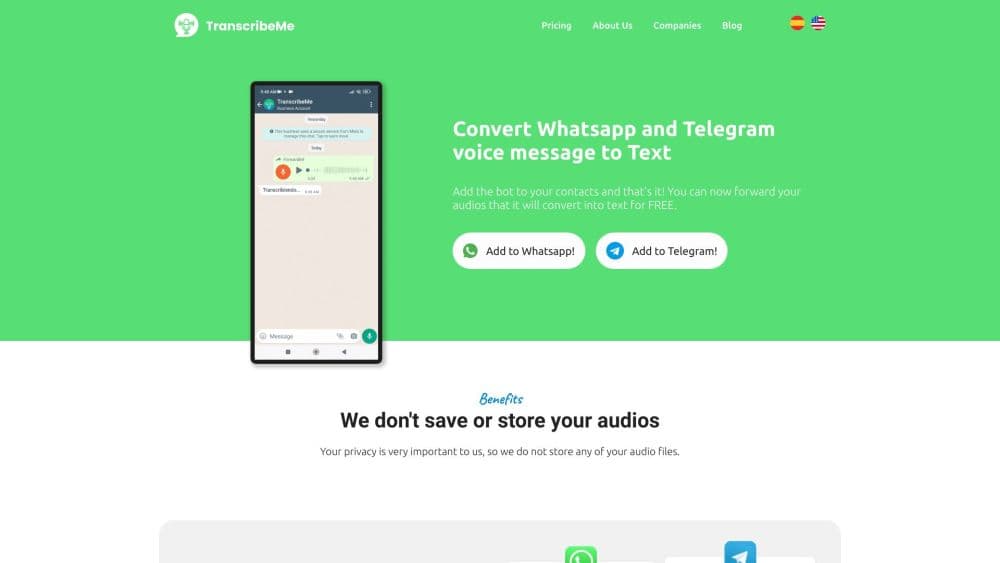
About TranscribeMe
What Is TranscribeMe
TranscribeMe is a cloud based AI transcription service and a human transcription company that also runs its own speech recognition technology. You upload audio or video, choose how detailed you want the transcript, and the service routes the file through machine processing and a team of human transcribers. It exists for one practical reason: fully automated tools struggle with accents, crosstalk, and jargon, and human transcription services that catch those details still matter when the transcript becomes an official record.
The core of the product is that hybrid step. Automated transcripts come back fast and cheap, while human edited transcripts pass the same audio through a second pass run by trained transcriptionists. That second pass is where the service earns its stated 99% or better accuracy, and it is why teams in legal transcription services, medical transcription, and research work choose it over a pure AI tool.
The main limit is turnaround and cost. Human edited work takes one to three days and per minute transcription pricing runs higher than a machine only run. If you need a rough draft in minutes and accuracy is not critical, the price you pay for a polished transcript is more than you need.
Getting Started
- Create a free account on the TranscribeMe website or download the mobile app for iOS.
- Upload your audio or video file, or record straight into the app. You can set uploads to run only over Wi Fi to avoid data charges.
- Pick your transcript type, such as First Draft, Standard, or Verbatim, and add options like speaker identification and timestamps.
- Enter your billing details and confirm the order.
- Collect the finished transcript by email, in the app, or from the customer portal, then download it as Word, PDF, or another format.
Product Information
A quick look at TranscribeMe's pricing, supported platforms, and performance.
Best for
The users, tasks, and scenarios where this tool fits best.
Users
- Researchers and academics
- Legal teams
- Medical and healthcare staff
- Students and journalists
Tasks
- Converting research interviews into text
- Transcribing legal proceedings
- Documenting patient notes
- Building training data for AI models
Scenarios
- A tight legal deadline
- A market research project with dozens of interviews
- A study abroad lecture series
Key features
AI Plus Human Transcription
Every transcript starts with speech recognition and, for edited tiers, passes through human transcribers who fix what the machine misses. The service call this the Gold Standard method, which keeps context such as grammar, speaker changes, and tags for non verbal sounds like laughter in the final text. This is the difference between a rough auto transcript and one you can hand over as a record.
Tiered Transcript Types
You choose how much detail you want. First Draft runs audio through a single transcription step for raw, easy to read text. Standard and Verbatim pass audio through two steps, and Verbatim keeps filler words, stutters, and speech errors that analysis often needs. Matching the tier to the job keeps cost down when you do not need every um and ah.
Speaker ID and Timestamps
Multi speaker transcripts carry speaker identification and timestamps so you can tell who said what and when. This matters for interviews, panels, and hearings where attribution is the whole point. Instead of guessing at turns in a wall of text, you get a structured record linked to the audio.
Format and Output Flexibility
Transcriptions come back as Word, PDF, HTML, and NVivo compatible files. Legal work can be delivered as ASCII or text formatted to a specific jurisdiction, with custom speaker labels, bylines, lines per page, and certification pages. You set the output to fit where it is going rather than reformatting it later.
Mobile Recording App
The iOS app records audio directly, uploads from apps like Dropbox and Voice Memos, and sends a push notification when a transcript is ready. Uploads can be limited to Wi Fi to avoid data overages. For students and field researchers, that turns a phone into a capture tool that feeds the same transcription pipeline.
HIPAA and Legal Workflows
Separate processes cover regulated work. The HIPAA compliant workflow uses verbatim transcription with customized handling of personal and health information, and legal transcription supports depositions, notices, hearings, and legal annotations. Both require a setup step with the sales team, which keeps the stricter rules applied from the first file.
Custom AI Datasets and Annotation
Beyond transcription, the team creates custom datasets and annotated data for machine learning. You get structured data in flexible formats, produced under confidentiality agreements. Teams training models use this to skip building an annotation pipeline of their own.
Pros and cons
Pros
- Combines speech recognition with human transcribers, which lifts accuracy past what an automated tool alone reaches.
- Offers tiered transcripts from a low cost First Draft up to Verbatim, so you pay for the detail you actually need.
- Covers specialized legal transcription services and HIPAA compliant workflows that a general tool does not handle.
- Returns transcripts in many formats, including NVivo, Word, PDF, and jurisdiction specific legal outputs.
- Mobile app records and uploads from the phone, which suits interviews and lectures captured away from a desk.
Cons
- Human edited transcripts take one to three days, so it is slower than a machine only tool that returns text in minutes.
- Prices climb with the detail level and language, and multilingual work is quoted separately rather than listed upfront.
- HIPAA and legal services need a pre registration and setup step with the sales team before you can send files.
- The breadth of options means a first time user has to learn the difference between First Draft, Standard, and Verbatim to avoid overpaying.
Frequently asked questions
It converts audio and video into written transcripts. Files pass through speech recognition and, depending on the tier you pick, through human transcribers who clean up the text to reach high accuracy.
Related content
Explore related tools, skills, and articles for TranscribeMe.
TranscribeMe Alternatives

Google EmbeddingGemma 2
Google DeepMind · Writing · Image · CodingGoogle EmbeddingGemma 2 is a 740M-parameter open model that turns text, code, images, audio, and video frames into vectors in one 768-dimension space, running on phones and laptops.

MePersona
MePersona, Inc. · Writing · Productivity · MarketingMePersona is an AI unified inbox for creators. It learns your voice, drafts replies to fan messages from 12 platforms, and sends only what you approve.

Fluence
Yay Software (Yannick Huchard) · Writing · Voice & Language · ProductivityFluence is an Android app that reads PDFs, EPUBs, Word files and web articles aloud, follows each sentence as it speaks, and answers questions about the text on the phone itself.