

TranscribetoText.AI
Mithrilmobile OU · Writing · Voice & Language
TranscribetoText.AI is an online service that turns audio, video, and meeting recordings into text in 117 languages. It runs on Whisper AI and exports DOCX, PDF, TXT, SRT, or VTT.
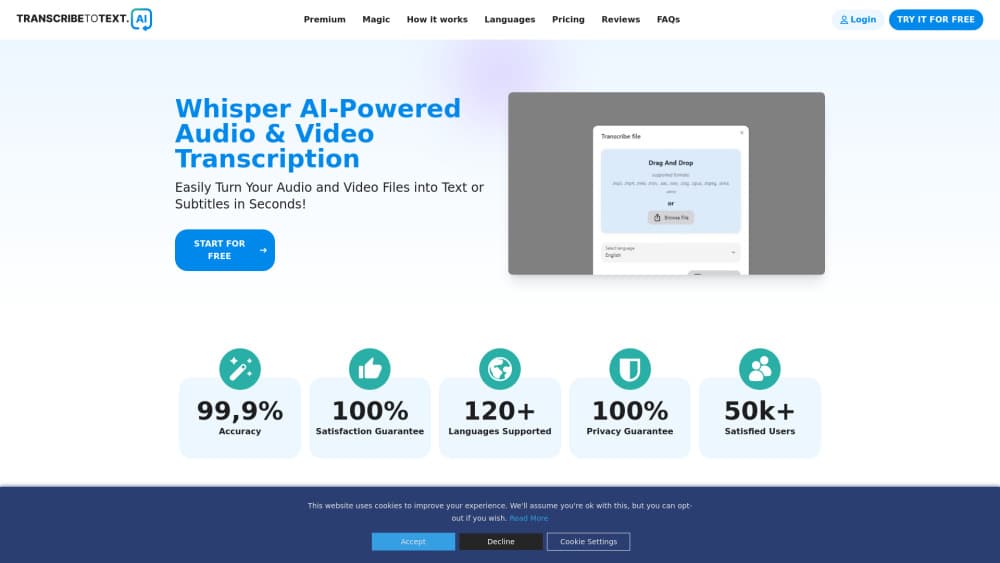
About TranscribetoText.AI
What Is TranscribetoText.AI
TranscribetoText.AI is a browser-based transcription tool built by Mithrilmobile OU, an Estonian company based in Tallinn. You upload a file or paste a link, pick a language, and get a transcript back. There's no software to install and nothing to configure.
The engine behind it is Whisper, an open speech recognition model from OpenAI that the developer runs on its own servers. The service supports 117 languages and dialects, handles files up to 10 hours long or 5GB each, and covers the common audio and video formats like MP3, MP4, M4A, MOV, AAC, WAV, OGG, OPUS, MPEG, WMA, and WMV. Beyond plain uploads, it can pull a YouTube video by URL, read files from Google Drive and Dropbox, and record and transcribe sessions in Google Meet, Zoom, and Microsoft Teams.
Output is flexible. You can download a transcript as DOCX, PDF, or TXT, or generate subtitles in SRT and VTT for video work. The site claims 99% accuracy and a 55,000-user base. Those are the developer's own numbers, so treat them as marketing rather than verified facts. The free tier is real but tight: one upload a day, ten minutes maximum, and lower priority in the queue. Serious transcription needs a paid plan.
Getting Started
- Open transcribetotext.ai in a browser. There's nothing to install.
- Upload a file, paste a YouTube URL, or connect a Google Drive or Dropbox file.
- Choose the language of the content so the model knows what it's hearing.
- Wait for the transcript, then review it against the audio.
- Download it as DOCX, PDF, or TXT, or export SRT or VTT subtitles.
Product Information
A quick look at TranscribetoText.AI's pricing, supported platforms, and performance.
Best for
The users, tasks, and scenarios where this tool fits best.
Users
- Journalists who work from interviews
- Students and researchers
- Podcasters and video creators
- Meeting-heavy teams
- Anyone who works in more than one language
Tasks
- Converting audio to text
- Converting video to text
- YouTube transcription
- Generating a transcript from any upload
- Generating subtitles
- Recording and transcribing meetings
Scenarios
- Clearing an interview backlog
- Turning a lecture into study notes
- Subtitling a short video
Key features
Whisper AI transcription engine
The core of the service is Whisper, an automatic speech recognition model that OpenAI released and that anyone can run on their own hardware. Because Whisper is open, the quality here comes down to how well Mithrilmobile hosts and scales it, not to a proprietary model. What that means in practice: accents, background noise, and mixed audio are handled reasonably, but the model does not know your specific jargon. Names, acronyms, and technical terms still need a pass by a human before you publish. The 99% accuracy figure on the site is a general claim, not a guarantee for every recording.
Broad language and format support
The tool works across 117 languages and dialects and accepts the formats most people actually record in. The list runs from MP3, M4A, AAC, WAV, WMA, and OGG to video files like MP4, MOV, and WMV. That range matters if your source material comes from several devices: a phone voice memo, a camera file, and a podcast export can all go through the same pipeline. Selecting the right language still helps, since the model uses it to narrow down what it hears.
Link and cloud imports
You do not have to download a file before transcribing it. The service takes a YouTube URL directly and pulls content straight from Google Drive and Dropbox. For anyone who works with material already sitting in the cloud, that saves the round trip of saving and re-uploading. It's the kind of small convenience that adds up when you're processing several clips a week.
Meeting recording and transcription
TranscribeToText.AI records and transcribes sessions in Google Meet, Zoom, and Microsoft Teams. That puts live meeting capture next to file-based transcription in one place, so a team can go from a call to a written record without copying the audio somewhere else first. Speakers come out separated in some cases through speaker recognition, which helps when more than one person talks, but it's not the same as a dedicated meeting-notes tool with summaries and action items.
Export and subtitle formats
Transcripts come out as DOCX, PDF, or TXT, and the service builds SRT and VTT subtitle files as well. The subtitle options are what separate it from a plain dictation app: you get files that drop into a video editor with timing already attached. For a writing workflow, DOCX keeps formatting when you move the text into a word processor, while TXT is the cleanest for feeding into another tool.
Unlimited paid transcription
The paid plan promises unlimited transcriptions with no daily cap, uploads to 10 hours or 5GB, and up to 20 files processed at once. It also adds translation, bulk exports, speaker recognition, and priority processing. The word unlimited is doing a lot of work here, and every service with a queue has fair-use limits buried in its terms, so read the fine print before you lean on it for heavy production work.
Pros and cons
Pros
- Runs in a browser with no setup, so you can start transcribing minutes after signing up.
- The free plan lets you test real transcription before paying, even if it's capped at one short file a day.
- 117 languages and the common media formats cover most everyday material without conversion.
- Direct YouTube, Google Drive, and Dropbox imports skip a download step.
- Exports include SRT and VTT, which most plain transcription tools do not bother with.
- The paid plan claims no daily limits plus priority processing, which fits steady workloads.
Cons
- The free plan is narrow: one upload a day, ten minutes, and slower processing.
- Pricing is only shown on a yearly basis, so you commit to a year rather than month to month.
- Accuracy depends on Whisper and the audio quality, and names and jargon need human review.
- The 99% accuracy and 55,000-user figures are the developer's own, with no independent check.
- There's no obvious developer API, so it's hard to wire into an automated pipeline.
- A dedicated meeting tool may still do summaries and action items better than raw transcription.
Frequently asked questions
TranscribetoText.AI is an online transcription service that converts audio, video, and meeting recordings into text. It runs on the Whisper AI speech recognition model and works in a browser, so there's nothing to install. It supports 117 languages and handles common audio and video formats.
Related content
Explore related tools, skills, and articles for TranscribetoText.AI.
TranscribetoText.AI Alternatives

Google EmbeddingGemma 2
Google DeepMind · Writing · Image · CodingGoogle EmbeddingGemma 2 is a 740M-parameter open model that turns text, code, images, audio, and video frames into vectors in one 768-dimension space, running on phones and laptops.

MePersona
MePersona, Inc. · Writing · Productivity · MarketingMePersona is an AI unified inbox for creators. It learns your voice, drafts replies to fan messages from 12 platforms, and sends only what you approve.

Fluence
Yay Software (Yannick Huchard) · Writing · Voice & Language · ProductivityFluence is an Android app that reads PDFs, EPUBs, Word files and web articles aloud, follows each sentence as it speaks, and answers questions about the text on the phone itself.