

Transcripo
Transcripo · Writing
Transcripo is a browser based audio to text converter that turns meetings, interviews, podcasts, and videos into editable transcripts, with AI summaries and subtitle exports.
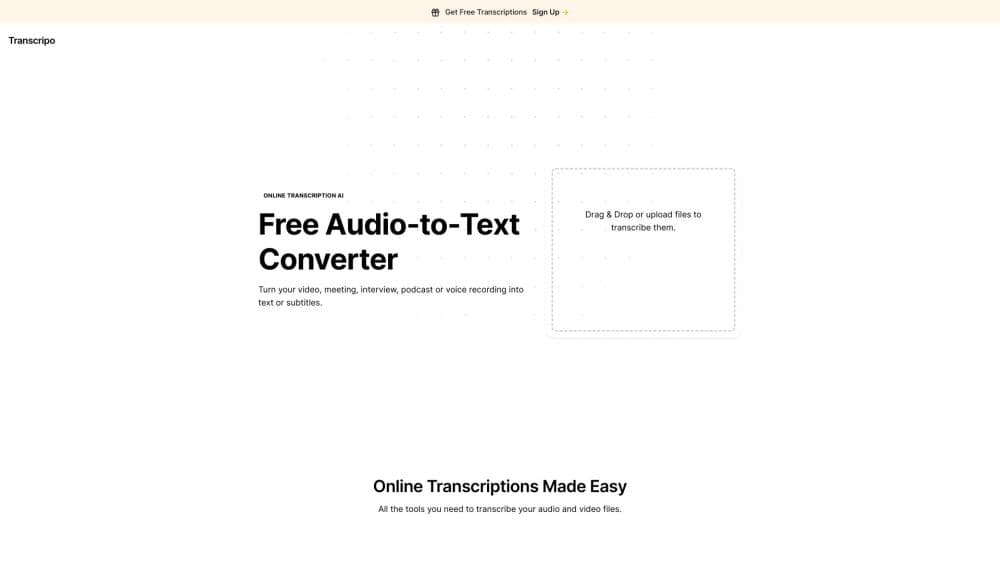
About Transcripo
What Is Transcripo
Transcripo is a web app that turns speech into text without a download. You upload an audio or video file, or record straight from the browser, and the transcript comes back in seconds for short clips and a few minutes for long ones. The output lands in an editor where you can fix names, trim filler words, and export the result.
The product sits in the practical middle of the transcription market. It's not a full meeting platform with calendars and speaker analytics, and it's not a developer API. It's a clean single purpose tool for people who need one recording turned into readable text today. The site lists support for more than 100 languages, one click AI summaries, and subtitle files you can drop into a video editor.
The limits are worth knowing before you commit. Every plan is measured in hours of speech to text, so a weekly podcast with long episodes eats a plan faster than short interview clips do. Translation is advertised as coming soon, which means it's not live yet. Accuracy drops on noisy rooms, heavy accents, and crosstalk, and you should still read the transcript before publishing it.
Getting Started
- Open transcripo.com in a browser and create an account with an email address.
- Upload an audio or video file, or press record to capture audio directly in the browser.
- Set the spoken language, then start the job. Short files finish in seconds.
- Open the transcript in the editor, correct names, numbers, and technical terms, and generate an AI summary if you need one.
- Export the finished text as a PDF or a subtitle file for your video editor.
Product Information
A quick look at Transcripo's pricing, supported platforms, and performance.
Best for
The users, tasks, and scenarios where this tool fits best.
Users
- Students and researchers
- Podcasters
- Social media editors
- Journalists
Tasks
- Turning a meeting recording into minutes
- Captioning a video
- Drafting a blog post from a podcast
- Converting an MP3 interview to text
Scenarios
- A weekly podcast workflow
- A one off research interview
- Repurposing a webinar
- Class notes for a recorded lecture
Key features
Audio and Video Uploads in One Place
The same upload box takes audio and video, so an MP3 interview and an MP4 screen recording follow the same path. You don't convert formats first. That saves a step that used to mean opening a separate converter before transcription even started.
Record Audio in the Browser
You can capture speech directly instead of uploading a file. That's handy for in person interviews, quick voice memos, and lectures where you're already sitting at a laptop. The recording goes into the same transcript flow as an upload.
Transcription in More Than 100 Languages
Transcripo lists support for over 100 languages, which covers most of what a freelancer or small team runs into. You set the spoken language before the job starts. Mixed language recordings are the weak spot, since a single language setting can't follow a speaker who switches mid sentence.
Subtitle Files and PDF Exports
Transcripts export as PDF or as subtitle files, and the site points to Adobe Premiere and Final Cut Pro as the destination. That makes it useful as a video to text step for creators who need captions. Check the timings on fast cuts, because automatic segmentation can drift on overlapping speech.
One Click AI Summaries
A summary button turns a long transcript into a shorter structured version. It's the fastest way to get show notes, a meeting recap, or a first draft outline. Treat the summary as a draft, since it can flatten nuance and drop caveats that mattered in the original audio.
Editing Before You Export
Every transcript opens in an editor where you fix names, jargon, and numbers before export. This matters more than it sounds. A raw transcript with three misspelled client names isn't publishable, and cleaning it here is faster than fixing it inside a video editor later.
Pros and cons
Pros
- Runs in the browser with no install, so it works on a Chromebook, a Mac, or a phone without a desktop app.
- You can test it before paying, and the first transcriptions come free after signup.
- Transcription pricing starts at $9.90 a month for 30 hours, and annual billing cuts that in half.
- Summaries and subtitle exports live in the same place, which removes a second tool from the workflow.
Cons
- Translation is listed as coming soon, so anyone who needs a second language version has to wait or use another service.
- Hours are metered on every plan, which makes a long podcast archive an expensive job on the top tier at 160 hours.
- No API or automation is documented, so it can't slot into a batch pipeline without manual uploads.
- Accuracy on noisy rooms and crosstalk is uneven, and the free allowance is too small to test a full episode.
Frequently asked questions
Yes, up to a point. New accounts get their first transcriptions without paying, which makes it a usable free transcription tool for a short file. After that you pick a monthly plan, and the cheapest one runs $9.90 for 30 hours of speech to text.
Related content
Explore related tools, skills, and articles for Transcripo.
Transcripo Alternatives

Emailwritr
Emailwritr · Writing · MarketingEmailwritr is an AI email copywriting tool built for affiliates, course creators, and online businesses that want more revenue from the list they already own. Instead of blank pages or generic chatbot prompts, this AI email writer generates welcome sequences, launch campaigns, cart recovery emails, and promo series from frameworks modeled on well-known direct-response copywriters. You connect your autoresponder, answer a few questions about your offer, and it writes the copy for you.

Swms
Swms AI · Writing · Productivity · BusinessSwms is an AI safety compliance tool that turns a plain description of a job into ready-to-use safety documents. Describe your project, trade, and known hazards, and it writes a safe work method statement, job hazard analysis, safe work procedure, RAMS, or safety data sheet in seconds. It also ships with Oscar, a chat assistant that answers workplace safety questions in any language. Teams in construction, mining, transport, and warehousing use it to cut the paperwork that usually eats into a workday.

Prosp
Prosp · Writing · Voice & Language · MarketingProsp is an AI LinkedIn outreach tool built for agencies and sales teams, and it writes the message and the voice note in your own voice for each prospect so they actually reply. You connect your accounts, find leads, and let the AI draft and send personalized messages at scale, all from one inbox. It's built for people running outbound at volume. That's the whole pitch. Every touchpoint still has to feel human.