

TranscriptionPlus
TranscriptionPlus · Writing · Voice & Language · Coding
TranscriptionPlus is an AI transcription service that converts audio and video into clean text with speaker labels, summaries and support for 30+ languages.
About TranscriptionPlus
What Is TranscriptionPlus
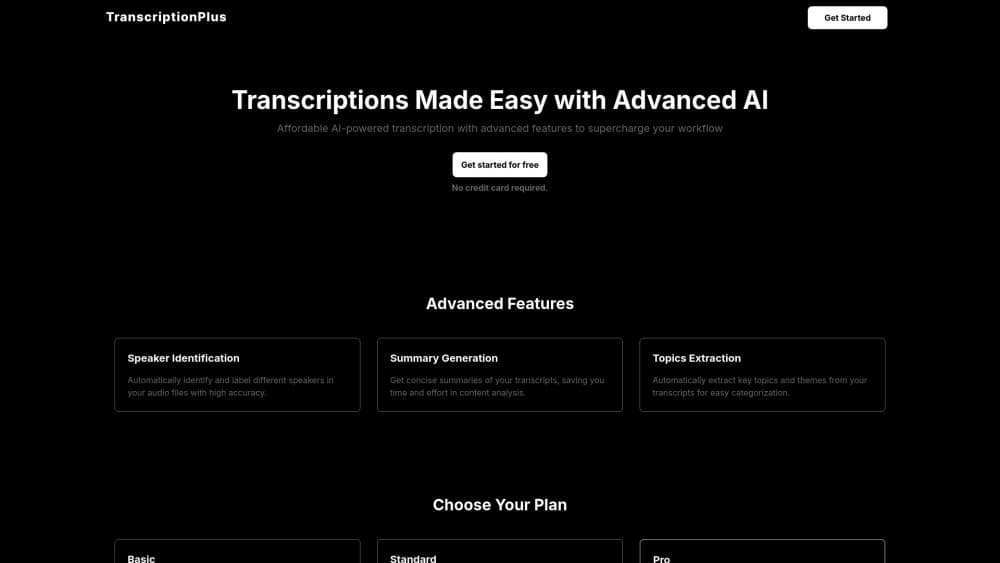
TranscriptionPlus is a web-based transcription platform that turns recordings into text you can search, edit and share. You upload an audio or video file, or paste a link, and the service returns a transcript split by speaker, plus a summary and the main topics covered. It handles meetings, interviews, podcasts and lectures, and keeps everything in one dashboard instead of spread across separate apps.
The pitch is workflow, not just raw text. Files land in a shared library, transcripts carry speaker labels and topic tags, and teammates can be invited to review the output. The company lists a 99% accuracy target and support for more than 30 languages, so multilingual recordings do not need a second tool.
The catch is that it is still a young service. The interface is polished, but the company publishes little about its models or data handling, and prices show a launch discount that may not hold. Teams that need certified human review, such as court reporters or clinical dictation, are outside what an AI-only tool can guarantee.
Getting Started
- Create an account at transcription.plus and start on the free tier.
- Upload an audio or video file in a format like MP3, WAV, M4A or MP4, or paste a supported link.
- Pick the transcript language and let the pipeline run speaker separation and summarize the content.
- Review the transcript, then export it or share the space with your team.
Product Information
A quick look at TranscriptionPlus's pricing, supported platforms, and performance.
Best for
The users, tasks, and scenarios where this tool fits best.
Users
- Researchers running interviews
- Podcasters and creators
- Operations teams inside small companies
Tasks
- Meeting transcription
- Podcast and video repurposing
- Interview and focus group work
Scenarios
- Turning a week of recorded calls into notes
- Writing up multilingual sessions
- Building a searchable archive
Key features
Accurate transcripts with speaker separation
TranscriptionPlus turns recordings into clean text and marks who said what, which matters once a conversation has more than two voices. The company targets 99% accuracy, and the output is formatted for export rather than left as raw text. For interviews and panels, the speaker split saves the manual labeling step.
AI summaries and topic extraction
Every transcript comes back with a concise recap and the topics it touched on, so you can skim a long recording in under a minute. This suits follow-up work where the point is the decisions and next steps, not the full wording. You still get the complete transcript underneath when you need exact quotes.
Support for 30+ languages
The service handles recordings in more than 30 languages, which cuts out the separate tool you might otherwise need for a foreign-language interview. That is useful for research teams interviewing across regions or creators with an international audience. You pick the language before the pipeline runs.
Upload by file or link
You can drop an audio or video file, or paste a supported link and schedule the transcription without downloading first. Common formats such as MP3, WAV, AAC, M4A, MP4, WEBM and FLAC are covered. The link option is the one that saves time when a recording already lives online.
Team spaces and shared libraries
Paid plans let you invite collaborators, split work by team and keep shared libraries organized. Transcripts, summaries and topics sit in the same place, so a colleague picking up the work does not need a handoff note. Higher tiers raise the member limit and the minutes included.
Subscription-aware upload limits
Each plan carries a monthly minute allowance and a file size cap, starting at 300 minutes and 1GB on the entry tier and rising to 4,000 minutes with no file size limit on the top plan. The limits keep the service predictable and are published up front, so you can size a plan to your transcript volume.
Pros and cons
Pros
- Handling transcripts, speaker labels, summaries and topics in one dashboard removes the need to stitch together several tools.
- Support for 30+ languages covers multilingual recordings without a second subscription.
- The link upload option saves a download step when a recording already lives online.
- Team spaces and member invites fit small groups that share meeting and interview notes.
- Entry pricing is low, at $4.90 a month for 300 minutes, so testing costs little.
Cons
- The company shares few details about its speech models or data handling, so you cannot verify how recordings are processed.
- The AI-only workflow cannot match certified human transcription for legal, medical or court work that needs a guaranteed record.
- Prices show a 50% launch discount, which means the standard rate could climb once the offer ends.
- There is no API listed, so teams that want transcription wired into their own systems have no documented path.
Frequently asked questions
TranscriptionPlus turns audio and video recordings into text. You upload a file or a link and get a transcript split by speaker, plus a summary and the topics discussed, all stored in one dashboard for teams to review and export.
Related content
Explore related tools, skills, and articles for TranscriptionPlus.
TranscriptionPlus Alternatives

Google EmbeddingGemma 2
Google DeepMind · Writing · Image · CodingGoogle EmbeddingGemma 2 is a 740M-parameter open model that turns text, code, images, audio, and video frames into vectors in one 768-dimension space, running on phones and laptops.

MePersona
MePersona, Inc. · Writing · Productivity · MarketingMePersona is an AI unified inbox for creators. It learns your voice, drafts replies to fan messages from 12 platforms, and sends only what you approve.

Fluence
Yay Software (Yannick Huchard) · Writing · Voice & Language · ProductivityFluence is an Android app that reads PDFs, EPUBs, Word files and web articles aloud, follows each sentence as it speaks, and answers questions about the text on the phone itself.