

Transcriptly
Transcriptly · Writing · Voice & Language
Transcriptly is an online audio and video to text converter and YouTube transcript generator. It turns videos and local media into transcripts in 98+ languages and exports them as SRT, VTT, or DOCX.
About Transcriptly
What Is Transcriptly
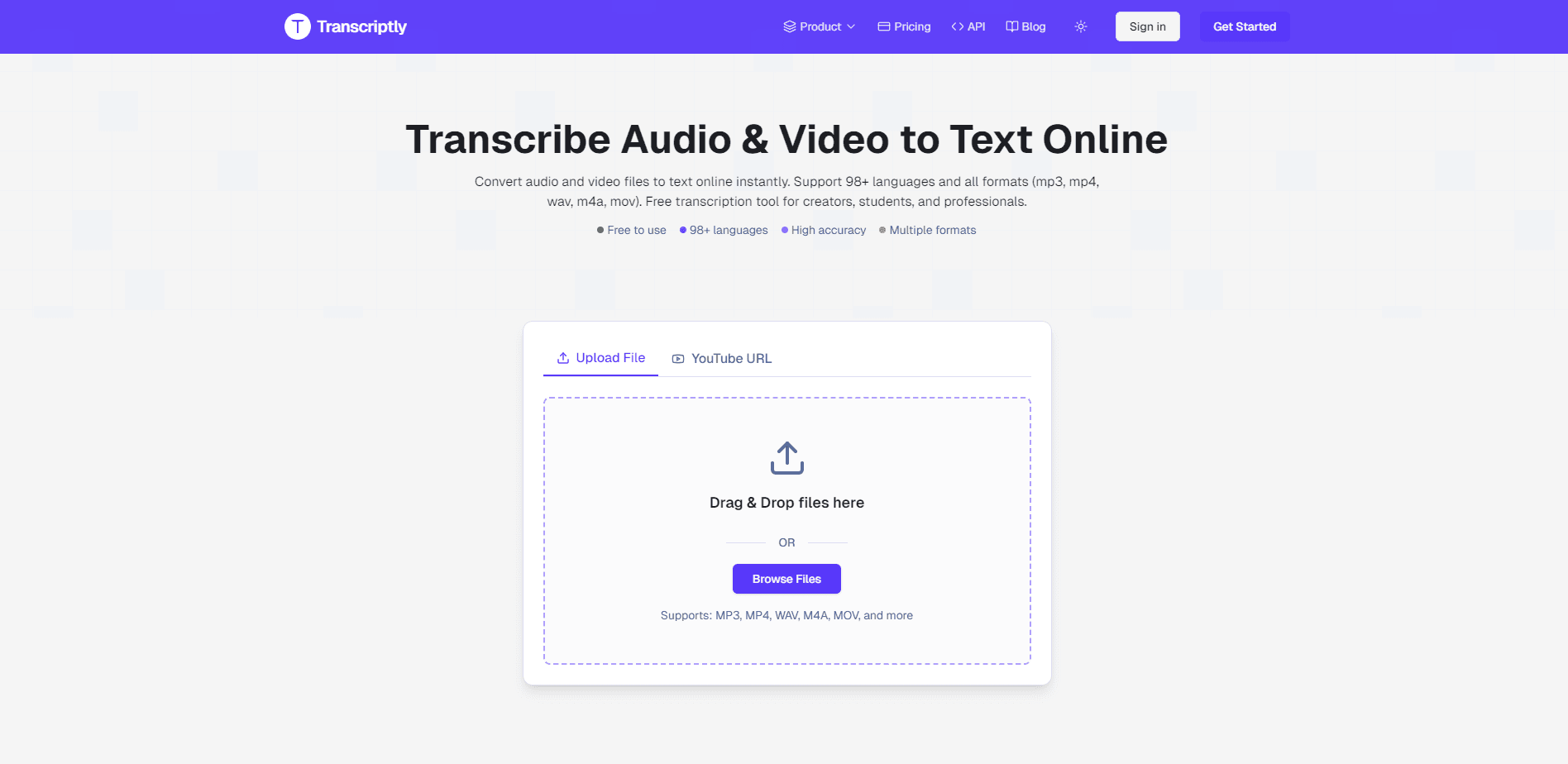
Transcriptly is a browser-based transcription service that converts audio and video into text. You paste a YouTube link or upload a local file, and the tool returns a transcript plus an optional AI summary. There's no download and no setup, so it works from any device with a browser.
The tool splits into two pipelines. YouTube videos with existing captions pull those captions straight from YouTube's public API, which is fast and costs nothing beyond a credit. Videos without captions, and any local file, go through AI speech recognition instead. The site puts accuracy at 99% and covers 98+ languages. Those figures come from the developer, so treat them as a claim rather than a measured result.
The main limit is the credit system. Every transcript and every API call burns one credit, and the free plan hands out 10 a month. Ten credits buy 10 captioned YouTube videos of any length, or roughly 10 minutes of AI transcription on local files and uncaptioned videos. Heavy users need a paid plan, and switching languages on a multi-caption video costs another credit each time.
Getting Started
- Open transcriptly.org in a browser. Nothing to install.
- Paste a YouTube URL, or drag an audio or video file into the upload box.
- Start the transcript. Captioned videos return in seconds; local files go through AI recognition.
- Review the transcript, then summarize it or chat with it if you need the key points.
- Download it as TXT, SRT, VTT, CSV, PDF, or DOCX, or share a link.
Product Information
A quick look at Transcriptly's pricing, supported platforms, and performance.
Best for
The users, tasks, and scenarios where this tool fits best.
Users
- Content creators
- Students and researchers
- Journalists and writers
- Marketers and analysts
- Developers
Tasks
- YouTube transcription
- Audio to text
- Transcribing an uploaded file
- Generating subtitles
- Summarizing and querying
- Bulk transcript extraction
Scenarios
- Clearing a backlog of lecture recordings
- Subtitling a short video
- Researching a competitor's webinar
Key features
YouTube transcript extraction
The core draw is pulling transcripts from YouTube. If a video has captions, Transcriptly grabs them through YouTube's public API and returns a timed transcript in seconds, no AI processing needed and no video download. That covers the bulk of popular content, where captions already exist. The catch is coverage: videos without captions fall back to AI recognition, which is slower and costs minutes rather than a single credit.
AI transcription for local and uncaptioned media
For files on your device and for YouTube videos that lack captions, the service runs AI speech recognition. It works as a speech to text tool for the formats people actually record in, including AAC, MP3, M4A, WAV, and OGG for audio, and MP4, MOV, MKV, AVI, and WebM for video. The AI step also adds speaker detection, which labels each voice as Speaker 1, Speaker 2, and so on. That matters for interviews and panels, where a wall of text with no attribution is hard to use.
Multi-language coverage
Transcriptly handles 98+ languages, and the language picker lets you target a specific one. For captioned YouTube videos with several language tracks, you can switch between them, but each switch spends another credit. For research that crosses borders, this means foreign lectures, interviews, and press material become readable without a separate translation service, and the AI summary works on the other-language text too.
AI transcript analysis
Beyond the raw text, the tool summarizes a transcript and lets you ask questions about it. You can pull key points, condense an hour of talking into a short brief, or query the content for a specific topic. It's useful when you need the gist of a long recording before deciding whether to read the whole thing. The summary quality tracks the transcript quality, so a noisy recording gives a thinner brief.
Flexible export formats
Transcripts come out in the formats different workflows need. TXT for plain reading, SRT and VTT for video subtitles, CSV for spreadsheets and analysis, and PDF or DOCX for documents and reports. That range means one transcript can serve a video editor, a writer, and an analyst without re-processing. Sharing is covered too, through a link you can pass to a teammate.
Developer API
Transcriptly ships an API for batch and programmatic work. Developers can request transcripts by video ID or URL and get structured output back, which suits teams building a pipeline or processing content at volume. Access sits behind the paid plans, and each call spends a credit, so cost scales with volume. It's aimed at professional users rather than one-off jobs.
Pros and cons
Pros
- YouTube transcripts come back in seconds when captions exist, with no download or AI wait.
- 98+ languages, with per-language switching on multi-track videos and an AI summary that works across them.
- Exports cover the common needs directly: SRT and VTT for subtitles, TXT, CSV, PDF, and DOCX for documents.
- AI insights add summaries and Q&A on top of the transcript, so long recordings turn into short briefs.
- A real free tier with 10 monthly credits lets you test both pipelines before paying.
Cons
- Credits run out fast. Ten free credits mean 10 captioned videos or about 10 minutes of AI transcription, and the AI path costs by the minute rather than per file.
- Language switching on a multi-caption video spends an extra credit for each language, which can drain a plan for multilingual work.
- Video length is only unlimited on the captioned YouTube path. AI transcription is billed per minute, so long uncaptioned recordings get expensive.
- No refunds on subscriptions, so the free plan is the only way to test before committing.
Frequently asked questions
If the video has captions, Transcriptly pulls them through YouTube's public API and returns a timed transcript almost instantly. If it doesn't, the service falls back to AI speech recognition, which takes longer and is billed per minute of audio.
Related content
Explore related tools, skills, and articles for Transcriptly.
Transcriptly Alternatives

Google EmbeddingGemma 2
Google DeepMind · Writing · Image · CodingGoogle EmbeddingGemma 2 is a 740M-parameter open model that turns text, code, images, audio, and video frames into vectors in one 768-dimension space, running on phones and laptops.

MePersona
MePersona, Inc. · Writing · Productivity · MarketingMePersona is an AI unified inbox for creators. It learns your voice, drafts replies to fan messages from 12 platforms, and sends only what you approve.

Fluence
Yay Software (Yannick Huchard) · Writing · Voice & Language · ProductivityFluence is an Android app that reads PDFs, EPUBs, Word files and web articles aloud, follows each sentence as it speaks, and answers questions about the text on the phone itself.