
Translator
Stage5 · Writing
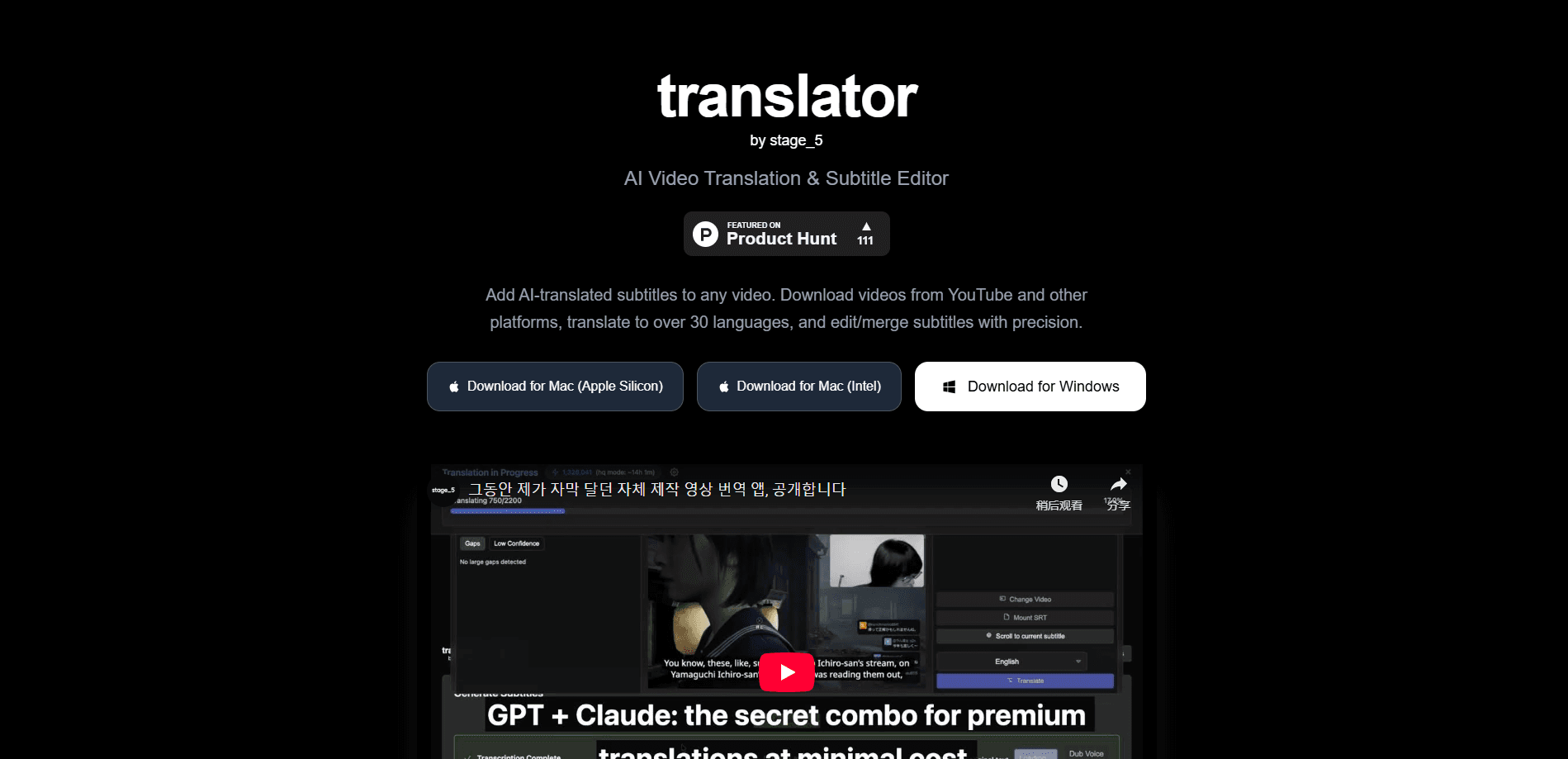
Translator is a desktop AI video translation app for macOS and Windows that keeps an entire subtitle job inside one window. You paste a video link or open a local file, download it, generate timed subtitles, translate them into one of 39 languages, review the lines against the actual footage, then export SRT files, subtitled video, dubbing, or share-ready clips. The core tools stay free, and you only spend money when AI features run.
About Translator
What Is Translator
Translator is built by Stage5 as a replacement for the messy chain of apps people normally use to subtitle a video. Instead of downloading in one tool, transcribing in a browser tab, translating in a third service, and timing everything in a fourth, the whole process stays in a single desktop workspace. It targets anyone who moves video across languages: YouTubers repurposing clips, course creators, localization teams, and people who just want to follow a foreign video in their own language.
Most people find the video downloader and the subtitle editor do the heaviest lifting. Those two parts are also free. That's the draw.
The app covers the full path from source to finished output. You can bring in a video from a URL or from your hard drive, keep several jobs open in browser-style tabs, generate subtitles automatically, translate them, and fix wording and timing while watching the video. It also handles subtitle merging, style and view choices, and dubbing when you want audio in the target language. Nothing here feels bolted on.
The biggest limitation is the billing model, and it's worth understanding before you start. Downloading, editing, merging, and standard exports are free forever, but every AI step runs on paid Stage5 credits unless you pay the one-time $10 BYO fee and plug in your own OpenAI, Anthropic, or ElevenLabs keys. There's no web version, so it only runs on desktop.
Getting Started
- Download and install the app on macOS or Windows. It's free to install, with no subscription needed just to use it.
- Paste a supported video URL or open a local file. The video downloads and lands in the same workspace where the rest of the job happens.
- Run transcription to generate timed subtitles, then pick your target language and quality mode.
- Review the translated lines against the on-screen video, fixing wording and timing where context matters.
- Export what you need: an SRT file, a subtitled video, a dubbed version, or a short clip ready for sharing.
Product Information
A quick look at Translator's pricing, supported platforms, and performance.
Best for
The users, tasks, and scenarios where this tool fits best.
Users
- YouTubers and clip channels
- Course creators and trainers
- Localization freelancers
Tasks
- Translating subtitles into another language
- Merging and cleaning subtitle tracks
- Dubbing a video
Scenarios
- Repurposing a YouTube video for an international channel
- Subtitling a recorded webinar or meeting
- Comparing original and translated lines before publishing
Key features
One Workspace for the Whole Subtitle Job
The core pitch is that Translator replaces the glue work between several apps. Downloading, transcription, translation, timing, editing, and export all happen in one window, so you stop moving files between services. Nobody enjoys that shuffle. For anyone who has assembled a subtitle workflow out of five tools, keeping it in one place alone changes the pace of the job.
Translation into 39 Languages
The app translates subtitles into 39 languages, which covers most of the reach you'd need without building a separate workflow per language. You pick the target language at translation time, and the translated subtitles appear inside the same view where you're already working. Timing stays intact. No re-syncing required.
Two-Pass Quality Review
Stage5's default path starts with GPT-5.1, and Quality mode adds a stronger GPT-5.4 review pass for wording that holds up in context. It's a second look rather than a different engine, aimed at lines that read fine in isolation but fall apart against the actual scene.
Subtitle Editor with Live Timing
You edit every line and its timestamp against the real video, so you can see whether a subtitle lands on the beat. Missed timing is obvious here. With 3901 subtitle languages available in the interface and style controls like Default, Classic, Boxed, and LineBox, you can match the look of the video you're working on.
Multi-Tab Workflow
Each video opens in its own browser-style tab with its own player, subtitles, edits, and live job status. Long-running jobs keep going in the background and signal when they finish, so you can start a translation and move on to editing another video without losing your place. It works. Your place is always where you left it.
Flexible AI Billing
AI steps run either on Stage5 credits bought inside the app or on your own provider accounts. BYO mode is a one-time $10 purchase that lets you bill OpenAI, Anthropic, or ElevenLabs directly. Credit packs range from $1, about 50 minutes, up to $50, which covers roughly 127 hours. Light users can stay cheap.
Dubbing and Clip Export
Beyond subtitles, the app can produce dubbed audio and short share-ready clips as part of the same workflow. So what does a finished job actually look like? It ends in a subtitled video, a dubbed version, or a clip, depending on where you're publishing.
Pros and cons
Pros
- Genuinely consolidates download, transcription, translation, timing, and export into one desktop app instead of a stack of services.
- Core tasks, including downloads, subtitle editing, merging, and standard exports, stay free with no subscription required.
- 39 translation languages and multi-tab handling make it practical for people running several jobs a week.
- BYO mode lets heavier users bill their own OpenAI, Anthropic, or ElevenLabs accounts instead of buying credits.
Cons
- AI features always cost something, so it isn't a fully free translator. Costs add up quietly if you translate a lot. If you don't run the AI steps, you're left with a solid but ordinary subtitle editor.
- There's no web or mobile version, so it only works on a macOS or Windows desktop. That rules out quick edits from a phone or Chromebook.
- Credit estimates are rough. Quality modes, dubbing, and different AI paths can consume more than the advertised translation-equivalent figures.
Frequently asked questions
The app is free to install and its core tools, including video downloads, subtitle editing, merging, and standard exports, cost nothing. You only pay when AI features run, either by buying Stage5 credits or by unlocking BYO mode and using your own provider keys.
Related content
Explore related tools, skills, and articles for Translator.
Translator Alternatives

Google EmbeddingGemma 2
Google DeepMind · Writing · Image · CodingGoogle EmbeddingGemma 2 is a 740M-parameter open model that turns text, code, images, audio, and video frames into vectors in one 768-dimension space, running on phones and laptops.

MePersona
MePersona, Inc. · Writing · Productivity · MarketingMePersona is an AI unified inbox for creators. It learns your voice, drafts replies to fan messages from 12 platforms, and sends only what you approve.

Fluence
Yay Software (Yannick Huchard) · Writing · Voice & Language · ProductivityFluence is an Android app that reads PDFs, EPUBs, Word files and web articles aloud, follows each sentence as it speaks, and answers questions about the text on the phone itself.