

Translingo
Translingo · Writing · Voice & Language
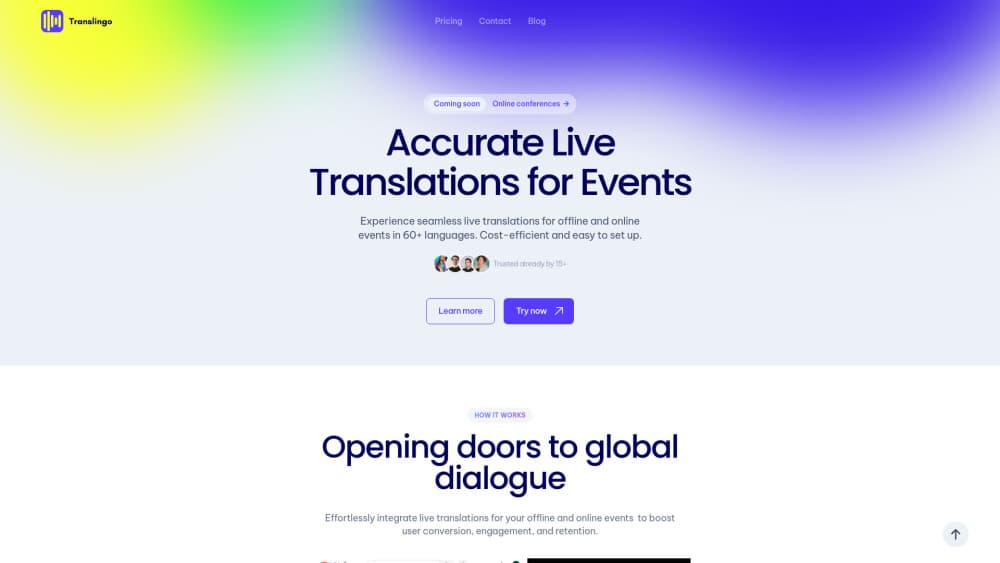
Translingo is a web-based AI platform for live translation for events. It translates and transcribes speech in 60+ languages and builds shareable recaps.
About Translingo
What Is Translingo
Translingo is an event translation platform that runs in the browser. A speaker records audio through one link, and attendees open a second link to read and hear the translation in a language they pick. It handles speech translation, transcription, and post-event recaps in one place, and it works with the conference platforms and video call apps an organizer already uses.
The problem it targets is simple. A conference with an international audience usually leaves half the room following a language they don't speak. Hiring interpreters for every language is expensive, and scaling to a dozen languages gets worse. Translingo sits on top of the audio setup you already have and turns one speaker into a multilingual session.
The limits are worth knowing before you buy. It's built for organizations and events, not casual one-off chats, so there's no free forever tier advertised and pricing usually runs through a demo call. Translingo doesn't save the session audio at any point, only the transcript, which is a privacy plus but also means you can't recover the raw recording later.
Getting Started
- Create or sign in to a Translingo account with a company email or a Google Workspace account.
- Create an Event, then add a Session inside it for each talk, panel, or meeting.
- Share the speaker link with your presenter and the listener link with attendees before the session starts.
- Press the microphone button to begin, then let listeners pick their language and follow along live.
- Stop recording and generate insights, then share the recap once the session ends.
Product Information
A quick look at Translingo's pricing, supported platforms, and performance.
Best for
The users, tasks, and scenarios where this tool fits best.
Users
- Conference organizers
- Event speakers
- Training and development leads
- Hybrid and online event hosts
Tasks
- Live speech translation
- Multilingual transcription
- Post-event recap generation
- Meeting documentation
Scenarios
- An international conference with attendees from many countries
- A hybrid event with both remote and on-site guests
- A corporate training rollout across regions
- A one-off webinar with no time to plan
Key features
Live speech translation in 60+ languages
Translingo translates a speaker's audio into more than 60 languages in real time, and listeners get both written and spoken output. Each attendee picks their own language from the listener page, so one talk serves a room with several mother tongues. The output appears as the speaker talks, which is the point for live events where a delayed feed breaks the flow.
Multilingual transcription
Alongside translation, Translingo produces AI event transcription of the session. Organizers can edit it, quote it, or keep it for records, and it covers the same language range as the real-time speech translation. The transcript is also the raw material behind the recap feature, so it does double duty after the event ends.
One-click recaps and insights
After a session, Translingo generates summaries and content from what was said. You choose the output type, from a basic summary to socials content, and the style, from detailed to concise to an SEO-boosted version. If the first draft doesn't fit, you press Generate New Insights or roll back through Version History instead of starting over.
Platform-agnostic setup
The platform works with the conference systems and video call apps an organizer already runs, rather than locking you into one tool. Connecting it to your audio or A/V setup takes under two minutes in most cases, and it runs with any equipment linked to your device. That keeps the switch cost low for teams that don't want to rebuild their stack.
No app download for attendees
Listeners join through a plain web link, so nobody has to install anything before a session. The speaker link works the same way. It removes the usual barrier of asking a room full of guests to download an app mid-event, and it means a first-time attendee can join from a phone or laptop browser.
Admin insights and session control
Admins can access transcripts during and after an event and see the total speakers, total listeners, and language distribution. A pause button handles breaks mid-session, and the dashboard splits events from stand-alone sessions so ad hoc meetings don't clutter a conference record. It gives organizers data on reach, not just a recording.
Pros and cons
Pros
- Attendees need no app, just a web link, which lowers the barrier to joining mid-event.
- Setup is quick, with connection to an existing A/V setup taking under two minutes in most cases.
- It covers 60+ languages with both written and spoken translation, so one talk serves a mixed audience.
- Recaps and insights turn a finished session into reusable content without extra editing work.
- The platform works across conference tools and video call apps instead of forcing one vendor stack.
Cons
- Pricing isn't published on the site, so you have to book a demo to get a quote.
- Attendees need internet access to open the listener link, which is a problem in venues with poor Wi-Fi.
- No mobile app is offered, so the whole experience depends on the browser.
- Translingo doesn't save session audio, so there's no raw recording to fall back on if a transcript needs checking.
Frequently asked questions
Translingo is a web-based AI translation platform for events. It delivers real-time speech translation in 60+ languages, produces multilingual transcripts, and generates shareable recaps from each session, all from a browser link rather than an installed app.
Related content
Explore related tools, skills, and articles for Translingo.
Translingo Alternatives

Google EmbeddingGemma 2
Google DeepMind · Writing · Image · CodingGoogle EmbeddingGemma 2 is a 740M-parameter open model that turns text, code, images, audio, and video frames into vectors in one 768-dimension space, running on phones and laptops.

MePersona
MePersona, Inc. · Writing · Productivity · MarketingMePersona is an AI unified inbox for creators. It learns your voice, drafts replies to fan messages from 12 platforms, and sends only what you approve.

Fluence
Yay Software (Yannick Huchard) · Writing · Voice & Language · ProductivityFluence is an Android app that reads PDFs, EPUBs, Word files and web articles aloud, follows each sentence as it speaks, and answers questions about the text on the phone itself.