

Translized | Software Localization Platform
Translized · Writing
Translized is a software localization platform for web and mobile apps. Teams store copy as keys, add machine or human translations, and push updates to installed apps without a new build.
About Translized | Software Localization Platform
What Is Translized
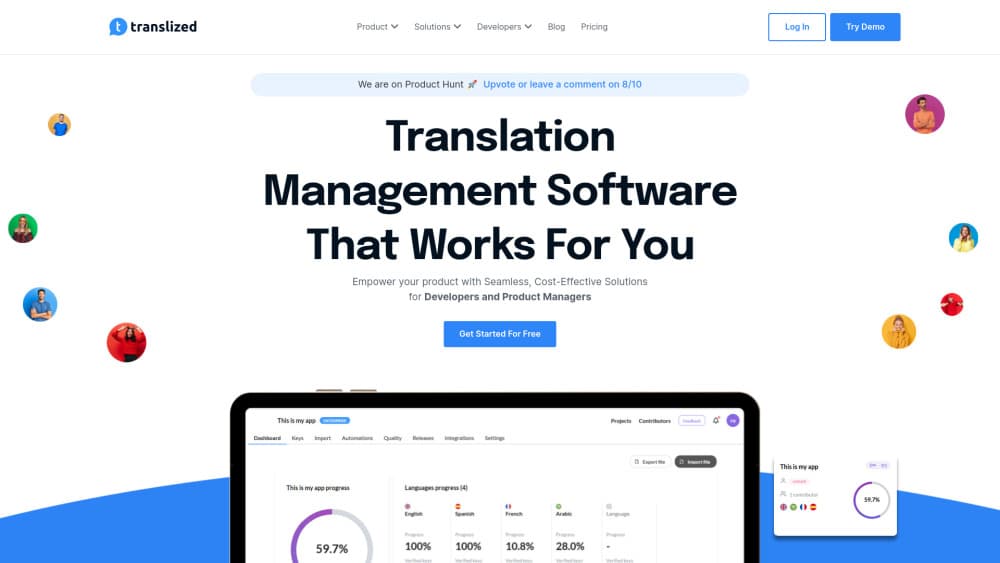
Translized is a translation management system for product teams that ship software in more than one language. Instead of passing spreadsheets between developers and translators, you keep every string in one project, tag it with a key, and let the platform track what's finished and what's missing. The workflow covers iOS localization, Android localization, and web copy in the same place.
The pricing idea is the part worth understanding. A key such as BalanceScreen.availableCash.title counts once, no matter how many languages you translate it into. Scope stays fixed while language count grows, which makes app localization budgets easier to predict. Paid plans scale by key count, and the free plan stops at 200 keys.
Two limits matter before you commit. Machine translation is the quick route, so output quality depends on the engine and on how much context your keys carry. Human review or ordered translations add time. Over-the-air translations, the feature that updates strings inside installed apps, require adding the vendor's SDK to your build.
Getting Started
- Create an account and start the 7-day trial, which opens with 60,000 keys on the Enterprise allowance.
- Import files in JSON, YAML, XML, Apple strings, or Android XML format, or connect a repository with the CLI.
- Choose target languages, then run machine translation, invite contributors, or order human translations.
- Clear the issues flagged by QA checks, publish, and let the SDK deliver the new strings.
Product Information
A quick look at Translized | Software Localization Platform's pricing, supported platforms, and performance.
Best for
The users, tasks, and scenarios where this tool fits best.
Users
- Indie iOS and Android developers
- Small product teams
- Freelance translators
Tasks
- Shipping a first non-English release
- Keeping copy in sync after updates
- Replacing spreadsheet handoffs
Scenarios
- Apps already live in the stores that need a wording fix today
- Products with hundreds of short UI strings
- Teams testing a market before hiring localization staff
Key features
Key-based projects
Every string gets a key, and the number of localization keys defines your plan instead of word count or translator seats. You can tag keys by feature, screen, or release, then hand translators a filtered batch. For app localization, that means the size of the job is visible before the invoice arrives.
Machine translation in one click
Translized connects to machine translation engines and fills empty keys in bulk. You choose the target languages, run the job, and review the output in the editor. It works well for a first pass on short UI text, and you should expect to edit anything customer-facing.
Human translations on order
When machine output isn't enough, you can order translations from professional translators inside the platform. Their work lands in the same project, so you keep one translation memory and one review history instead of juggling email threads and separate files.
Over-the-air string updates
The iOS SDK fetches updated strings at runtime, so copy changes reach installed apps without a new build or store review. This is the feature that separates Translized from a plain file-based translation management tool. It also adds an SDK dependency you need to plan for.
QA checks and translation memory
QA checks flag placeholder mismatches, broken variables, and other errors that crash formatted strings. Translation memory reuses approved phrases across releases, which keeps terminology consistent when several people translate the same product. Both run before publishing, not after users see the text.
CLI, API, and GitHub workflow
The CLI pulls keys into a local project and pushes new strings back, which fits a release pipeline. A REST API covers the same ground for custom tooling, and the GitHub integration connects commits to translation updates. Automation is where the platform saves the most time on repeat releases.
Pros and cons
Pros
- Key-based billing keeps costs flat as you add languages, which is unusual among localization platforms.
- A real free plan with 200 keys lets you test the workflow on a small project before paying.
- Over-the-air translations skip store review for copy fixes, a concrete gain for live apps.
- The CLI and API make repeat releases scriptable instead of manual.
- Machine translation, human translation, and review live in one project with shared memory.
Cons
- The 200-key free cap is small. A mid-sized app will hit it during the trial-to-paid transition.
- Pricing isn't listed publicly, so you can't compare plans without contacting the vendor.
- Over-the-air delivery depends on the SDK, which means code changes and an app release before the first OTA update works.
- Machine translation quality varies by language pair, and low-resource languages need human review.
Frequently asked questions
It's a software localization platform for translating app and web copy. You import strings, translate them with machine or human help, and publish the result, with over-the-air delivery for mobile apps.
Related content
Explore related tools, skills, and articles for Translized | Software Localization Platform.
Translized | Software Localization Platform Alternatives

Google EmbeddingGemma 2
Google DeepMind · Writing · Image · CodingGoogle EmbeddingGemma 2 is a 740M-parameter open model that turns text, code, images, audio, and video frames into vectors in one 768-dimension space, running on phones and laptops.

MePersona
MePersona, Inc. · Writing · Productivity · MarketingMePersona is an AI unified inbox for creators. It learns your voice, drafts replies to fan messages from 12 platforms, and sends only what you approve.

Fluence
Yay Software (Yannick Huchard) · Writing · Voice & Language · ProductivityFluence is an Android app that reads PDFs, EPUBs, Word files and web articles aloud, follows each sentence as it speaks, and answers questions about the text on the phone itself.