

Trekme.pro
Trekme.pro · Coding
Trekme.pro is a developer skill tracker that keeps a verified, week-by-week record of the technologies you work with and how deep your knowledge actually goes. Instead of a CV that claims React or Python with nothing behind it, you get a timestamped log you can point to. You can fill it in by hand in under two minutes a week, or let an AI coding assistant log your work automatically through MCP. It's aimed at both individual developers who need proof and engineering teams that want a living skills matrix.
About Trekme.pro
What Is Trekme.pro
Trekme.pro is a web platform that turns your day-to-day coding into a portable record of real skill. Each week it captures the tools and languages you touched and rates your proficiency from first exposure up to deep expertise, so over time you get a timeline rather than a one-off self-assessment. The problem it solves is simple: CVs and LinkedIn profiles are self-reported and unverifiable, and interviewers know it. Think of it as a skill tracking tool that does the remembering for you.
The platform works two ways. You can log entries manually, which takes a couple of minutes weekly, or connect it to an AI coding assistant such as Cursor, Cline, Roo Code, or OpenCode through MCP, in which case the logging happens on its own as you work. Your record belongs to you: you can export everything as JSON or PDF at any time, and switching jobs doesn't wipe it.
The main limits are worth knowing upfront. The MCP path only helps if you already code with one of the supported assistants, and there's no way for Trekme to check a skill you never actually used, so gaps in your log are genuine gaps. It also isn't a certification, so it won't replace a developer portfolio or a real interview for highly technical roles.
Getting Started
- Sign up at trekme.pro/register with a personal email, not your work one, so your record stays with you if you change employers.
- Backfill your history: bulk-add past roles, projects, and the technologies you used. Most people cover their last few years in around 15 minutes.
- Log your first week by hand, or connect the MCP server to your AI coding assistant. Authentication runs through OAuth, so there are no API keys to manage.
- Set a weekly reminder, and watch your timeline build as the weeks stack up.
- Export the record as JSON or PDF when you need it for a review, a raise conversation, or a job application.
Product Information
A quick look at Trekme.pro's pricing, supported platforms, and performance.
Best for
The users, tasks, and scenarios where this tool fits best.
Users
- Individual developers
- Engineering managers
- Career changers
Tasks
- Proving real depth in a specific stack
- Spotting skill gaps
- Justifying a training budget
- De-risking key-person dependency
Scenarios
- Preparing for a job hunt
- Quarterly review prep
- Onboarding a team onto a new framework
- Long-term career tracking
Key features
Week-by-Week Skill Timeline
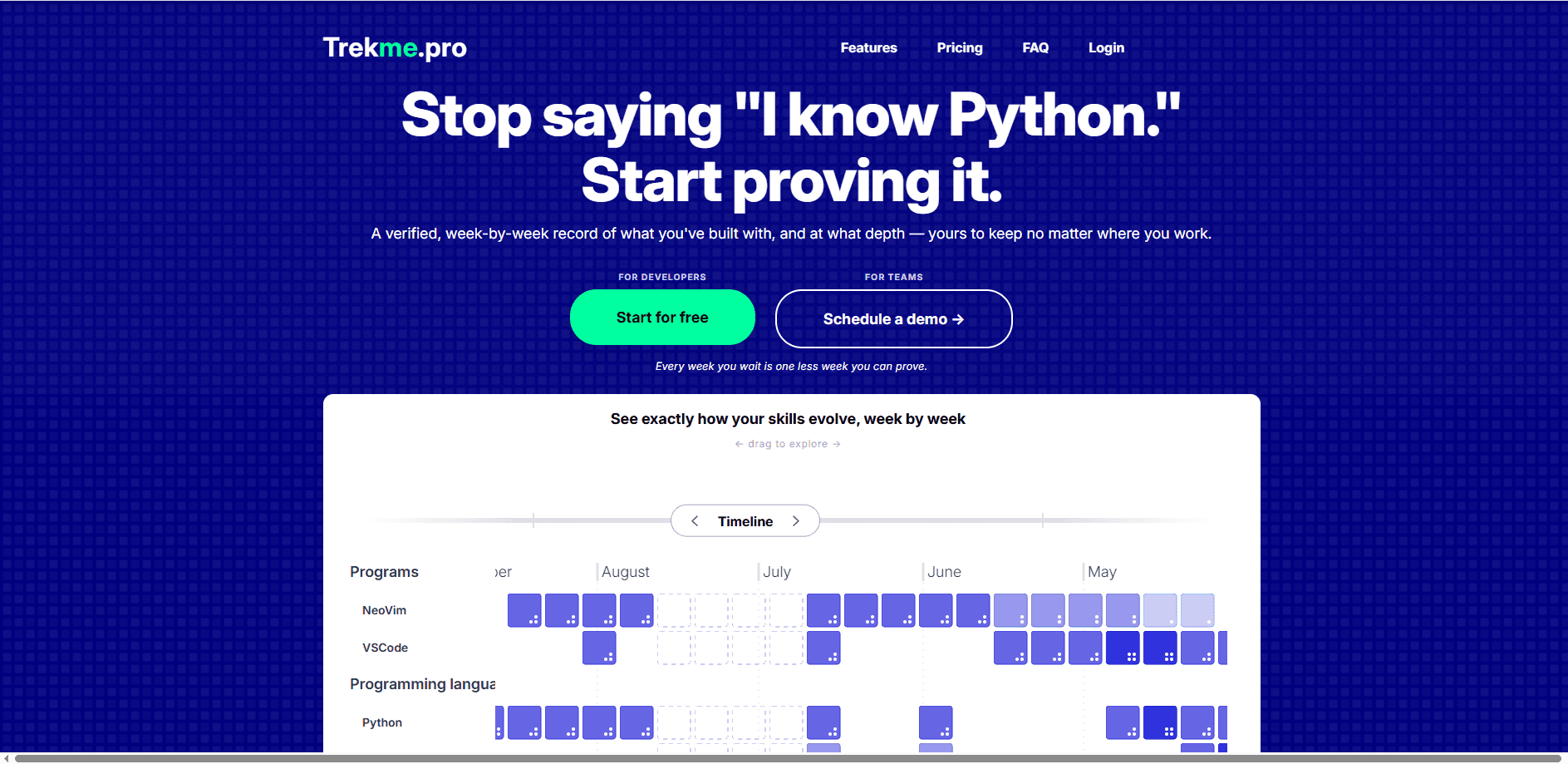
Trekme records what you used each week along with a proficiency depth, so you see a verified skills record built over time rather than a snapshot. This matters because the trend line is where the signal is: a tech you touched once three years ago looks different from one you've deepened all quarter. That's the core of the product. Everything else feeds into it.
MCP Integration With AI Coding Assistants
If you use Cursor, Cline, Roo Code, or OpenCode, the MCP server lets your assistant read and update your weekly entries right from the chat window. Setup is a one-time config change, and OAuth handles authentication, so there are no API keys to store. For people who already code this way, logging drops to zero effort. Not so for everyone else. Manual entry is the fallback, and it still works fine.
Portable, Exportable Records
Your history is yours, not your employer's. You can export the whole thing as JSON or PDF whenever you want, and changing jobs has no effect on your profile. That portability is also what keeps the data trustworthy for teams, since developers have a reason to log honestly.
Team Skills Inventory and Reports
On the paid plans, managers get aggregate reports showing who works with what and how deep the knowledge goes. Because entries are captured weekly, the picture stays current instead of rotting like a one-off skills matrix. Enterprise adds multi-team views, engagement reports, and custom branding.
Bulk Backfill on Signup
You don't start with an empty profile. When you sign up you can add past roles, projects, and technologies in bulk, so years of work before Trekme existed still show up. Most users fill in their last two or three years in about 15 minutes.
Growth and Retention Data
Trekme shows where expertise is deepening and where it's eroding over months and years, which turns "we invested in training" into a measurable trend. Managers can point to it in budget conversations. Developers can use it as evidence in a raise discussion. So what does that look like in practice? A course that got someone genuinely deeper shows up as a rising line. A one-week experiment fades. That's the long-term counterpart to the weekly log.
Pros and cons
Pros
- Backed by a dated timeline rather than self-reported claims, which is exactly what interviewers push back on.
- The MCP integration makes logging automatic for anyone already using a supported AI assistant.
- Records are portable and exportable as JSON or PDF, so your history survives a job change.
- Team tier starts at $5 per user per month billed annually, which is cheap for a living skills inventory.
- Bulk backfill means you can reconstruct several years of history in a single sitting.
Cons
- Automatic logging depends on the MCP server and one of the supported assistants, so it's less useful if you code in a plain editor.
- It can only track skills you actually use week to week, so a quiet period on a technology reads as a gap even if you still know it.
- It's a record, not a certification, so it won't carry weight with employers who want formal credentials.
- Some features, including aggregate reports and custom branding, sit behind the paid Team and Enterprise plans.
Frequently asked questions
It's a skill tracker that builds a verified, week-by-week record of the technologies you work with and how deep your knowledge goes. You use it to prove real depth in interviews, spot gaps in your stack, and track growth over time.
Related content
Explore related tools, skills, and articles for Trekme.pro.
Trekme.pro Alternatives
Forefront
Forefront · CodingForefront is a web platform for building with open-source AI. It lets you fine-tune leading open-source language models on your own data, evaluate how they perform, and run them through an API or export them to host yourself. Developers who want the convenience of a closed-source platform but insist on owning their models and data are the target audience here.

Startkit
StartKit.AI · CodingStartkit is a boilerplate for building AI SaaS and AI wrapper products. Think of it as an AI startup boilerplate with the boring parts already wired up: authentication, Stripe and Lemon Squeezy payments, usage limits, transactional email, and an AI API starter that talks to OpenAI, Anthropic, Groq, or Llama. You clone the repo, set your price, and start on the part of your product that people actually pay for. It's Next.js under React and Tailwind, so most of the boilerplate code already feels familiar.
Testim
Tricentis · CodingTestim is an AI-powered test automation platform for building and running end-to-end tests across web, mobile, and Salesforce applications. It leans on machine learning to keep tests stable when an interface changes, so teams spend less time fixing broken selectors. Not bad for an automated testing tool you can start using today. You create tests by recording actions in a browser, then optionally add JavaScript when you need more control. It's a solid pick for busy QA teams.