

Trench
Frigade · Coding
Trench is free open source analytics infrastructure from Frigade that tracks events in real time on ClickHouse and Kafka, built to run without cookies.
About Trench
What Is Trench
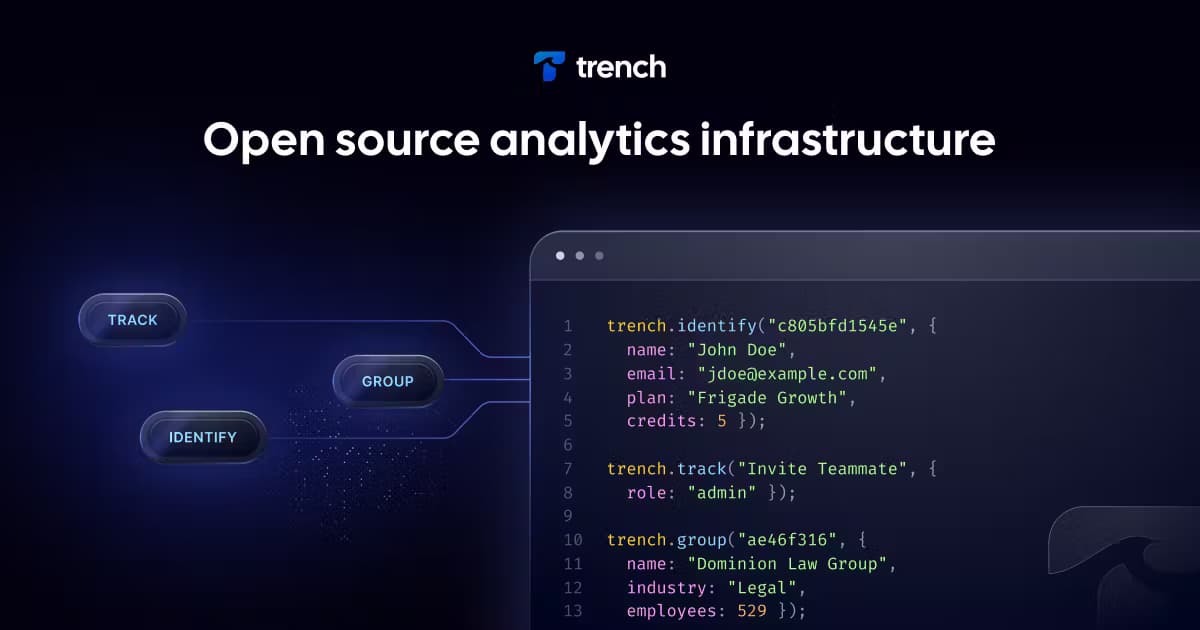
Trench is an event tracking system that you host yourself and keep under your own account. It stores what people do inside your app, such as signing up, finishing a purchase, or opening a feature, then lets you query that data in real time with SQL or a REST endpoint. Underneath, it runs Apache Kafka to absorb the incoming stream and ClickHouse to answer questions fast.
The team at Frigade built it to handle their own event pipeline at scale, then released it as open source. That matters if you have looked at the bill from a hosted product analytics tool and wondered why tracking your own users costs so much. Trench is meant for developers who want Segment-style tracking without shipping every event to someone else's servers.
Two things shape what you get. First, Trench follows the Segment API, so track, identify, and group calls you already wrote usually work with a new endpoint. Second, it ships as one Docker image with Kafka and ClickHouse inside, which keeps setup short but also means you run a real database. Budget at least 4GB of RAM and 4 CPU cores for a production node.
Getting Started
- Clone the FrigadeHQ/trench repository and open the apps/trench folder.
- Copy the sample environment file, then start the stack with Docker Compose, which brings up Trench plus local Kafka and ClickHouse.
- Open the server on port 4000 and find your public and private API keys in the environment file.
- POST an event to the events endpoint with a userId, a type such as track, and a properties object.
- Read data back through the events endpoint, or run SQL statements through the queries endpoint.
Product Information
A quick look at Trench's pricing, supported platforms, and performance.
Best for
The users, tasks, and scenarios where this tool fits best.
Users
- Developers who want Segment-style tracking without a hosted bill
- Teams with strict data rules
- Engineers who already run Kafka
Tasks
- Tracking product events
- Querying behavior with SQL
- Routing events to other tools
Scenarios
- Building a product analytics dashboard
- Keeping a compliance reviewer satisfied
- Prototyping an LLM pipeline that needs user context
Key features
Segment-Compatible Tracking API
Trench follows the Segment API for track, identify, and group calls. If your app already sends events in that shape, you can point it at a Trench endpoint and keep your existing code. That compatibility is the main reason a migration is a few hours of work rather than a rewrite.
Single Docker Image Deployment
The whole system ships as one production-ready Docker image with Kafka and ClickHouse bundled inside. You run one Compose command and get a working stack instead of wiring three services together. The tradeoff is real hardware: plan for at least 4GB of RAM and 4 CPU cores on a production node.
Real-Time Throughput on Kafka and ClickHouse
Kafka absorbs the incoming stream and ClickHouse answers the queries. On a single node the pipeline handles thousands of events per second, and the same two tools track trillions of events for companies like Airbnb and Spotify. For a solo developer or a small team, one node goes a long way before you need to scale out.
SQL and REST Querying
You do not need a separate BI tool to read your data. The events endpoint returns stored events as JSON, and the queries endpoint runs raw SQL against the ClickHouse store. Counting active users by day or grouping events by property is a short statement, not an export job.
Webhook Destinations
Throttled webhooks push new events out to other services. This lets Trench sit in the middle of your stack, catching events and forwarding them to a CRM, a data warehouse, or an alerting tool. It keeps you from writing a custom relay just to move data between systems.
Pros and cons
Pros
- Open source under the MIT license, so the code is yours to read and change.
- Free to self-host with no usage limits, which avoids per-event pricing.
- Follows the Segment API, so existing tracking code often keeps working.
- Data stays in your own ClickHouse instance, which helps with GDPR and PECR rules.
- One Docker image bundles Kafka and ClickHouse, cutting setup steps.
Cons
- You run a Kafka and ClickHouse stack, so a production node needs at least 4GB of RAM and 4 CPU cores.
- No built-in dashboards: you connect Grafana or build your own interface to see charts.
- Running it yourself means you handle upgrades, backups, and uptime.
- The hosted Cloud option exists but does not publish a fixed price, so you ask for a quote.
Frequently asked questions
Trench tracks events inside your own product and stores them for real-time analysis. You send events through an API that matches the Segment spec, then query them with SQL or a REST call to see what users do.
Related content
Explore related tools, skills, and articles for Trench.
Trench Alternatives

Base Code
Base44 (Wix) · Coding · ProductivityBase Code is a shared cloud development environment from Base44. Teammates describe changes to an existing GitHub codebase in chat, preview them live and send them back as pull requests.

Google EmbeddingGemma 2
Google DeepMind · Writing · Image · CodingGoogle EmbeddingGemma 2 is a 740M-parameter open model that turns text, code, images, audio, and video frames into vectors in one 768-dimension space, running on phones and laptops.

GitGlow
GitGlow · Coding · ProductivityGitGlow is a local-first desktop Git client that lets independent developers review their own code and their AI agents' changes in one place before shipping.