
Trinka
Crimson Interactive (Enago) · AI Detection
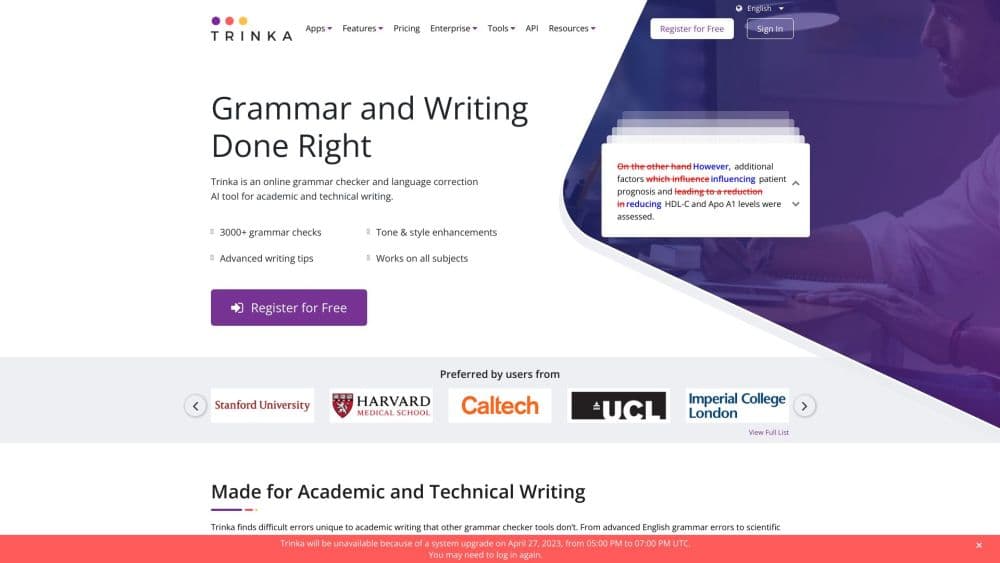
Trinka is an AI grammar checker built for academic and technical writing, fixing grammar, spelling, and style across full Word and LaTeX files for students, researchers, and authors.
About Trinka
What Is Trinka
Trinka is an online technical writing assistant from Crimson Interactive, the group behind Enago. Building on its origins as a grammar checker tool, it focuses on academic and technical English, so it catches the errors that general grammar tools miss: subject-verb agreement in dense sentences, wrong prepositions, inconsistent terminology, and phrasing that reviewers flag in papers.
The product answers a narrow need. You paste a paragraph or upload a whole manuscript, and Trinka returns corrections aimed at scholarly style rather than casual chat. A style guide layer covers APA, AMA, ACS, AGU, and IEEE, so the fixes follow the rules your target journal expects.
The main limits are scope and language. Trinka targets formal English and Spanish, not creative or conversational writing, and advanced options like plagiarism reports run on a credit system that you buy on top of a subscription. Free usage is also capped by a monthly word count, so heavy writers will hit the ceiling fast.
Getting Started
- Create a free account on the Trinka website with an email address. No credit card is needed for the Basic plan.
- Paste your text into the editor or upload a document, including Word and LaTeX files.
- Pick a style guide such as APA or IEEE, then run the grammar check.
- Review each suggestion, accept the ones that fit, and rerun the check until the text is clean.
- Download the corrected file and, on paid plans, add a plagiarism or AI detection report before you submit.
Product Information
A quick look at Trinka's pricing, supported platforms, and performance.
Best for
The users, tasks, and scenarios where this tool fits best.
Users
- Students
- Researchers
- Non-native English speakers
- Editors and proofreaders
Tasks
- Polishing a research manuscript
- Checking consistency in a long document
- Screening citations before submission
- Verifying a draft is original
Scenarios
- A deadline where a paper needs a clean language pass the night before submission
- A thesis spanning hundreds of pages with mixed formatting
- A lab or course group that needs consistent output across many writers
Key features
Academic Grammar and Style Check
Trinka checks grammar, spelling, and punctuation against your subject matter rather than generic rules. It handles 3,000+ error types and points out weak word choice, run-on phrases, and passive constructions that reviewers dislike. The check runs in Lite Mode for free and switches to Power Mode on paid plans for complex corrections.
Style Guide Based Corrections
The tool applies the rules of APA, AMA, ACS, AGU, and IEEE, so suggestions follow the formatting and reference conventions your target journal expects. For anyone juggling multiple submission standards, this removes the guesswork of which style to follow and cuts back-and-forth with editors.
File Proofreading for Word and LaTeX
Instead of working paragraph by paragraph, you can upload a full document and get it back with corrections marked as tracked changes. Formatting, tables, and the structure of LaTeX code stay intact, which matters when a manuscript is long and its layout is already set.
Consistency Check
One click fixes hard-to-spot inconsistencies across a whole file: mixed UK and US spelling, hyphenation choices, and number and symbol styles. Reviewers notice these details, and catching them in a single pass saves the tedious manual search.
Citation Quality Checker and Formatter
Trinka flags references from retracted papers and unverified or hallucinated citations that could undercut a study's credibility. A separate formatter rearranges citations to meet journal requirements, which helps avoid desk rejections tied to reference formatting.
Plagiarism and AI Detection
Paid plans bundle plagiarism checks and AI content detection, with the premiere tier offering a top-ranked AI detector. You get a score before submission and can compare your text against a large database, so you know where you stand before a journal runs its own check.
Pros and cons
Pros
- Built for academic and technical writing, so it catches discipline-specific errors that general grammar tools skip.
- Style guide support for APA, AMA, ACS, AGU, and IEEE keeps fixes aligned with journal requirements.
- File proofreading preserves Word and LaTeX formatting, which saves rebuild time on long manuscripts.
- A free Basic plan needs no credit card, so you can test the workflow before paying.
Cons
- Advanced features like plagiarism and AI detection run on credits that you buy on top of a subscription, so the real cost climbs past the headline price.
- The free plan caps usage by a monthly word count, which runs out quickly for anyone editing full papers.
- The tool centers on formal English and Spanish, so creative or casual writing gets little value.
- There is no native mobile app, so you work through the browser, Word, or a desktop app instead.
Frequently asked questions
Trinka is an AI grammar checker that reviews academic and technical text and suggests corrections for grammar, spelling, punctuation, word choice, and style. You paste text or upload a document, and it returns fixes aimed at scholarly writing rather than casual prose.
Related content
Explore related tools, skills, and articles for Trinka.
Trinka Alternatives
Isgen AI
Isgen · AI DetectionIsgen AI is a web-based AI detector that scores text for machine authorship and shows you which sentences and phrases push the number up. It's built for teachers, editors, students, and writers. Their question is simple: did this draft come from ChatGPT, GPT-5, Claude, Gemini, DeepSeek, or another model? You paste or upload content, run a scan, and get a Human, AI, and Mixed breakdown in seconds. There's also a companion editor that scores text while you write it.
Humanizeai Tools
Humanizeai Tools · Writing · AI DetectionHumanizeai Tools is a web-based AI humanizer that rewrites machine-generated text so it sounds like a person wrote it, which is the whole point of the category it belongs to. Paste a draft from ChatGPT, Claude, or Gemini, run it through the tool, and it swaps out the phrases and sentence patterns that AI detectors flag. If your goal is to make AI text sound human before you publish it, this is the kind of tool built for exactly that. It suits students, bloggers, and marketers who need copy that reads naturally and clears tools like GPTZero, Copyleaks, and Winston AI after a single pass.

Hidemyai
Hidemyai · Writing · AI DetectionHidemyai is an AI content humanizer. It rewrites text from ChatGPT, Jasper, and similar tools so the result reads like a person wrote it. You paste your draft, pick a document type and tone, and the service returns a version meant to bypass AI detectors such as Originality.ai, Turnitin, and ZeroGPT. It targets writers, marketers, and students who lean on AI drafts but can't ship copy that sounds robotic. The promise is simple: make AI content undetectable.