

trnscrb
Ajay Ramkumar · Writing · Voice & Language
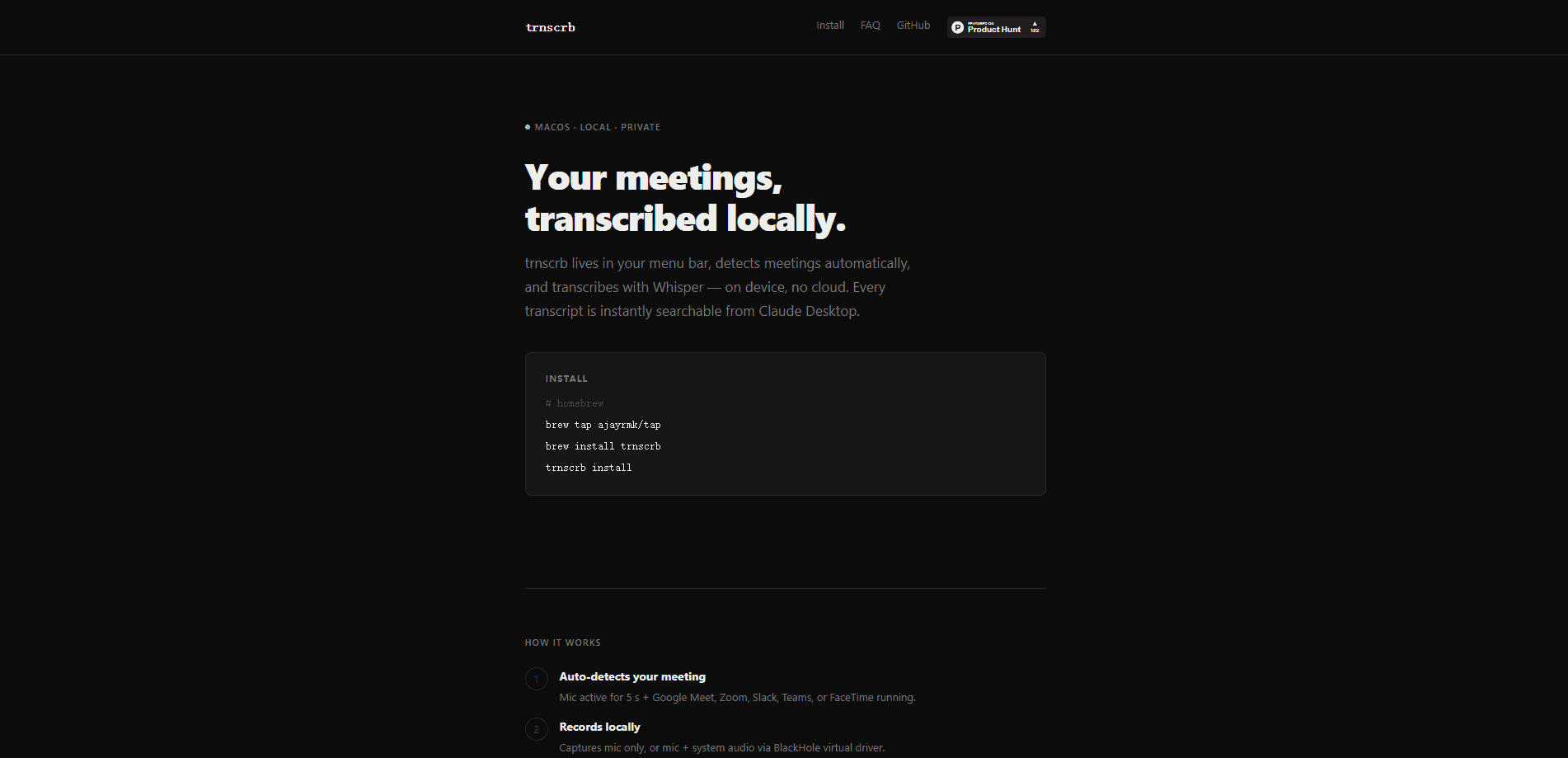
trnscrb is an offline meeting transcription tool for macOS that sits in your menu bar, notices when a call starts, and turns the audio into text without sending anything to the cloud. It watches for Google Meet, Zoom, Slack Huddle, Microsoft Teams, and FaceTime, records the audio, then runs the Whisper small model directly on Apple Silicon to produce a saved transcript. The results land as plain text files you can search, and a set of MCP tools lets you query those notes from Claude Desktop. Think of it as a private meeting recorder that doubles as a searchable meeting notes app. It's built for people who want on-device transcription with no subscription and no data leaving the machine.
About trnscrb
What Is trnscrb
trnscrb is a command line tool and menu bar app that handles meeting transcription on a Mac, start to finish. As a macOS transcription app, it does the whole job: you install it once, and from then on it listens for the signs of a meeting, records the audio, transcribes it, and files the text away in a folder called ~/meeting-notes/. No browser tab to babysit. No API key feeding a remote service. The whole pipeline runs on your hardware.
The appeal is privacy plus simplicity. Cloud transcription tools upload your conversations to a server, and many charge a monthly fee. trnscrb does the work locally with Whisper, an open speech model, so the audio never leaves your Mac and there's no bill. The catch is that it's macOS only, and it leans on Apple Silicon for speed. On older Intel Macs it still runs, but Whisper can't use Metal acceleration, so a one-hour meeting takes noticeably longer to process.
Getting Started
- Install trnscrb with Homebrew (
brew tap ajayrmk/tapthenbrew install trnscrb) or withpip install trnscrb. - Run
trnscrb install, the guided setup that pulls in the BlackHole audio driver, a HuggingFace token for speaker labels, the Whisper model, and the Claude Desktop MCP config. - Start the menu bar app with
trnscrb startand leave Auto-transcribe on if you want it to catch meetings by itself. - Join a call on a supported app, or hit Start Transcribing from the menu bar to record manually.
- When the meeting ends, trnscrb stops and transcribes. Find the text in
~/meeting-notes/, or read it withtrnscrb listandtrnscrb show <id>.
Product Information
A quick look at trnscrb's pricing, supported platforms, and performance.
Best for
The users, tasks, and scenarios where this tool fits best.
Users
- Privacy-conscious professionals
- Freelancers and consultants
- Developers and tinkerers
Tasks
- Capturing meeting notes
- Searching past conversations
- Generating summaries
Scenarios
- Daily standups and recurring syncs where you want an automatic record without opening another app.
- Back-to-back calls on a locked-down work laptop where installing a cloud recorder isn't allowed.
- Reviewing a long call after the fact to pull out who committed to what.
Key features
Automatic Meeting Detection
trnscrb watches for the pattern of a meeting starting: your mic is active for about five seconds and one of the supported apps is running. When both line up, recording begins on its own. That covers Google Meet, Zoom, Slack Huddle, Microsoft Teams, and FaceTime, and because it checks process presence rather than a browser plugin, it also catches calls you join in a browser tab. When the meeting ends, it stops and transcribes without you touching anything.
Fully Offline Transcription
The actual speech-to-text runs locally with the Whisper small model on Apple Silicon through Metal acceleration. Nothing is uploaded during recording or transcription. That means the tool works with the Wi-Fi off and on a corporate network that blocks cloud services. The model is roughly a 500 MB one-time download. That's the whole reason to pick trnscrb over a web recorder: the audio never leaves the machine.
Speaker Labels With Diarization
If you supply a free HuggingFace token, trnscrb separates speakers and tags each line as SPEAKER_00, SPEAKER_01, and so on using the pyannote library. That makes a transcript readable when more than two people are talking. So why bother with the extra setup? Because in a group call, a wall of unattributed text is hard to follow. The token is optional, so transcription still works without it, just without the speaker split. For solo calls the extra setup is easy to skip.
Claude Desktop Integration via MCP
After setup, Claude Desktop gets a set of tools that reach into trnscrb: start or stop a recording, check status, and pull up transcripts by name. You can ask what the action items were from this morning's standup and get an answer drawn from the saved text. It turns a folder of plain text files into something you can question in plain language, which is the part that saves real time later.
System Audio Capture With BlackHole
By default trnscrb records only your microphone, which captures you but not the other participants. Install BlackHole, a free virtual audio driver, and it can capture system audio too, so both sides of the call end up in the transcript. trnscrb install sets BlackHole up for you, and the app detects it automatically when it's present. Without it, a remote meeting transcript only shows your half of the conversation.
Command Line and Menu Bar Control
You don't have to rely on auto-detection. The menu bar has Start Transcribing and Stop Transcribing for manual runs, and the CLI covers the rest. trnscrb list shows saved meetings. trnscrb show prints one. trnscrb watch runs headless auto-transcribe with no menu bar at all. And trnscrb mic-status shows live mic activity when you're debugging why a recording didn't kick in.
Pros and cons
Pros
- No subscription and no account, since recording and transcription both run locally.
- Automatic detection means you don't have to remember to hit record before a call.
- Plain text transcripts are portable and easy to search or script against.
- The Claude Desktop MCP tools turn saved notes into a queryable archive.
Cons
- macOS only, so Windows and Linux users are out of luck entirely.
- Speaker labels need a HuggingFace token, and full call audio needs BlackHole set up separately.
- On Intel Macs there's no Metal acceleration, so long meetings take much longer to transcribe.
- Summaries and action items need an Anthropic API key, which sends transcript text to the Claude API.
Frequently asked questions
No. Recording and transcription run fully offline with the local Whisper model. The one exception is trnscrb enrich, which sends transcript text to the Claude API to produce a summary and action items, so that single command does need a connection and an API key.
Related content
Explore related tools, skills, and articles for trnscrb.
trnscrb Alternatives

Claude for Google Workspace
Anthropic · Writing · Productivity · BusinessClaude for Google Workspace puts Claude in a sidebar inside Google Docs, Sheets, and Slides, where it reads the file you have open and edits it in place.

Claude Haiku 5.5
Anthropic · Writing · Coding · ChatbotClaude Haiku 5.5 is Anthropic's fastest and cheapest small model, built for high volume tasks at $0.10 per million input tokens with a 1M token context window.

NoteWorthy
Suman Hansada · Writing · Productivity · AI AssistantNoteWorthy is a notes app for iPhone, iPad and Mac that writes titles, tidies formatting, summarizes long notes and files each one with on-device AI. No account, no upload, no network requests.