

Turbobuild αlpha
Cybermind Works LLP · Coding
TurboBuild is an AI app and website builder for people who can describe an idea but don't want to write the code to ship it. You type a prompt, and the platform generates a themed, production-ready interface you can preview, share, and export, with a working data model and infrastructure blueprint behind it. It's a way to build software with AI that sits somewhere between a no-code builder and an AI coding assistant. The target is simple: founders, freelancers, and small teams who need something real, fast. It's aimed at speed over polish.
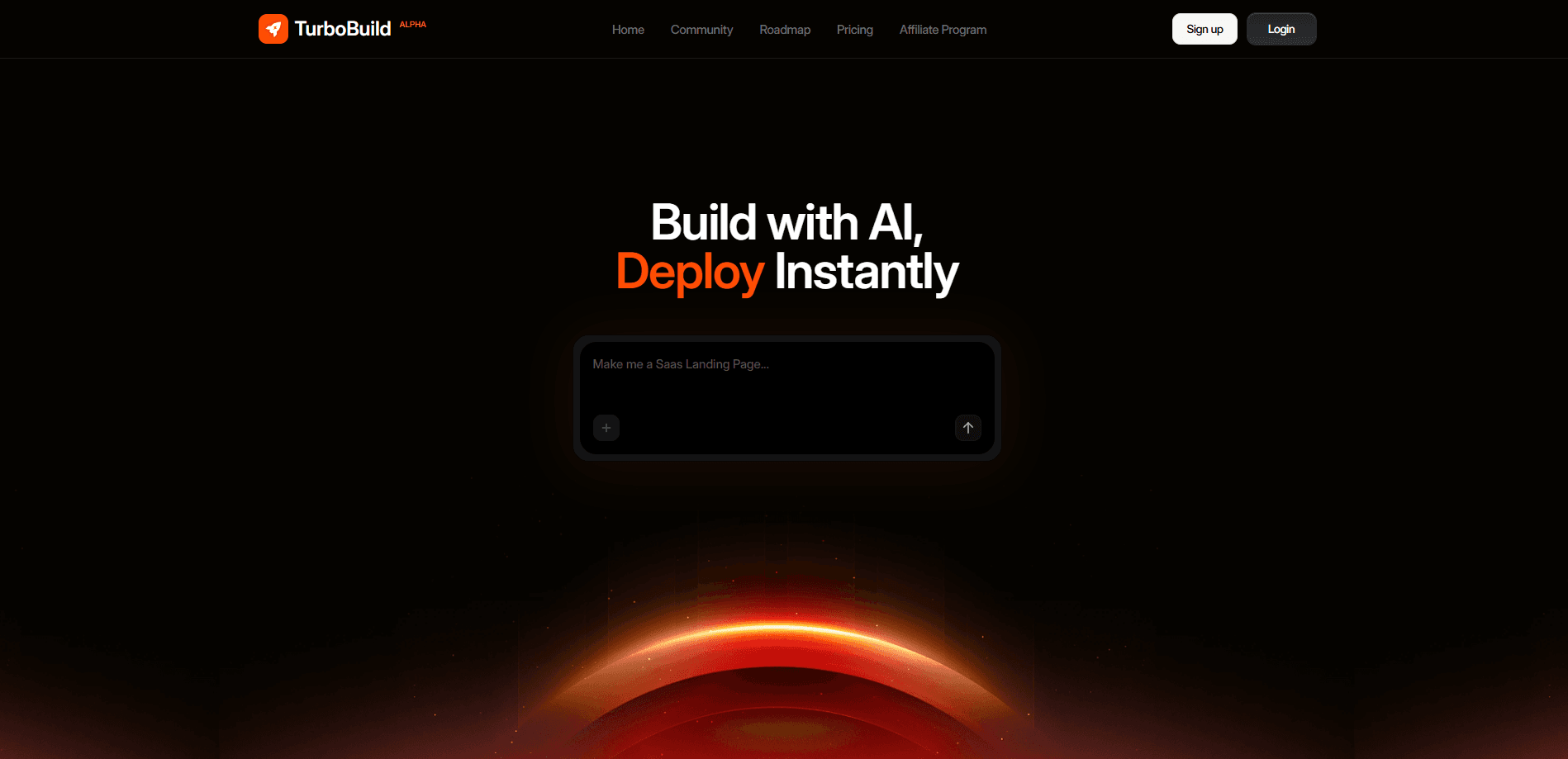
About Turbobuild αlpha
What Is TurboBuild
TurboBuild is a browser-based platform that turns a chat prompt into a full stack web app. Instead of stopping at code snippets, it tries to cover the whole path from idea to something you can actually put in front of users: design systems, components, tests, accessibility checks, analytics, and a deployment plan. The company behind it, Cybermind Works LLP, ran an agency building MVPs before this. The product reads like a reaction to the same problems they kept hitting.
The pitch is speed plus craft. AI does the repetitive scaffolding. Humans stay in the loop for the parts that break in production. The site is honest that this is an early alpha, v0.1, and that bugs will show up while the feature set fills in.
The main limitation is maturity. It's new. The community template library is still small, and there's no public API yet, so teams that need to wire TurboBuild into an existing pipeline should plan around that. Want a finished, battle-tested platform? This isn't it. Want to chat to code and ship a live app this week? It's built for exactly that.
Getting Started
- Sign up at turbobuild.ai and open the builder dashboard.
- Type what you want to build in the prompt box, for example "a SaaS landing page" or "a habit tracker."
- Review the generated app, then refine it with follow-up prompts until the layout and flow feel right.
- Run the built-in audits, or export the code base if you want full control.
- Connect a custom domain and publish, or book a call with the team for a guided deployment.
Product Information
A quick look at Turbobuild αlpha's pricing, supported platforms, and performance.
Best for
The users, tasks, and scenarios where this tool fits best.
Users
- Founders and indie builders
- Freelancers and small agencies
- Non-technical creators
Tasks
- Building a landing page or marketing site
- Prototyping a SaaS product
- Producing a shareable demo
- Handing off a code base
Scenarios
- Validating an idea this week
- Rebuilding a slow internal tool
- Starting a side project on a small budget
Key features
Prompt-to-App Building
You describe an app in plain language and TurboBuild generates the interface, data model, and infrastructure blueprint behind it. Follow-up prompts let you refine the result step by step. The first output is a starting point, not the final product. It's the core loop, and it's what sets the tool apart from a plain code generator.
Design-Grade UI and Theming
TurboBuild aims for interfaces that look designed, not stitched together. It creates consistent design systems and production-grade components, so colors, spacing, and typography stay coherent as the app grows. For teams without a designer, that consistency alone saves a lot of cleanup.
Automated Tests and Audits
The platform scaffolds automated tests and runs AI-assisted regression checks, then runs accessibility and performance audits by default. That's unusual for a no-code builder. Those steps usually get skipped until something breaks. It means you catch obvious problems before real users do.
Code Export
When you want full control, you can download the code base and keep working in your own editor. Code stays optional but always available. That matters if you plan to hand the project to a developer or grow it beyond what the builder supports.
Analytics and Deployment Blueprints
TurboBuild wires analytics, monitoring, and deployable infrastructure blueprints into the project. A free custom domain and website analytics come even on the free plan, so you can measure what's happening after launch without extra setup.
Human Support
The team leans on real humans, not just automation. Human support with a 24-hour response window is listed on paid tiers, and the company says it offers human reviews from day one. For an alpha product, having someone to ask is worth as much as the features.
Pros and cons
Pros
- Generates a full stack project from a prompt, not just UI mockups.
- Design consistency and component quality are a stated priority, which cuts post-generation cleanup.
- Tests, accessibility, and performance audits run by default, a step most no-code tools skip.
- Code export keeps you from being locked in if you outgrow the builder.
- Free plan includes 5 daily credits, a free custom domain, and website analytics; paid plans start at $10/mo.
Cons
- It's an early alpha, so expect bugs and features that are still filling in.
- There's no public API, which limits use in existing development pipelines.
- The template and component marketplace is still early, so starting points are limited.
Frequently asked questions
TurboBuild is an AI app and website builder that turns plain-English prompts into full stack web applications. It generates the interface, data model, and deployment blueprint, then runs tests and audits before you publish.
Related content
Explore related tools, skills, and articles for Turbobuild αlpha.
Turbobuild αlpha Alternatives
Forefront
Forefront · CodingForefront is a web platform for building with open-source AI. It lets you fine-tune leading open-source language models on your own data, evaluate how they perform, and run them through an API or export them to host yourself. Developers who want the convenience of a closed-source platform but insist on owning their models and data are the target audience here.

Startkit
StartKit.AI · CodingStartkit is a boilerplate for building AI SaaS and AI wrapper products. Think of it as an AI startup boilerplate with the boring parts already wired up: authentication, Stripe and Lemon Squeezy payments, usage limits, transactional email, and an AI API starter that talks to OpenAI, Anthropic, Groq, or Llama. You clone the repo, set your price, and start on the part of your product that people actually pay for. It's Next.js under React and Tailwind, so most of the boilerplate code already feels familiar.
Testim
Tricentis · CodingTestim is an AI-powered test automation platform for building and running end-to-end tests across web, mobile, and Salesforce applications. It leans on machine learning to keep tests stable when an interface changes, so teams spend less time fixing broken selectors. Not bad for an automated testing tool you can start using today. You create tests by recording actions in a browser, then optionally add JavaScript when you need more control. It's a solid pick for busy QA teams.